6
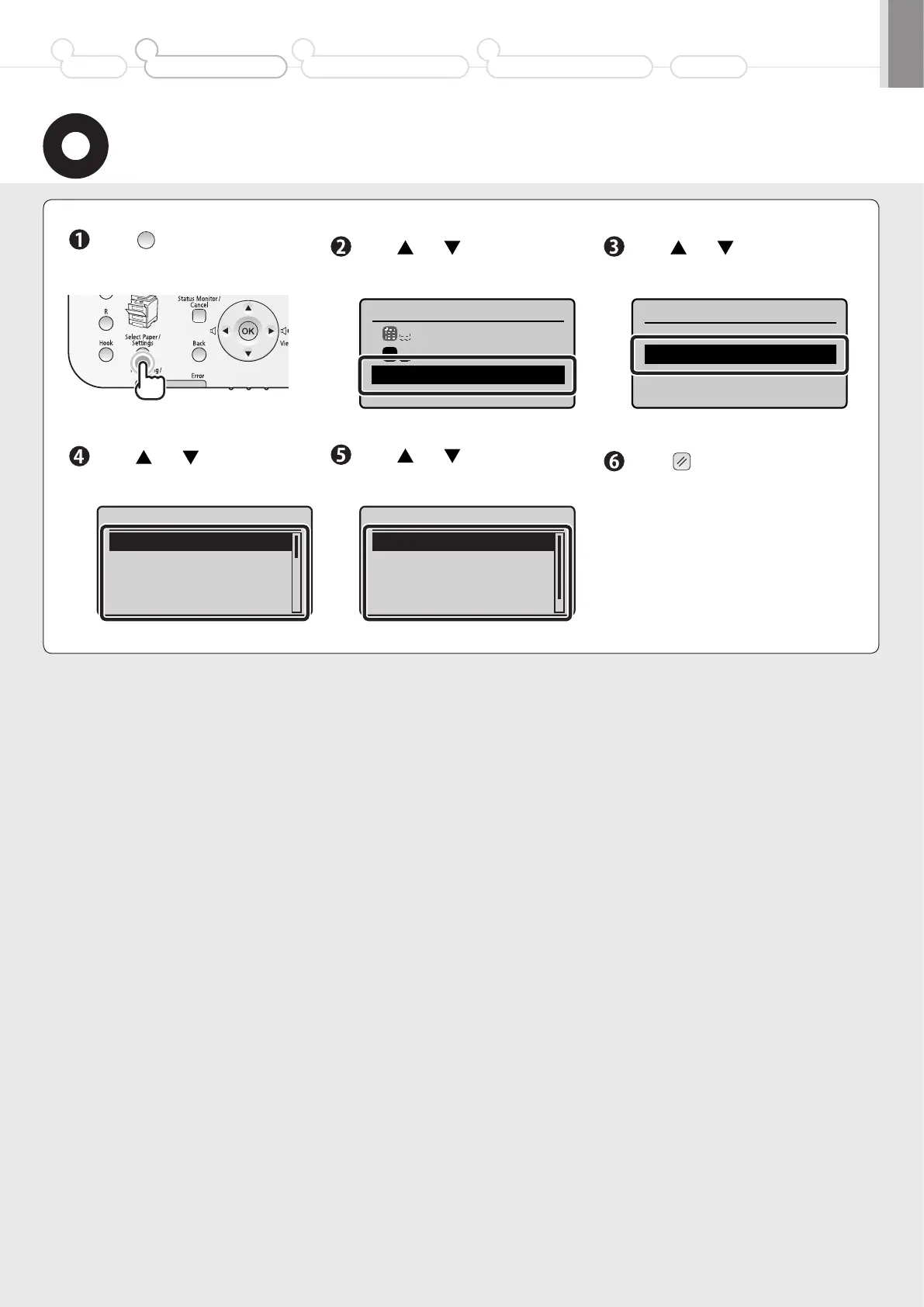
Setting the Paper Size and Type
Press [ ]
(Select Paper/Settings).
Press [ ] or [ ] to select, and
then press [OK].
Press [ ] or [ ] to select, and
then press [OK].
Press [ ] or [ ] to select, and
then press [OK].
Press [ ] or [ ] to select, and
then press [OK].
Press [ ] (Reset) to return to
the standby mode.
Select Paper
MP Tray
A4:Plain 2
Paper Settings
1
Paper Settings
Multi-Purpose Tray
Drawer 1
Paper Size
A4
A5
B5
LTR
Paper Type
Plain 2 (70-90 g/m
2
)
Recycled
Color
Heavy 1 (86-119 g/m
2
)
Preface
1
Installing the Machine
2
Configuring and Connecting the Fax
3
Connecting to a Computer and
Installing the Drivers
4
Appendix













 To Next Page