14
• Enlarged/Reduced Printing
• 2-Sided Printing
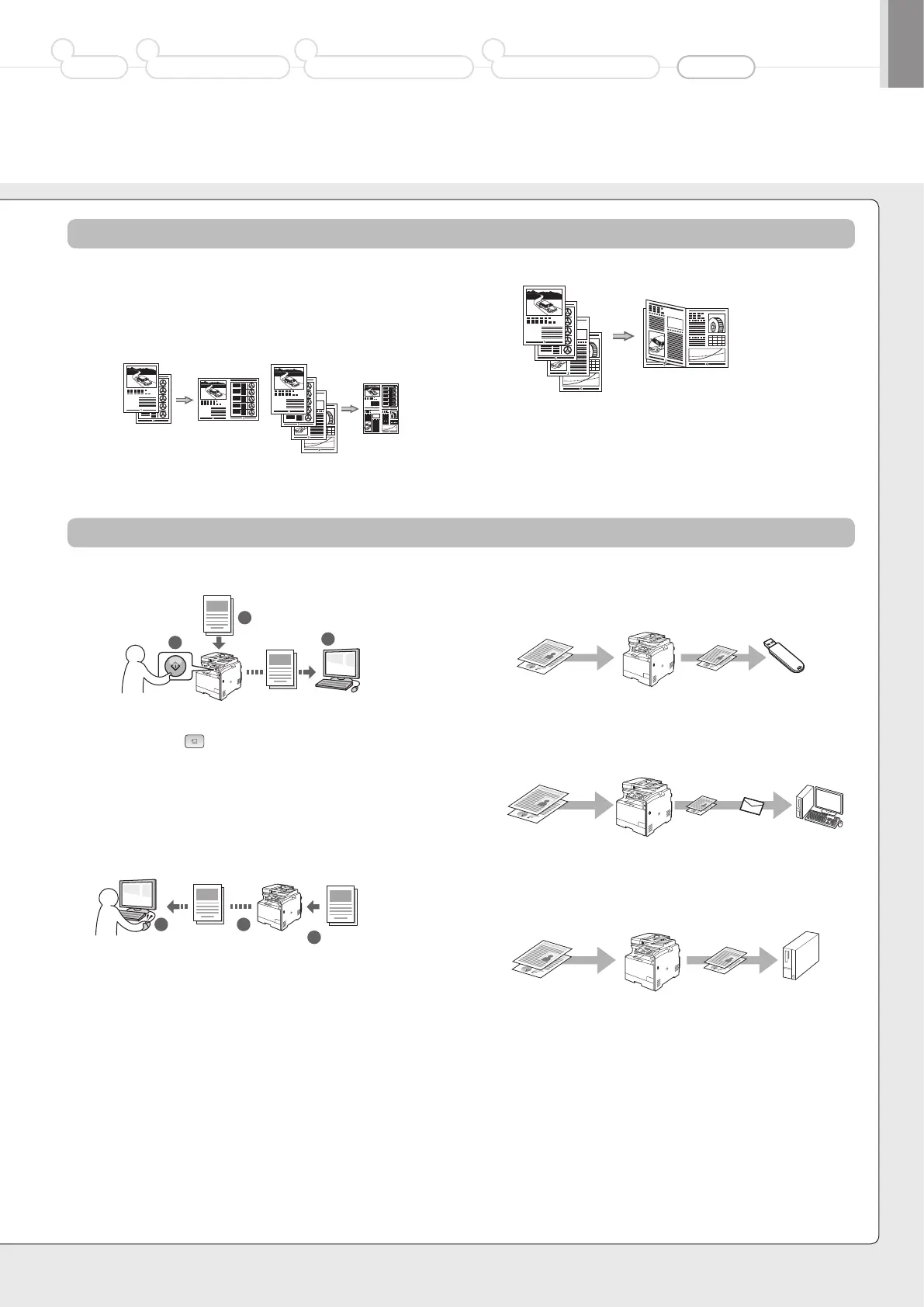
• Reduced Layout
You can reduce multiple documents to print them onto one sheet.
• Booklet Printing
• Poster Printing
• Watermark Printing
• Displaying a Preview before Printing
• Selecting a “Profile”
• Saving the Documents Using the Operation Panel of the Machine
• Scanning with the [ ] (Scan to PC1)/(Scan to PC2) key
You can simplify the procedure for selecting the destination and making
the scan settings by registering them in the keys on the operation panel.
• Saving the Documents Using Operations from a Computer
• Scanning with the MF Toolbox
• Scanning from an Application
• Scanning with the WIA Driver
(Windows XP/Vista/7 Only)
• Saving in a USB Memory
You can save scanned documents in a USB memory connected to the
machine.
• E-mailing Scanned Documents
You can send scanned documents to your e-mail application.
• Sending Scanned Documents to a File Server
You can send scanned documents to a file server.
Print
Scan
Preface
1
Installing the Machine
2
Configuring and Connecting the Fax
3
Connecting to a Computer and
Installing the Drivers
4
Appendix
2 on 1 4 on 1
1
2
3
Documents
Data
1
2 3
Documents
Data
Documents
Data
Documents
Data E-mail
+
Documents
Data File server













 To Next Page