
 Need help?
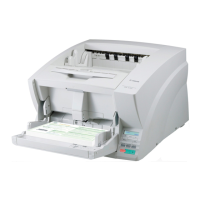
Do you have a question about the Canon ImageFormula DR-9050C and is the answer not in the manual?
 Scanning Capabilities
| optical resolution | 600 dpi |
|---|---|
| output resolution | 100/150/200/240/300/400/600 dpi |
| scanning speed (black and white/grayscale/color) | 112 ppm 225 ipm |
Power and Performance| power consumption | 83W or Less (Energy Saving Mode: 2.7W or Less) |
|---|---|
| suggested daily volume | 27, 000 Scans |
| feeder capacity | 500 Sheets |
 Weight and Dimensions
| dimensions | 18.9” x 20.9” x 12.4” |
|---|---|
| weight | 50 lb. |
Scanning Capabilities| optical resolution | 600 dpi |
|---|---|
| output resolution | 100/150/200/240/300/400/600 dpi |
| scanning speed (black and white/grayscale/color) | 90 ppm 180 ipm |
Power and Performance| power consumption | 83W or Less (Energy Saving Mode: 2.7W or Less) |
|---|---|
| suggested daily volume | 22, 500 Scans |
| feeder capacity | 500 Sheets |
Weight and Dimensions| dimensions | 18.9” x 20.9” x 12.4” |
|---|---|
| weight | 50 lb. |
Scanning Capabilities| optical resolution | 600 dpi |
|---|---|
| output resolution | 100/150/200/240/300/400/600 dpi |
| scanning speed (black and white/grayscale/color) | 80 ppm 160 ipm |
Power and Performance| power consumption | 83W or Less (Energy Saving Mode: 2.7W or Less) |
|---|---|
| suggested daily volume | 20, 000 Scans |
| feeder capacity | 300 Sheets |
Weight and Dimensions| dimensions | 18.9” x 20.9” x 12.4” |
|---|---|
| weight | 50 lb. |






 To Next Page
