20
3
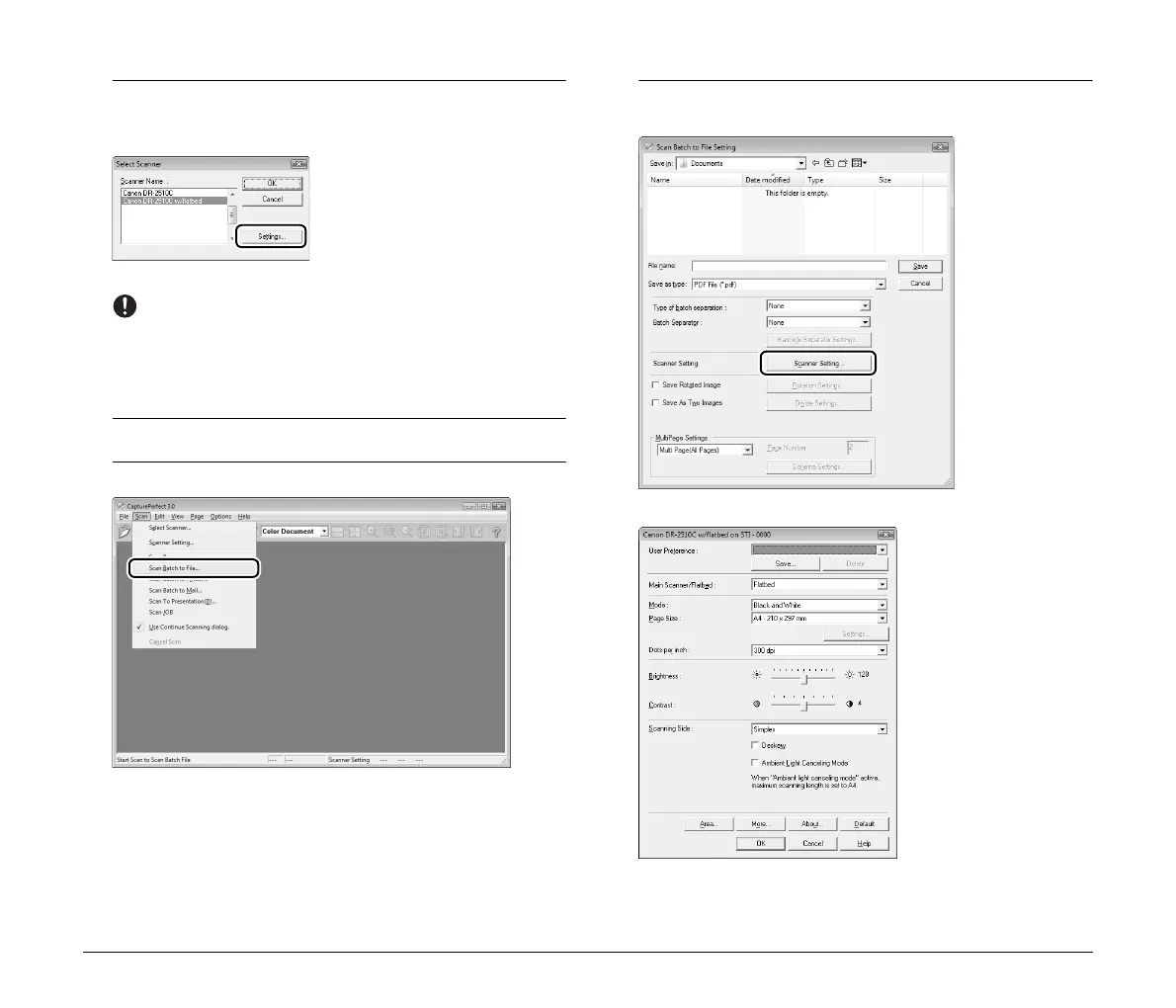
Select the scanner you are using (the name of the
connected Canon DR-series scanner should be followed
by “w/flatbed”), and click [Settings].
The [Configure Device Settings] dialog box appears.
IMPORTANT
If the flatbed and the Canon DR-series scanner are connected
properly, “w/flatbed” should appear after the scanner name. If
only the scanner name appears, try reinstalling the software
included on the setup disc provided with the flatbed.
4
Click [OK] to finish scanner selection.
5
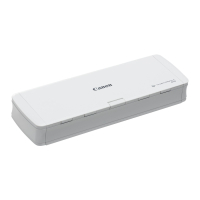
Select [Scan Batch to File] from the [Scan] menu.
The [Scan Batch to File Setting] dialog box appears.
6
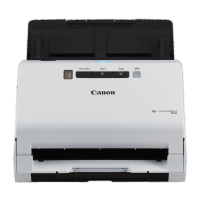
Click [Scanner Setting], and configure the scanner
settings.
The properties dialog box for the scanner driver appears.




 To Next Page