19
Scanning with CapturePerfect
You can use the CapturePerfect software provided with the connected
Canon DR-series scanner to specify the scanning conditions and
saving options before scanning.
The following describes how to scan documents with CapturePerfect
using the [Scan Batch to File] setting. When you use this scanning
method, documents that are scanned one sheet at a time on the
flatbed are saved to the same image file.
NOTE
For details on how to scan using other methods, refer to the
CapturePerfect 3.0 Operation Guide.
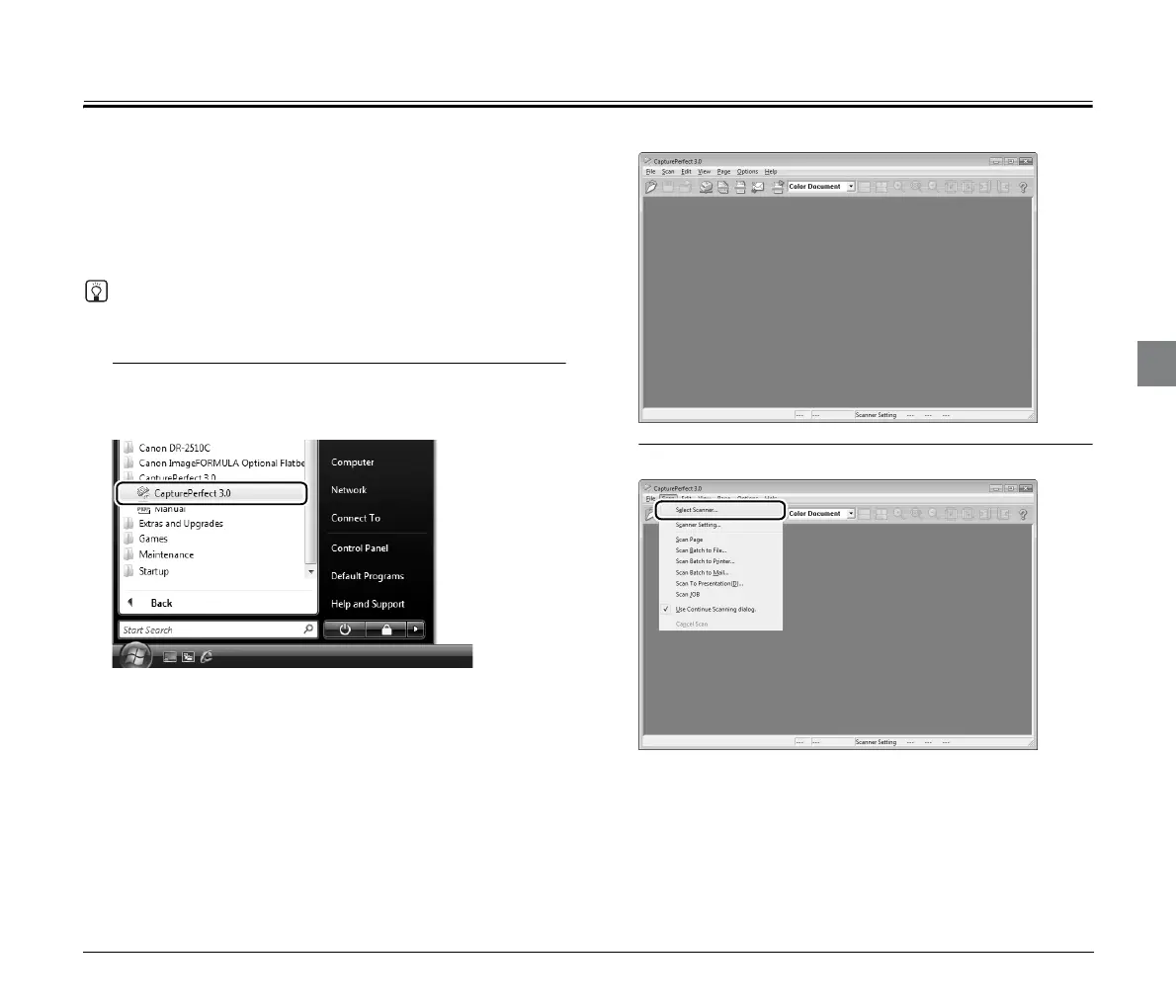
1
From the Windows Taskbar, click [Start] and select [All
Programs], [CapturePerfect 3.0], and [CapturePerfect
3.0].
CapturePerfect starts.
2
Select [Select Scanner] from the [Scan] menu.
The [Select Scanner] dialog box appears.




 To Next Page