22
13
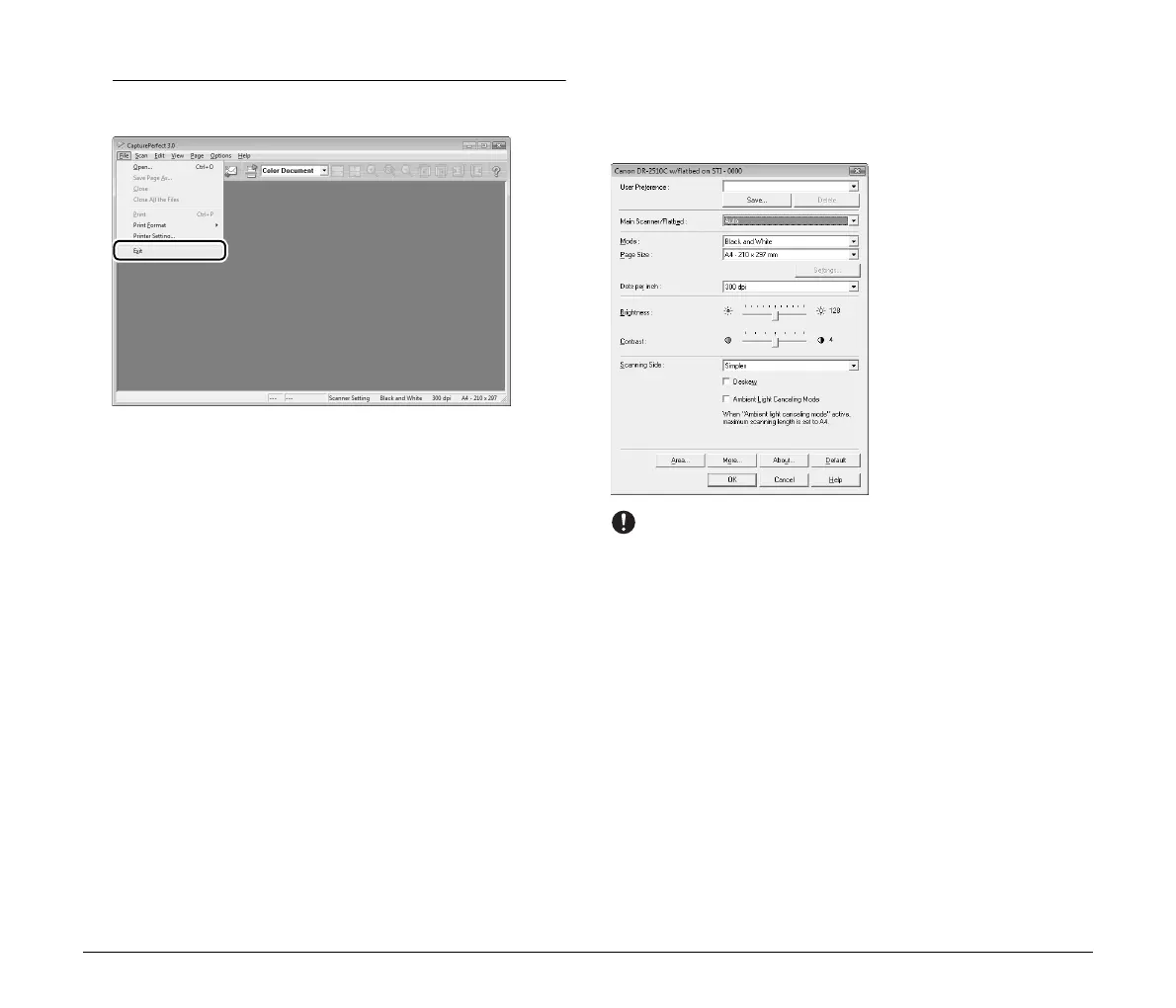
When scanning is complete, select [Exit] from the [File]
menu to exit CapturePerfect.
Scanner Settings
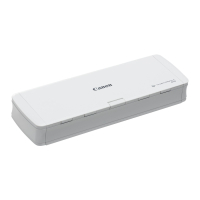
When you open the settings dialog box for your scanner while the
flatbed is connected, you can configure scan conditions with the
following settings.
IMPORTANT
Make sure to configure the [Main Scanner/Flatbed] setting first. The
settings in the scanner settings dialog box are saved separately for
each selection option of the [Main Scanner/Flatbed] setting. If you
change the [Main Scanner/Flatbed] option midway through
configurations, any settings configured before the change will be
disabled.
[User Preference]
Enter a name and click [Save]. You can recall the name and its
configurations in the settings dialog box, whenever necessary.
[Main Scanner/Flatbed]
Select [Flatbed] to scan the document placed on the flatbed. Select
[Main Scanner] to scan documents placed in the feeder of the
connected Canon DR-series scanner.
If you select [Auto], the scanner in which the document is placed is
detected automatically.
For details, see “Using Two Scanners” on p. 26.




 To Next Page