8
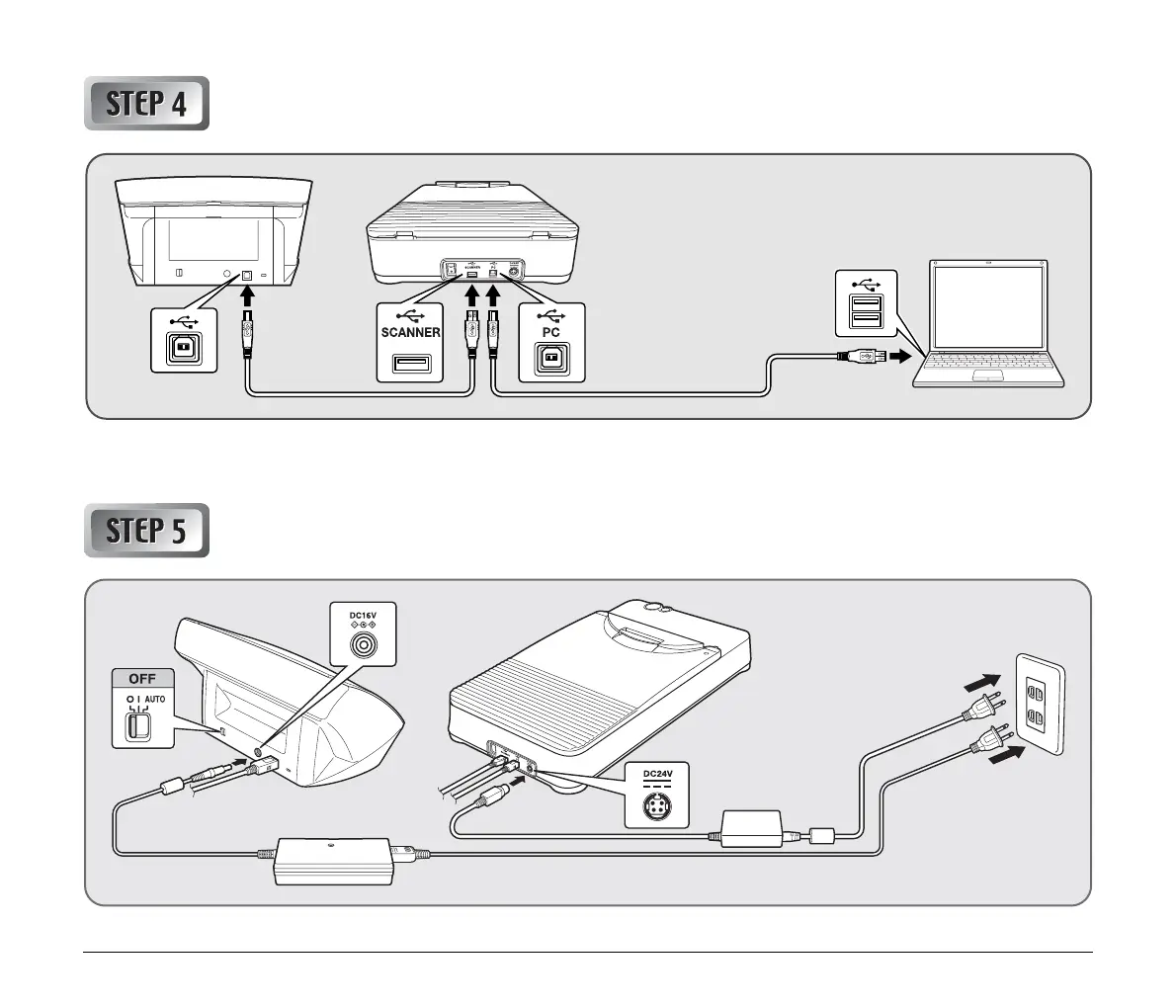
Connecting the Scanners to a Computer
If you own multiple Canon DR-series scanners, with the exception of the Canon DR-series scanner connected to the flatbed, do not connect any
other scanners to the computer, regardless of compatibility. Proper functioning is not guaranteed if multiple scanners are connected.
Connecting the Scanners to a Power Supply
When connecting the flatbed and the Canon DR-series
scanner, do not use the USB cable supplied with the
DR-series scanner. Instead, use the two USB cables
supplied with the flatbed.




 To Next Page