Device Management Settings
6-83
6
System Manager Settings
4
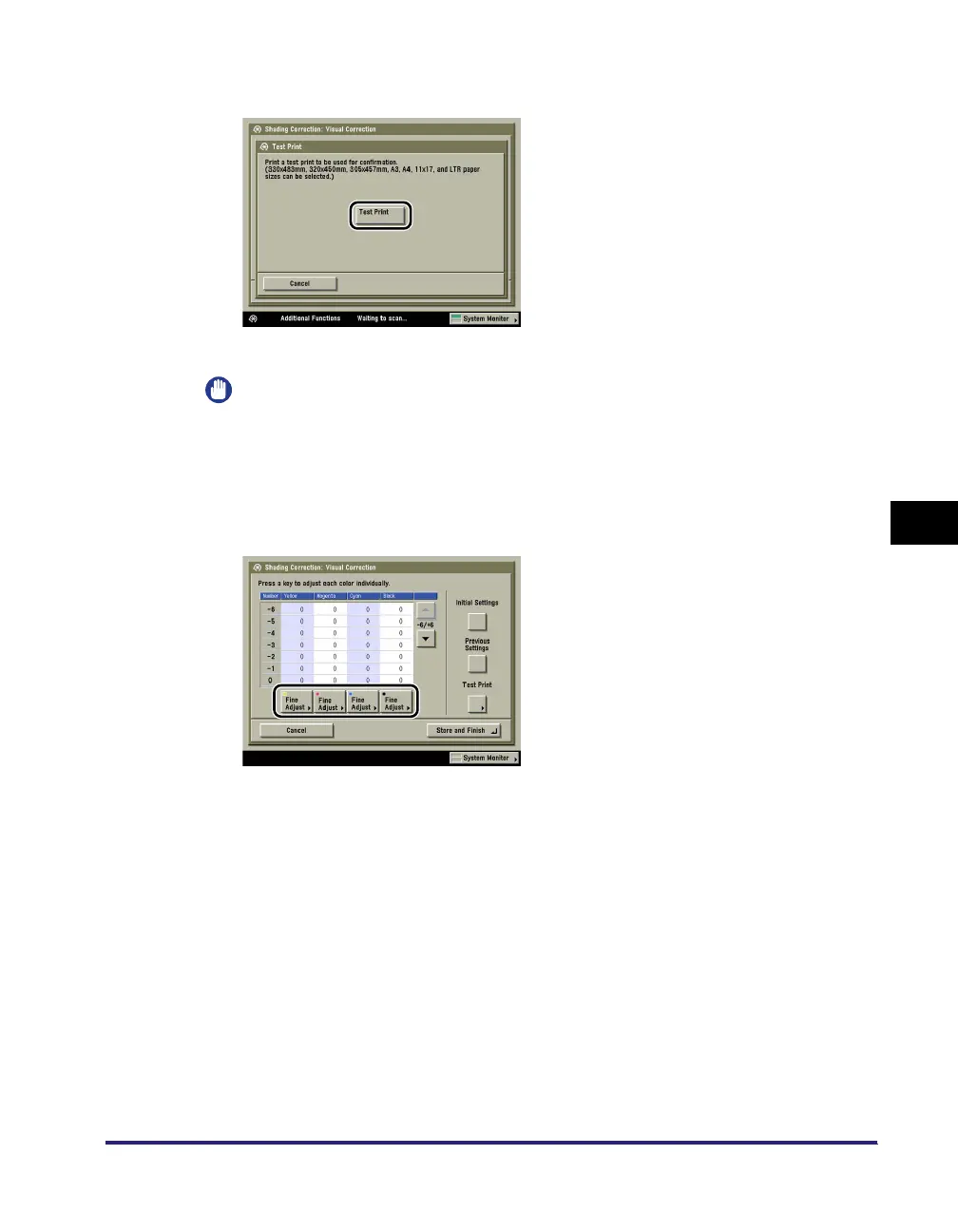
Press [Test Print].
Test print is output.
IMPORTANT
Only 330 mm x 483 mm, 320 mm x 450 mm (SRA3), 305 mm x 457 mm, 11" x 17", A3, LTR, or
A4 plain paper can be used for test prints. Make sure that a sufficient supply of paper is loaded
into the machine before starting this procedure.
5
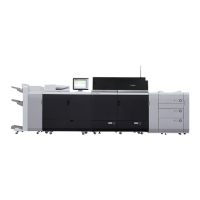
View the output test print ➞ press [Fine Adjust] of the colour you want
to adjust.




 To Next Page