37
Test Print Paper
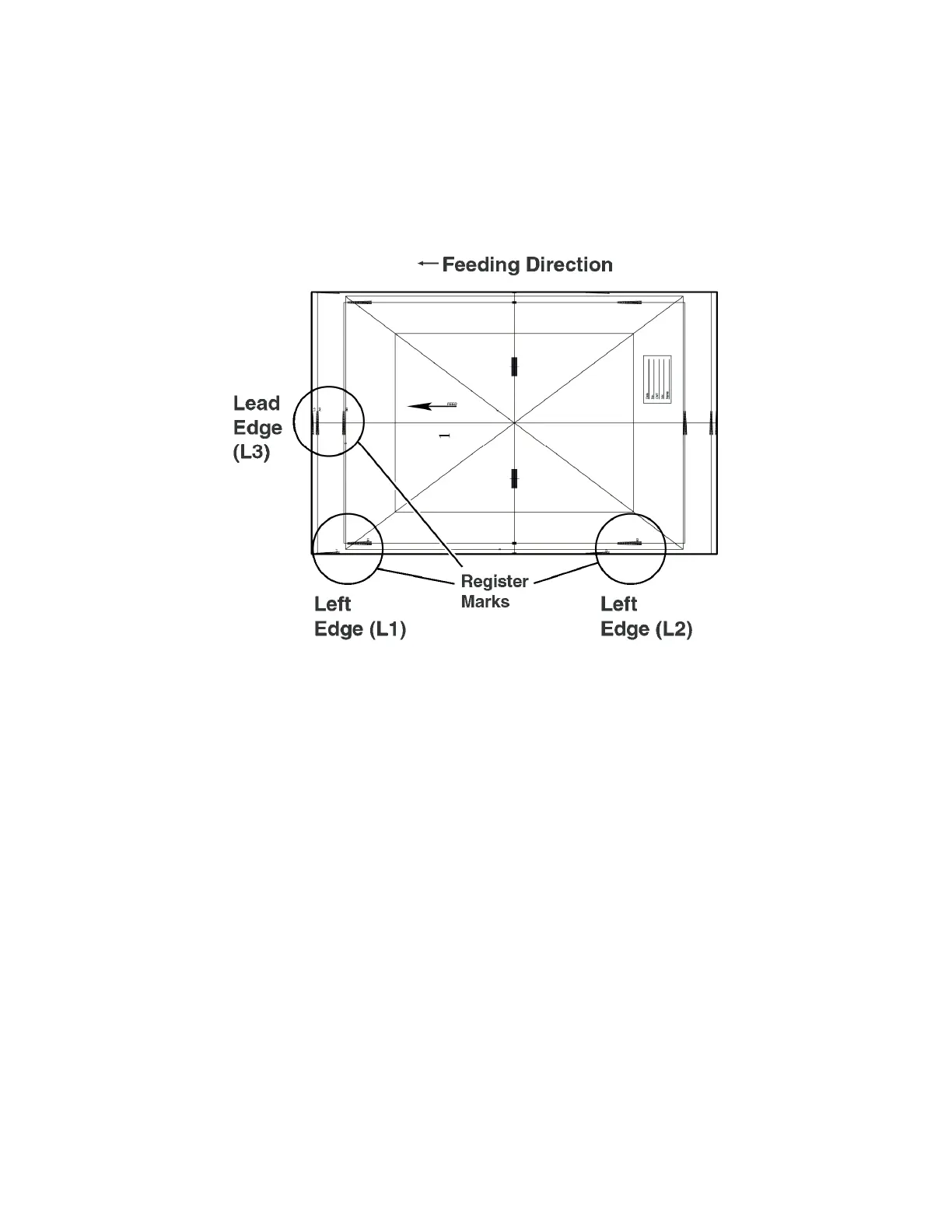
The test print paper used when you adjust the location of the image is described below. The following shows the
test print paper which printed on 11" x 17" paper.
The side printed "1" on it is the front side. The side with nothing printed on it is the back side.
The arrow printed in the center of the test print paper indicates the feeding direction.
Register Mark
· You can adjust the image location of the lead edge toward the feeding direction by aligning it with the "L3"
register mark. (If you are printing on a paper other than 11" x 17", align the image location of the lead edge with
the "A3" register mark.)
· You can adjust the image location of the left edge toward the feeding direction by aligning it with the "L1"
register mark. (If you are printing on a paper other than 11" x 17", align the image location of the left edge with
the "A1" register mark.)












 To Next Page