16
Registering/Editing Custom Paper Types
You can register an additional 200 custom paper types besides the default paper types registered in the machine.
Registering Custom Paper Types
The following methods are available for registering custom paper types:
· Duplicate
· Registering from the Paper Database
NOTE
When you register a custom paper type, you cannot select the paper source. For instructions on registering the
paper source, see "Identifying the Type of Paper in a Paper Source," in Chapter 4, “Customizing Settings“ in the
Reference Guide.
Registering Custom Paper Types by Duplicating
You can duplicate a similar paper type setting that has already been registered, and then change its settings, and
then assign it a new name.
1 Press (Additional Functions) → [System Settings] → [Paper Type Management
Settings].
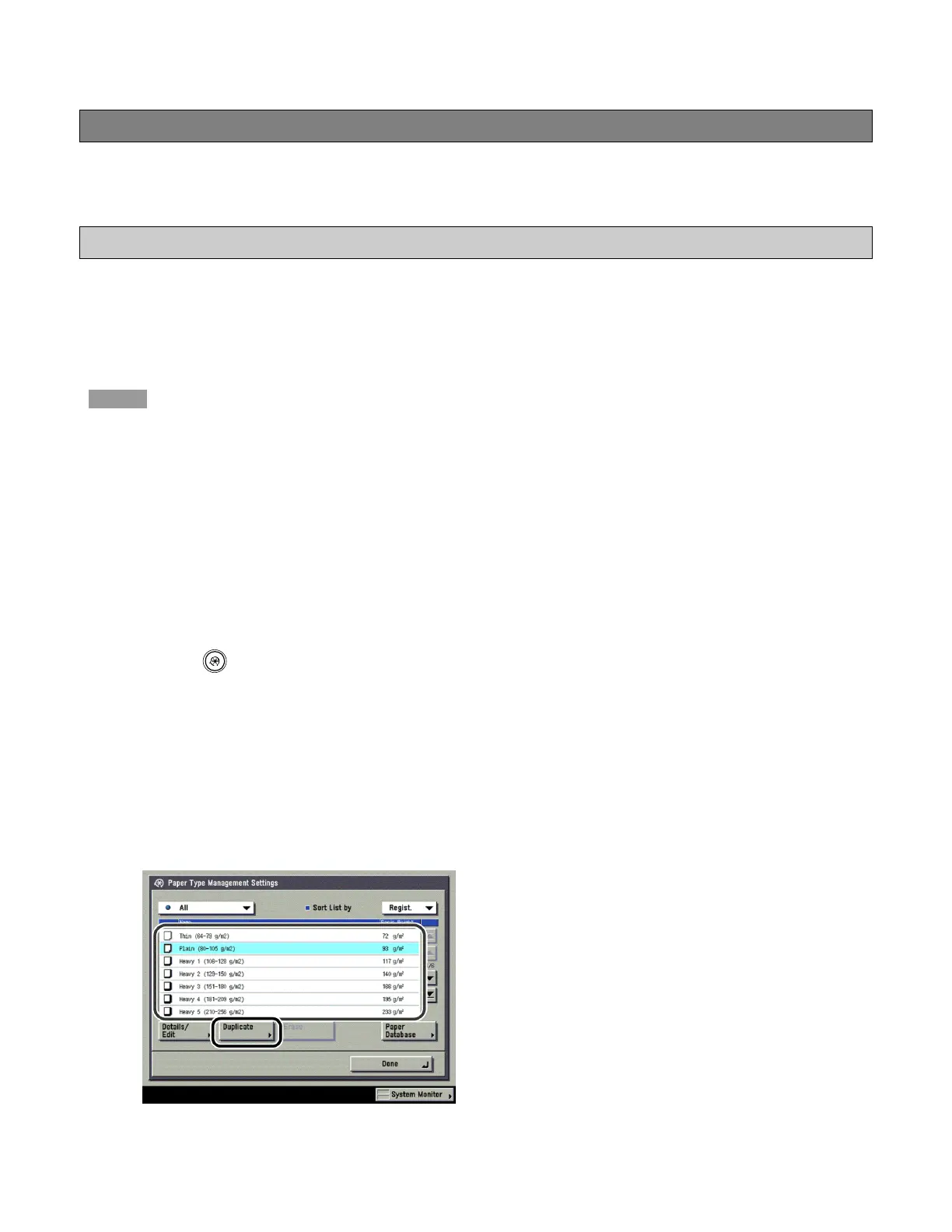
2 Select, from the list, a paper type that closely matches the characteristics of the paper
type you want to register → press [Duplicate].












 To Next Page