38
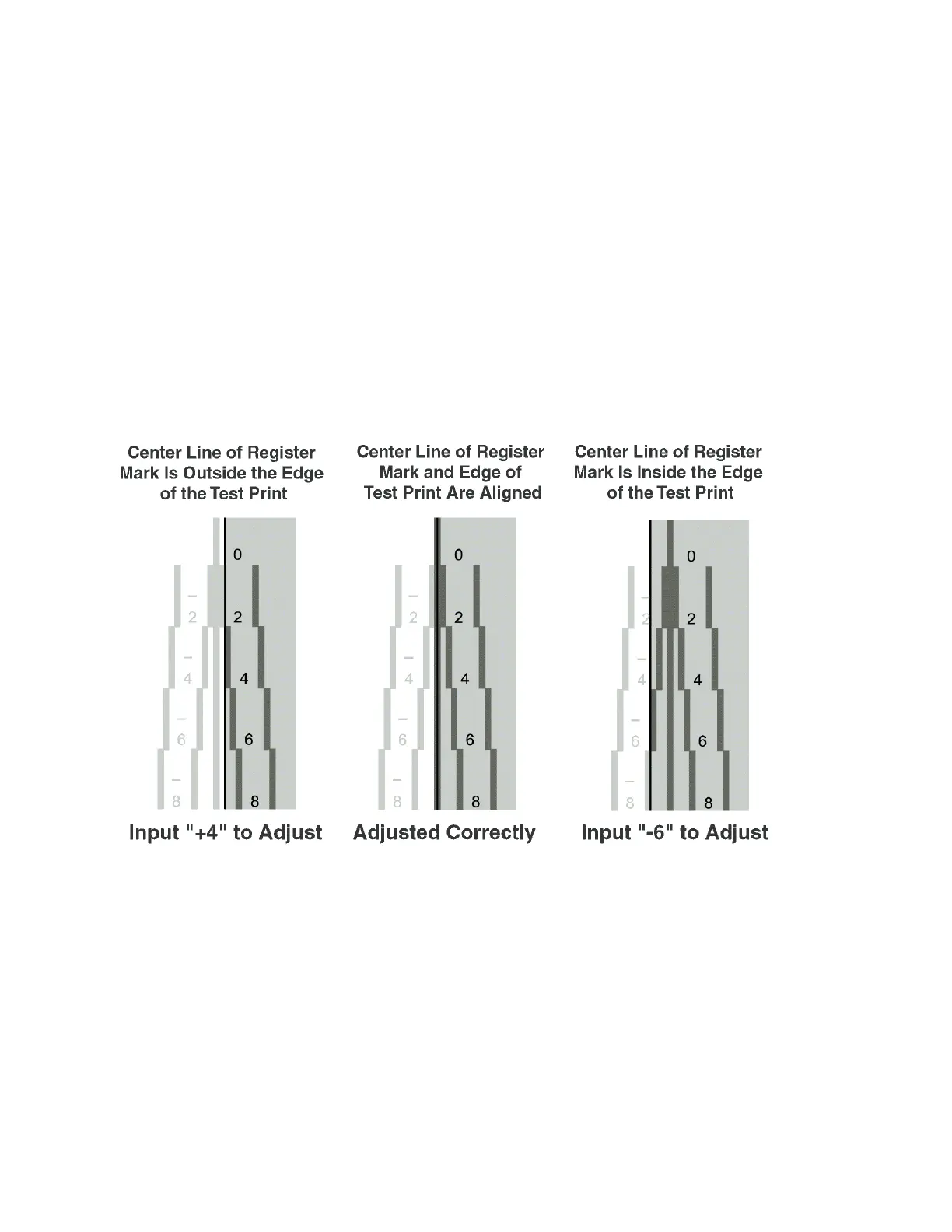
How to Adjust the Image Location Using Register Marks
To adjust the image location, check whether the center line of the register mark and the edge of the test print
paper are aligned, and adjust the image location as follows:
· If the center line of the register mark overlaps the edge of the test print paper exactly, it is unnecessary to
adjust the image location.
· If the center line of the register mark is outside the edge of the test print paper (the center line of the register
mark is NOT printed), check to see which register mark's number the test print line is next to, and input the
positive value.
· If the center line of the register mark is inside the edge of the test print, check to see which register mark's
number the test print line is next to, and input the negative value.












 To Next Page