18
<Possible problems with this function>
- Due to user error, the actual remaining ink level does not match the indicated remaining ink level,
resulting in “ink out”, etc.
User error: Forgetting to reset the ink counter / ink counter reset other than when replacing ink
tanks.
- Due to the specific print pattern, the actual remaining ink level does not match the indicated
remaining ink level, resulting in “ink out”.
Specific print pattern: Continuous printing using any one of the CMY colors of ink / continuous
BK solid printing, etc.
(4) Print head deep cleaning
The printer has a print head deep cleaning (refreshing) function.
Print head deep cleaning (refreshing):
This is a deep cleaning function in order to resolve print failure due to ink clogging
the print head. (The black ink is pigment-based, and clogs easier than other
dye-based ink.)
Perform from the printer driver’s Maintenance tab.
<Possible problems with this function>
- Excessive ink consumption when conducting print head deep cleaning repeatedly. (The amount of
ink used is approx. 10 to 15 times the normal manual cleaning amount.)
<Reference> Cleaning types, amount of ink used, and time required
BK and CL ink drawing is simultaneously performed.
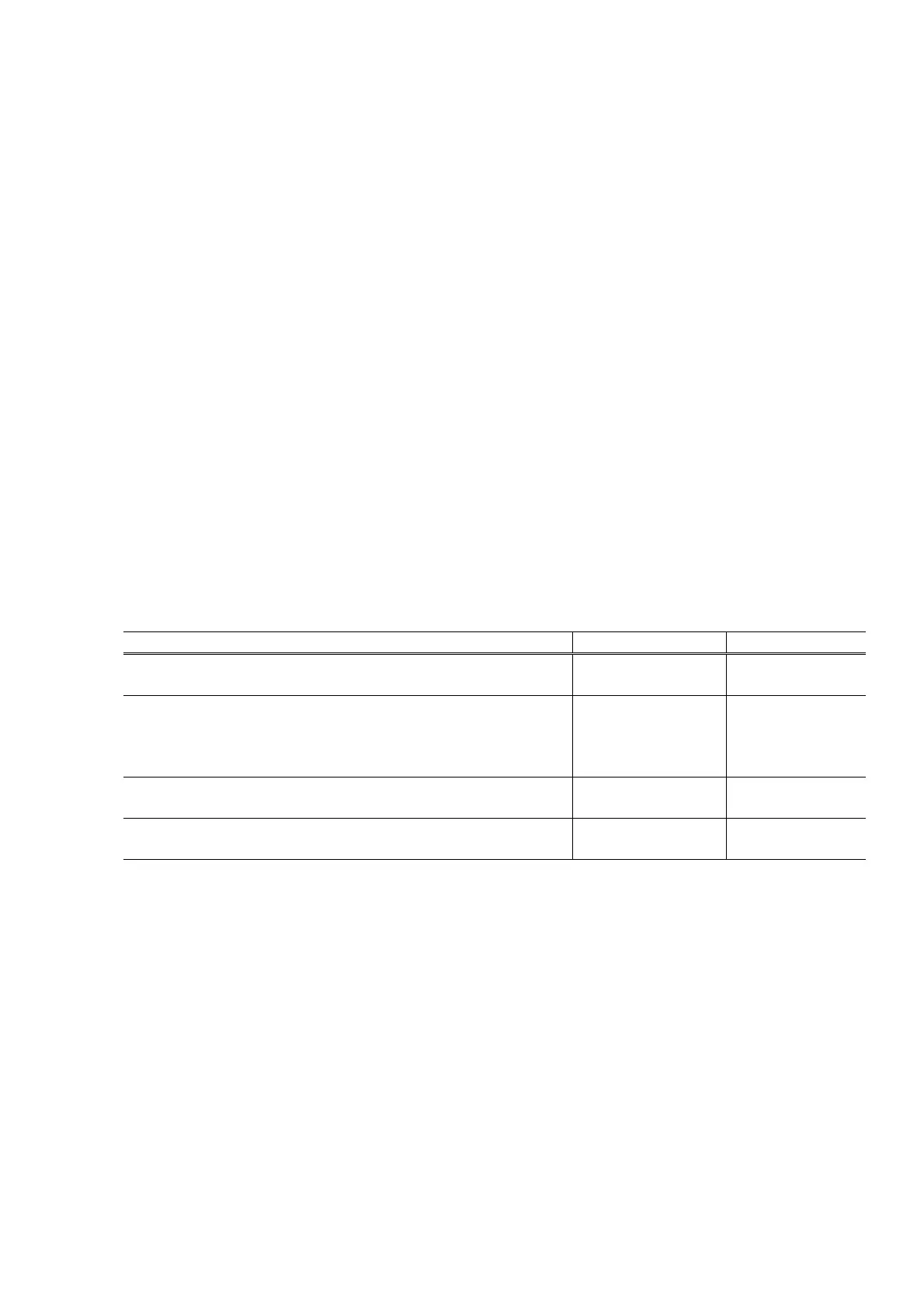
Cleaning type Amount of ink used Time required
Manual cleaning
Dot count cleaning
BK: Approx. 0.12 g
CL: Approx. 0.14 g
Approx. 40 sec.
Cleaning on arrival at user
Print head replacement
Timer cleaning (24 hours to 3 months)
Cleaning when the print head is not capped at printer power on
BK: Approx. 0.42 g
CL: Approx. 0.52 g
Approx. 60 sec.
Ink tank replacement BK: Approx. 0.57 g
CL: Approx. 0.62 g
Approx. 60 sec.
Print head deep cleaning
Timer cleaning (3 months or more)
BK: Approx. 1.50 g
CL: Approx. 2.35 g
Approx. 70 sec.
(5) Print head alignment
The printer has a print head alignment function (print head position adjustment function). As it is not
necessary to perform print head alignment at setup or installation of the printer, the function is only briefly
introduced at installation.
Print head alignment: This is a function to correct displacements between the nozzle lines of the
print head, and incorrect print position at bi-directional printing.
The adjustment is conducted using the printed head position adjustment
pattern.
A: Print head alignment between black even and odd nozzles
B: Print head alignment between cyan even and odd large nozzles
C: Print head alignment between magenta even and odd large nozzles
D: Print head alignment between cyan even and odd small nozzles
E: Print head alignment between magenta even and odd small nozzles
F: Print head alignment in bi-directional black printing
G: Print head alignment of large nozzles in color bi-directional printing
H: Print head alignment between black and photo black nozzles









 To Next Page