6
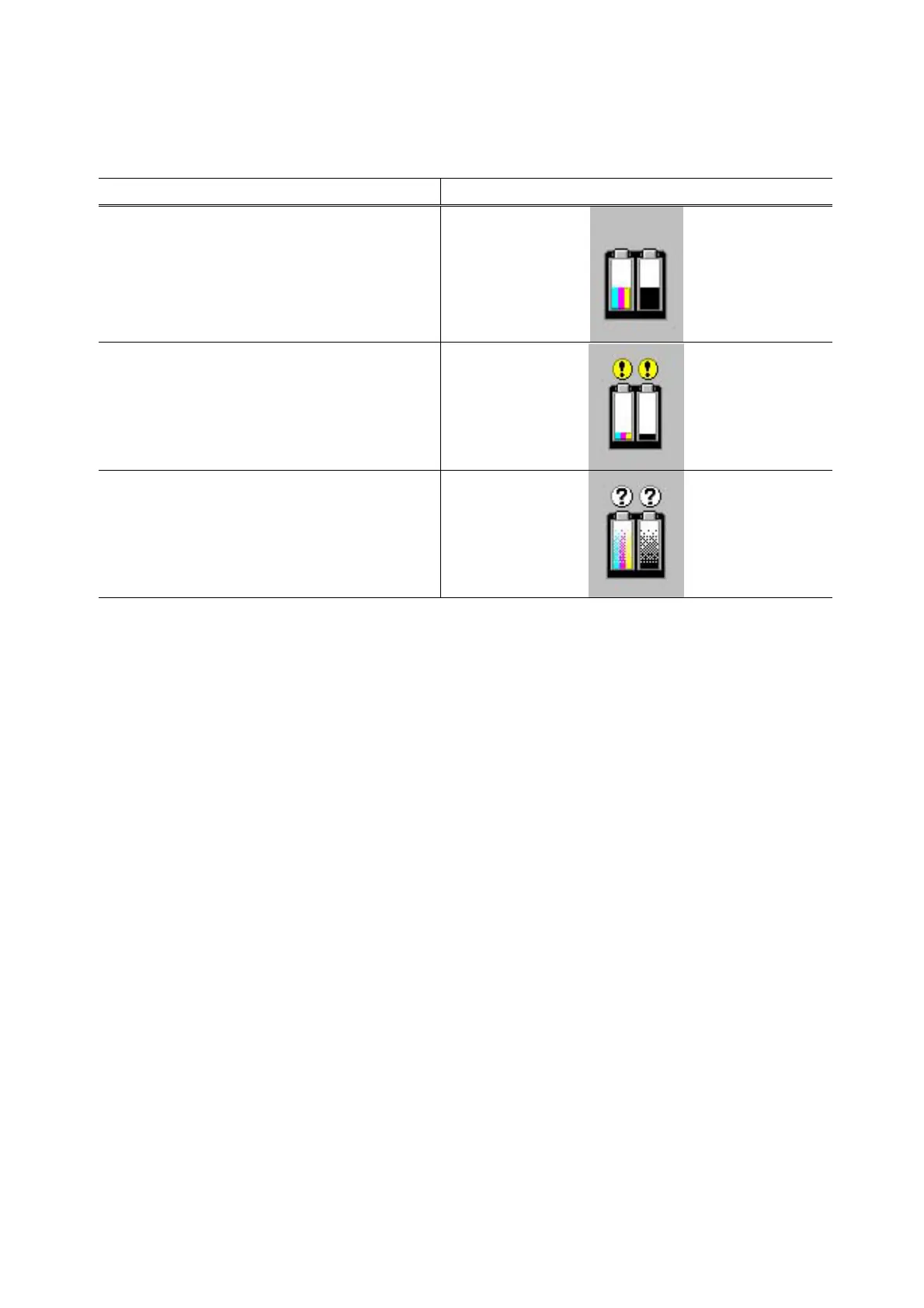
3-3. Ink Low Warning (Ink low warnings are displayed by the Status Monitor only when the
remaining ink level detection is enabled, and no Status Monitor display when disabled.)
Note: The Status Monitor display in the table below is for Windows.
Warning Display by Status Monitor
Ink low warning 1 (approx. half level)
Ink low warning 2 (low remaining ink)
Ink low warning 3 (ink level unknown)









 To Next Page