(12/23)
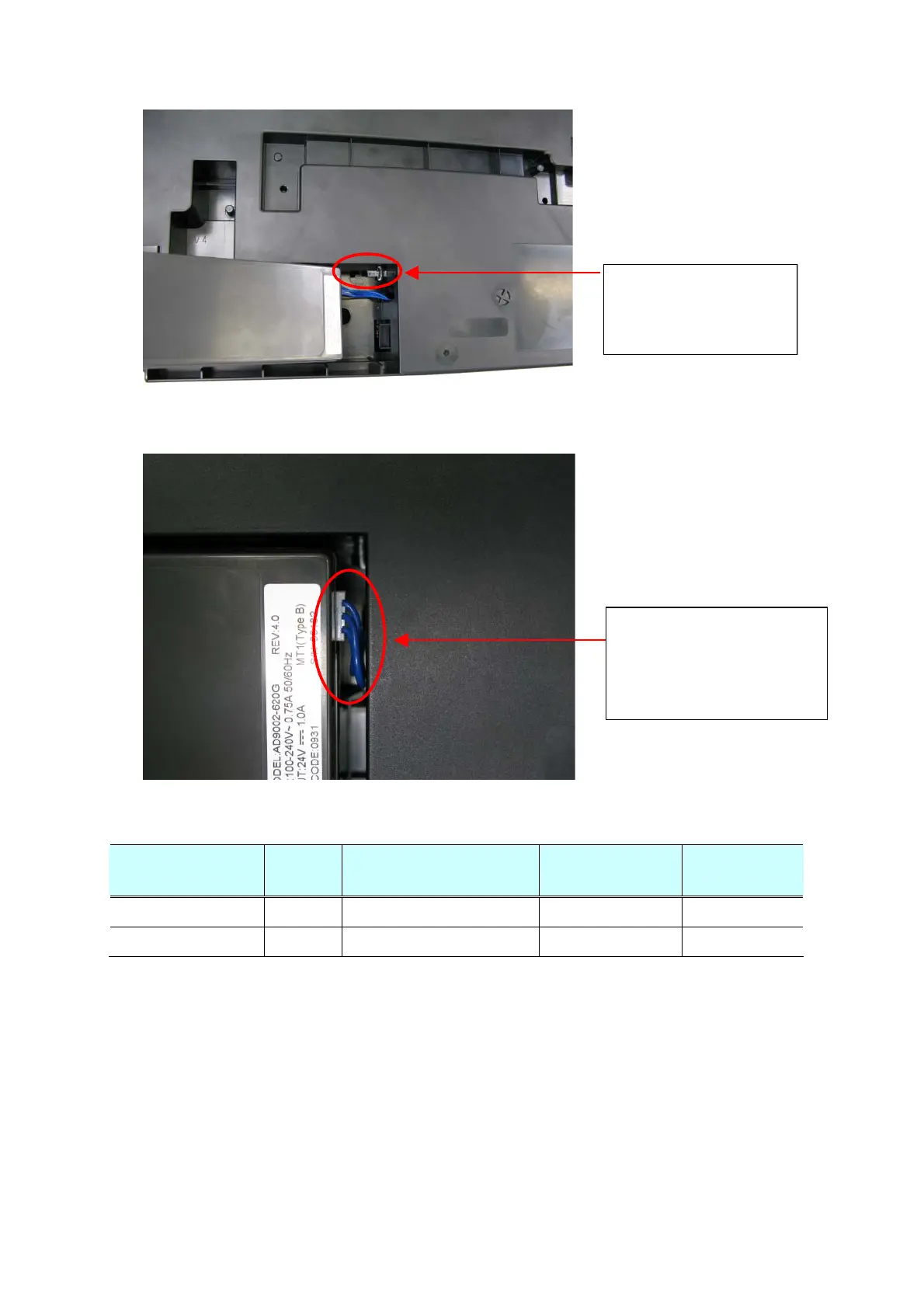
1) Connect the AC adapter and the DC harness.
Caution:
The cable can get into
the drive unit, causing a
problem.
2) Arrange the DC harness cables as shown below so that they will not enter the drive unit.
rran
e the cables between
the bottom frame and the AC
adapter.
If extra portion is lon
, fix the
cables with tape, etc.
(3) Ink absorber replacement
The following two replacement methods are available for the iP2700 / iP2770 / iP2780.
Difficultie
s
Ink absorber volume to be
replaced
Print yield after
replacement
Time required
Partial Replacement Low Approx. 80% Approx. 7,200 Approx. 5 min.
Whole Replacement High The entire ink absorbers Approx. 9,000 Approx. 20 min.
1) Partial replacement
Remove the external housing (a set of the ASF cover, front cover, and middle frame), then
replace the ink absorber.
(Time required: Approx. 5 min. including the operation check after replacement)









 To Next Page