(13/23)
< How to perform the partial replacement >
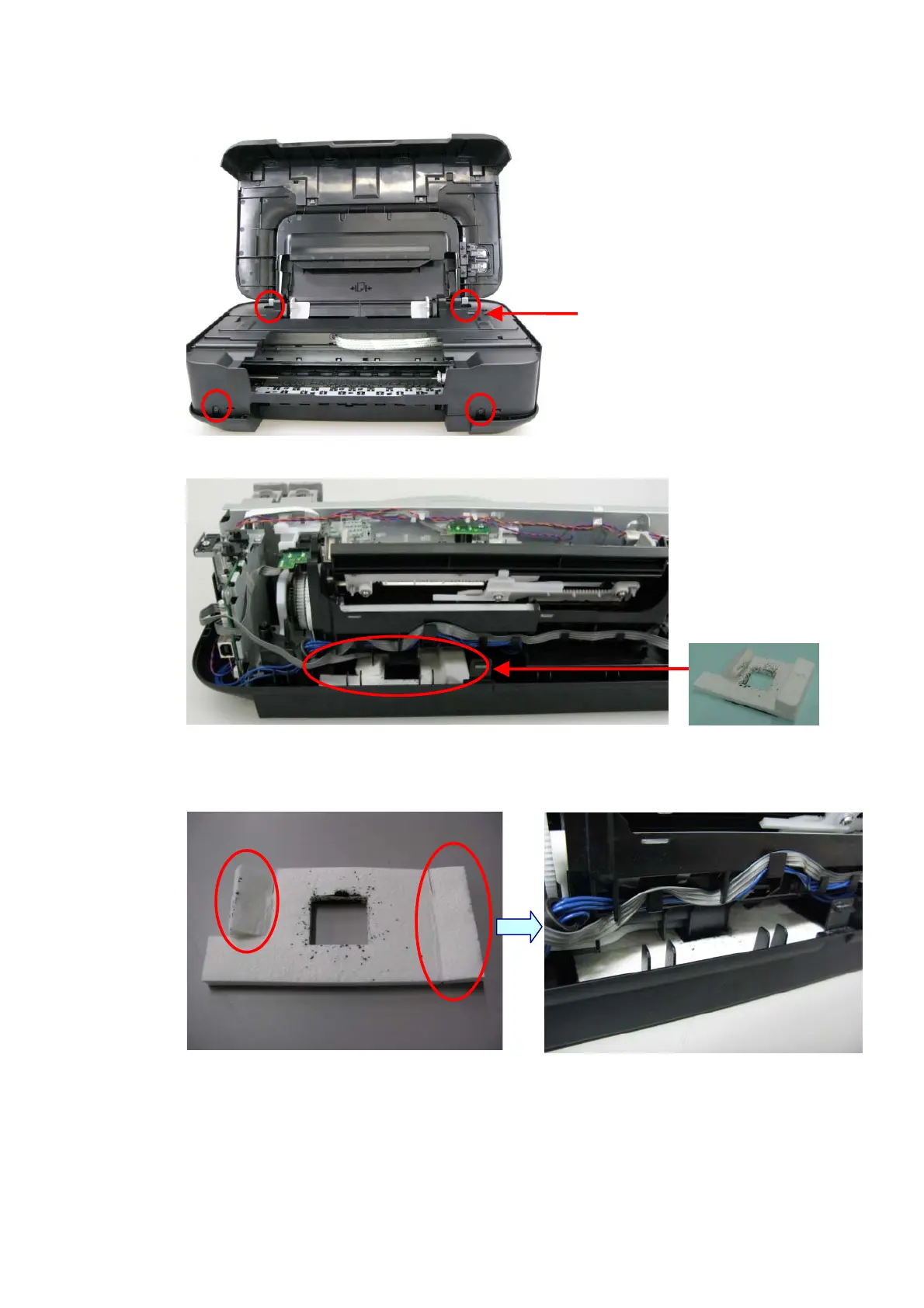
i. Remove the external housing, while referring to the photo below.
Remove 4 screws, then remove
a set of the ASF cover, front
cover, and middle frame.
ii. Pull out the ink absorber (QC2-8308).
bsorber for Partial
Replacement
iii. Install 2 pieces of the new ink absorber (QC2-8308), with one on top of the other, though
only one is installed when shipped from the production site.
(The amount of ink absorbed by 2 pieces of new ink absorbers is 80%.)
Unfold the absorber.
Put one absorber on top of the other, then
install them into the printer.
iv. Set the ink absorber counter value to 20%.









 To Next Page