(9/23)
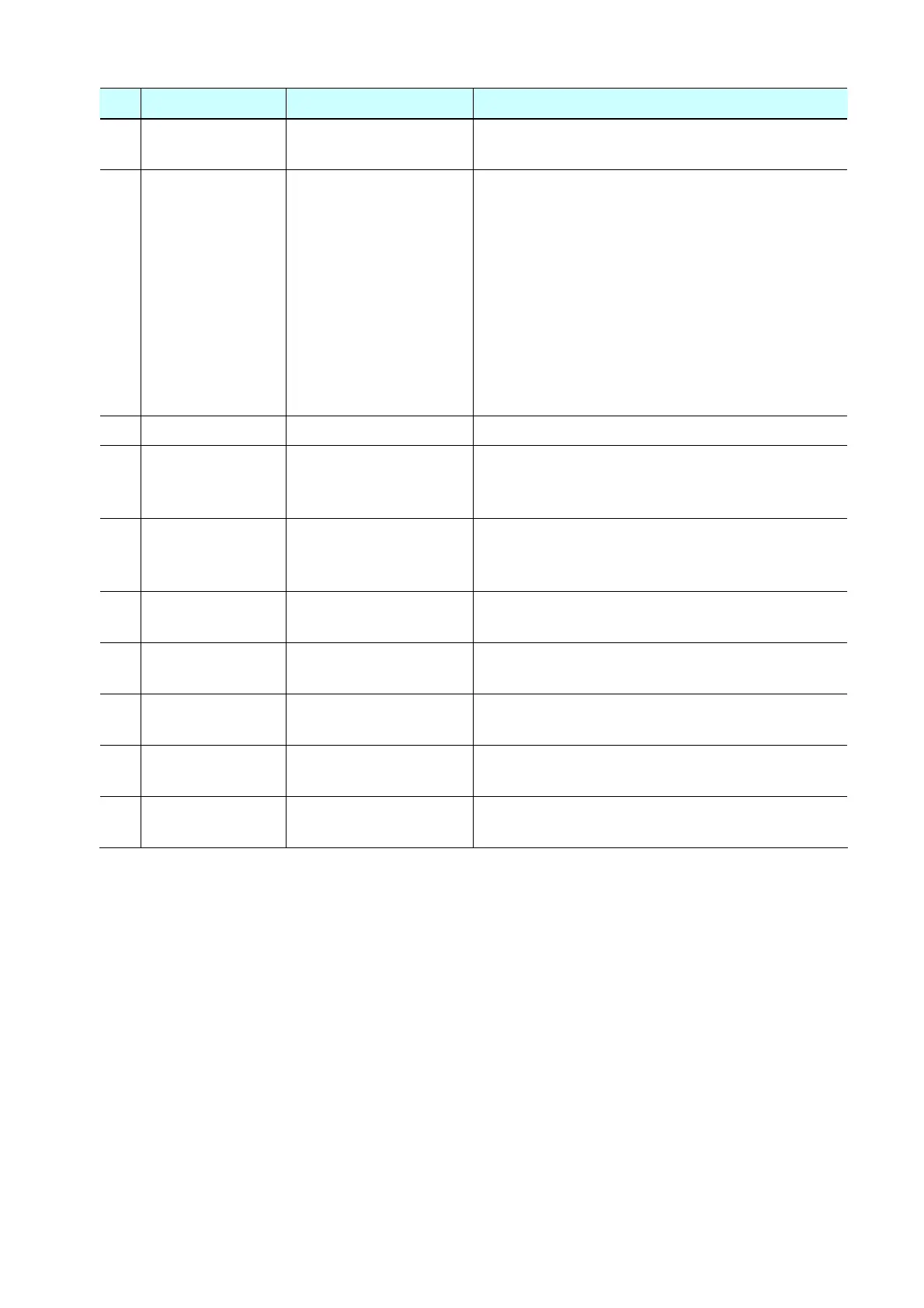
No. Name Function Remarks
(12) Platen Platen ink absorber
counter resetting
Not used.
(13) EEPROM Clear EEPROM initialization The following items are NOT initialized, and the
shipment arrival flag is not on:
- Destination settings
- Ink absorber counter value
- Record of disabling the function to detect the
remaining ink amount
- Printer serial number
- Ink cartridge region code
- Record of ink absorber counter resetting and
setting
- Record of repair at the production site
(14) Panel Check Button and LCD test Not used.
(15) Set Destination Destination settings Select the destination, and click Set.
ASA, AUS, BRA, CHN, CND, EUR, JPN, KOR, LTN,
TWN, USA
(16) CD-R Correction CD / DVD print position
correction (X and Y
direction)
Not used.
(17) LF / EJECT
Correction
LF / Eject correction value
setting
Not used.
(18) Left Margin
Correction
Left margin correction
value setting
Not used.
(19) Ink Absorber
Counter
Ink absorber counter
setting
See " Ink absorber counter setting " below.
(20) Wetting Liquid
Counter
Wetting liquid counter
setting
Not used.
(21)
*
Flatbed Scanner Individual scanner
adjustment
Not used.
* New functions in Service Tool version 1.071:
(5) EEPROM information saving
(9) Enabling / disabling of automatic print head cleaning
(21) Individual scanner adjustment
< Ink absorber counter setting >
Set the ink absorber counter value to a new EEPROM after the logic board is replaced in servicing.
1) Before replacement of the logic board, check the ink absorber counter value in EEPROM
information print.
2) In the Ink Absorber Counter section of the Service Tool, select Main from the Absorber
pull-down menu.
3) From the Counter Value(%) pull-down menu, select the value (in 10% increments) which is the
closest to the actual counter value confirmed before replacement of the logic board.
4) Click Set.









 To Next Page