3
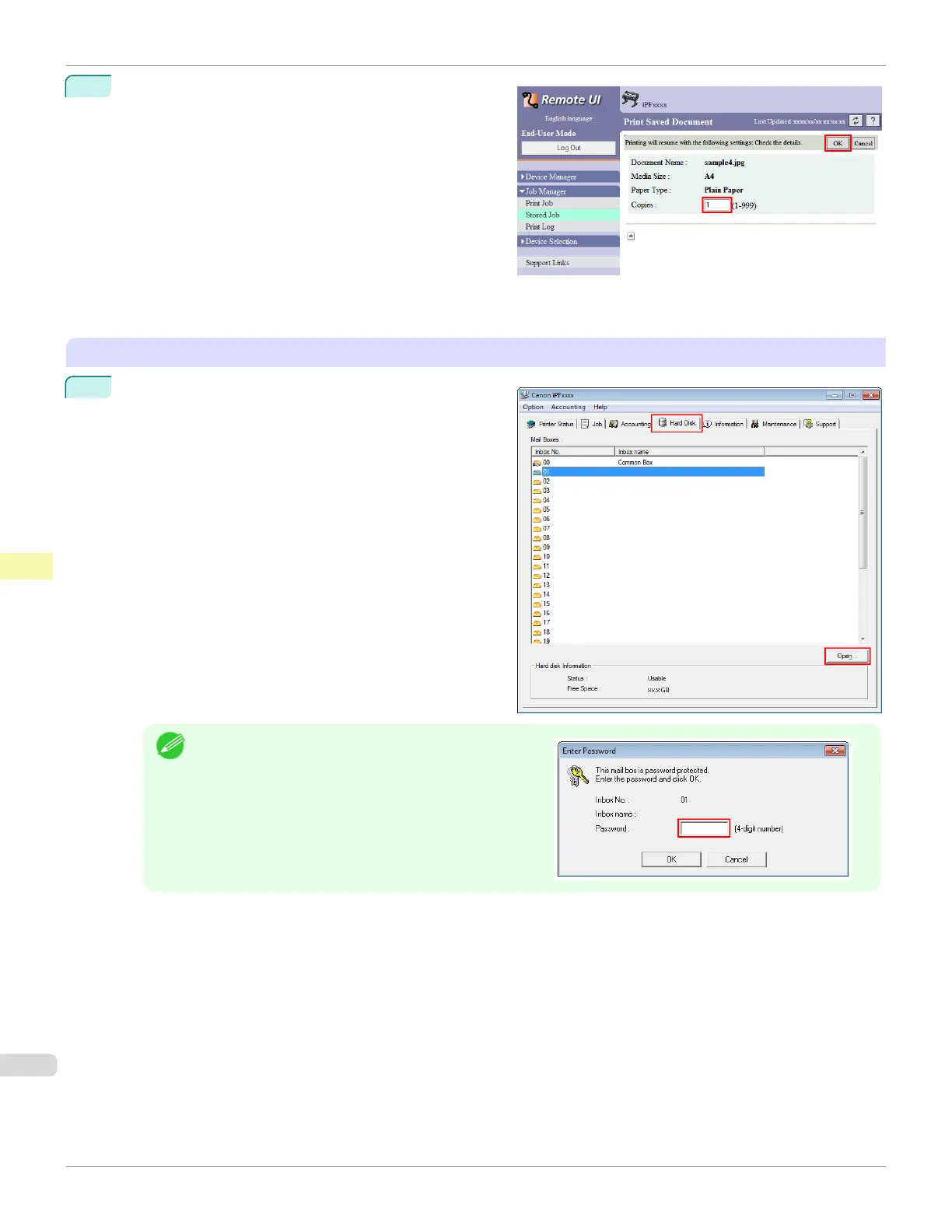
On the Print Saved Document page, enter the quanti-
ty to print in Copies and click OK.
For details, refer to the RemoteUI help.
Using imagePROGRAF Status Monitor
1
On the Hard Disk sheet, select a box and click Open.
Note
•
Enter a password if one has been set.
Printing Saved Jobs
iPF785
User's Guide
Print Job Management Basic Print Job Operations
540














 To Next Page