Pack the printer
1
Disconnect the power cord and interface cable.
Important
• Turn off the printer before you unplug it. It may damage the printer if you unplug it before it is off and transfer
it in that state. If you accidentally unplug the printer, plug it in again, reinstall the ink tanks, and follow this
procedure again.
2
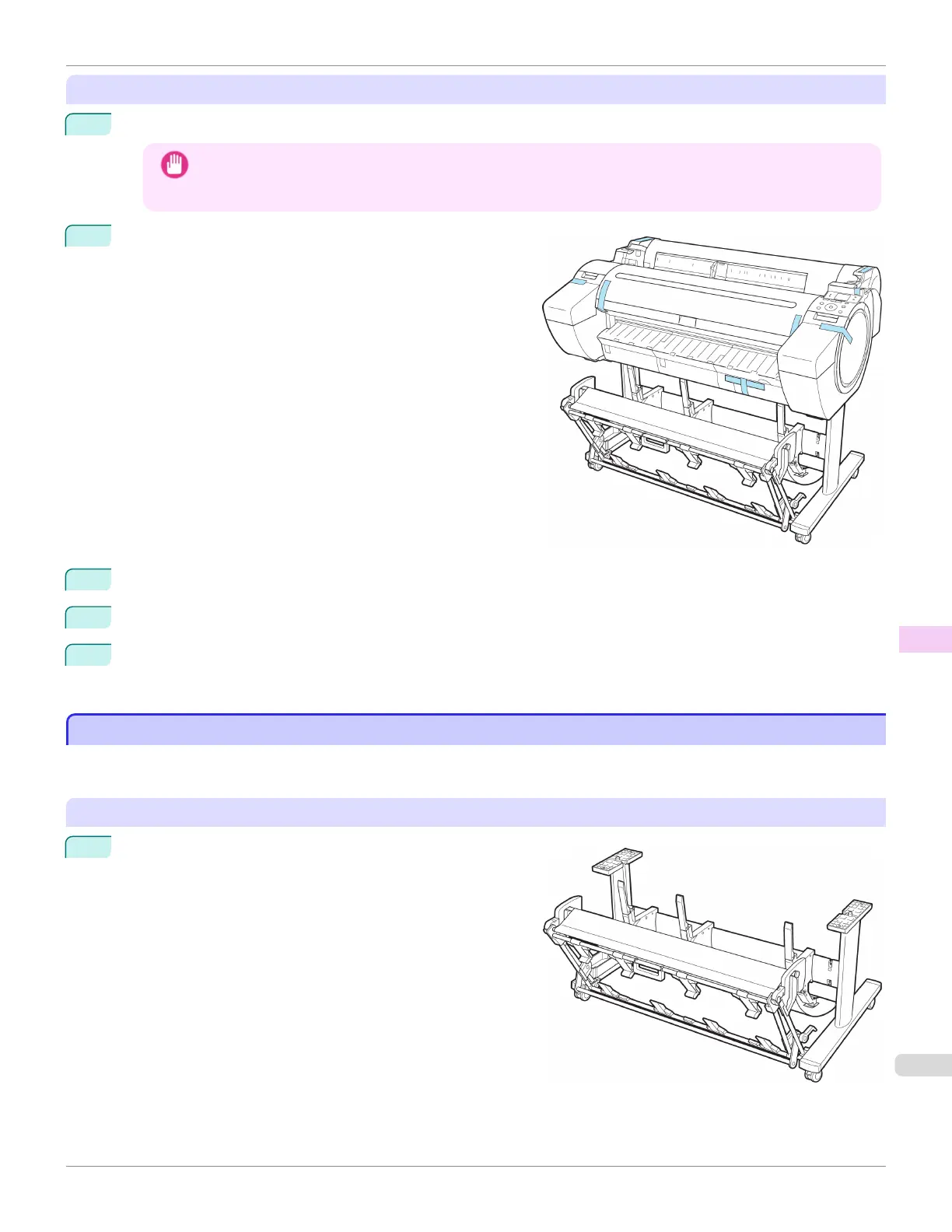
Tape down printer covers to secure them, in the reverse or-
der of tape removal during installation.
3
Remove the Stand by reversing the installation procedure, when it was attached to the printer.
4
Disassemble and repackage the Stand by following the installation procedure in reverse.
5
Repack the Roll Holder, Holder Stopper, and printer in shipping materials, and then package them in a shipping
box.
Reinstalling the Printer
Reinstalling the Printer
The basic workflow for reinstalling the printer is as follows.
For detailed instructions, see the Setup Guide.
Assemble the stand
1
Referring to the Printer Stand Setup Guide, assemble the
Stand.
iPF785
Reinstalling the Printer
User's Guide
Maintenance and Consumables Other Maintenance
619














 To Next Page