Note
•
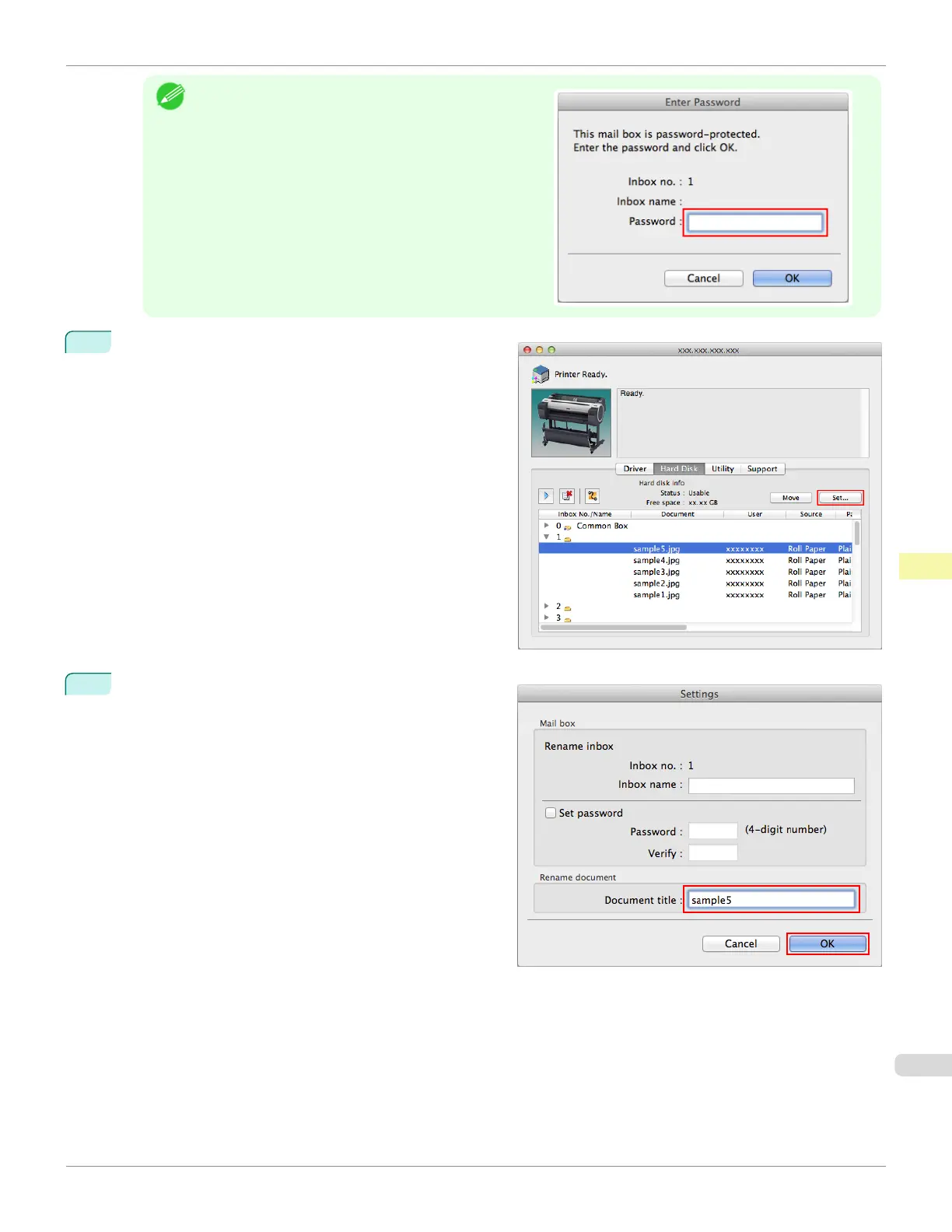
Enter a password if one has been set.
The password is a four-digit number.
2
Select the print job and click Set.
3
In the Settings dialog box, enter the new name and
click OK.
For details, refer to the imagePROGRAF Printmonitor help file.
iPF785
Renaming Saved Jobs
User's Guide
Print Job Management Advanced Print Job Operations
569














 To Next Page