3
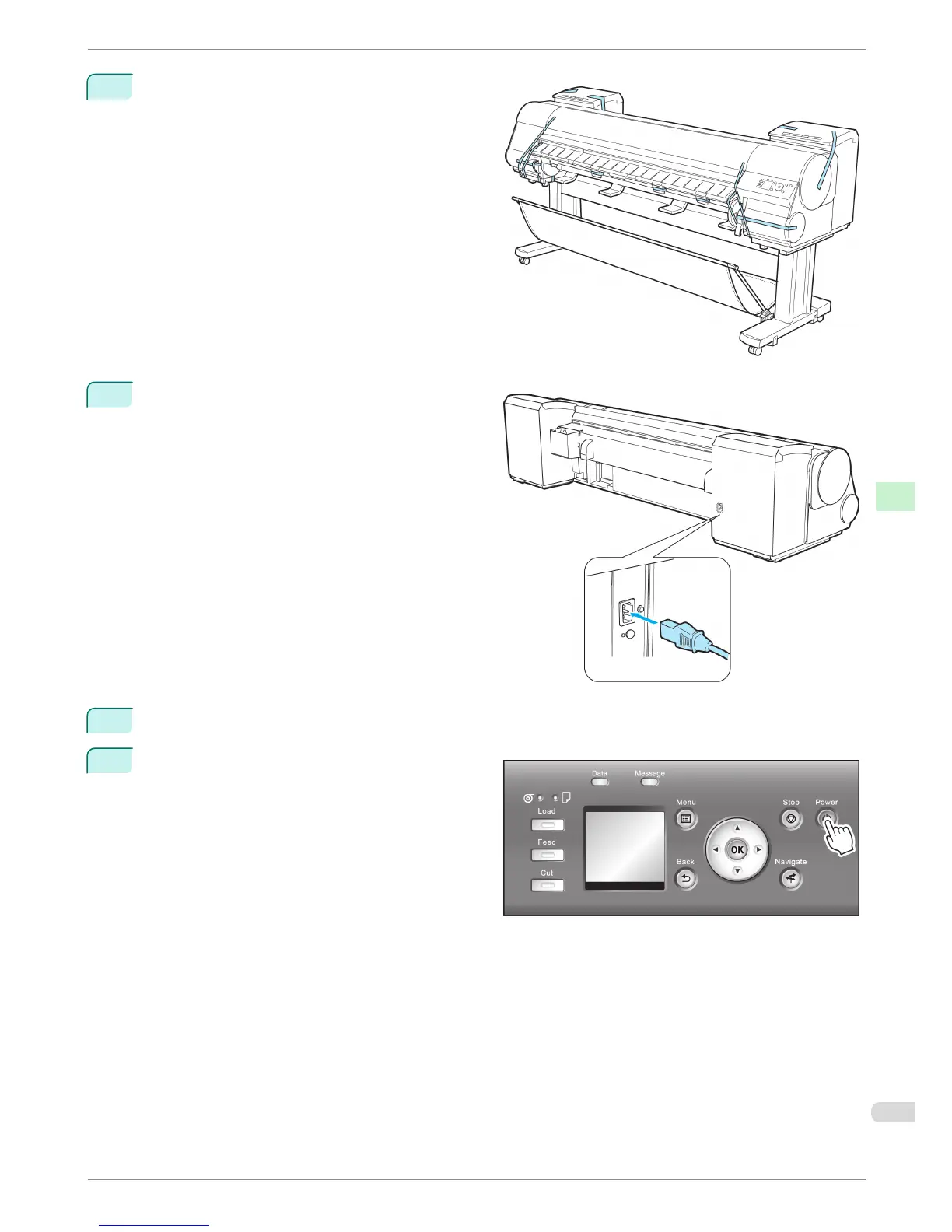
Remove tape and packaging material attached to
the printer. Also open the Top Cover and remove
stoppers and spacers inside the printer.
4
Connect the power cord to the Power Supply Con-
nector on the back of the printer.
5
Plug the power cord into the outlet.
6
Press the power button to turn the printer on.
iPF8400
Reinstalling the Printer
Basic Guide
Printer Relocation Preparing to Transfer the Printer
83














 To Next Page