System Configuration and Parts
1-18
Before You Start Using This Machine
1
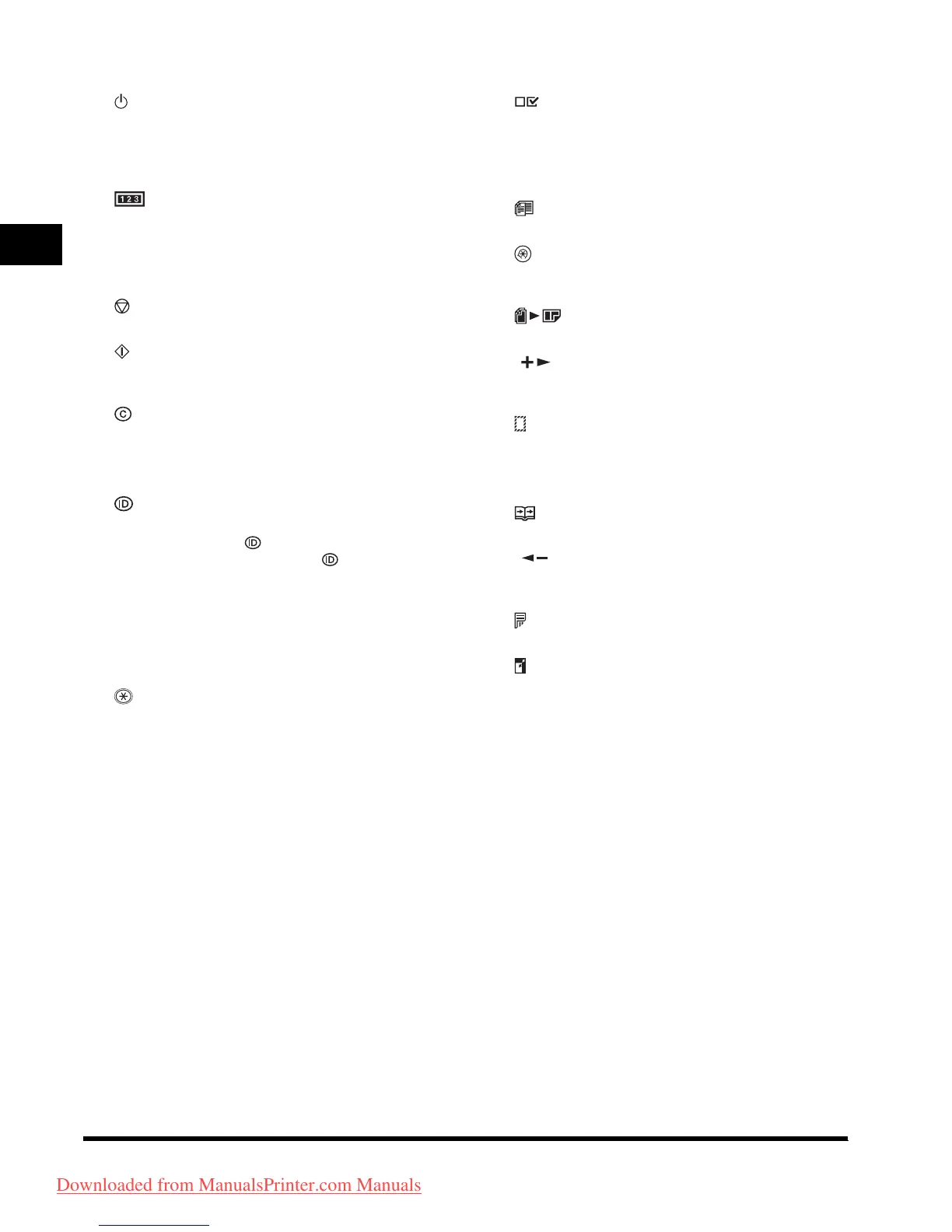
j [ON/OFF] key (control panel power
switch)
Press to turn the Control Panel ON/OFF. Also
press to enter the Sleep mode or to resume the
normal mode from the Sleep mode manually.
k [Counter Check] key
Press to display counter status. (Press again to
close counter status.)
l Numeric keys
Use to enter alphanumeric characters.
m [Stop] key
Press to stop copying or scanning.
n [Start] key
Press to start copying, scanning and sending
fax.
o [Clear] key
Press to clear entered alphanumeric characters.
p Main Power indicator
Lights when the main power switch is turned ON.
q [Log In/Out] key
Press to enter password for the machine (Enter
password
➝ Press [Log In/Out] to enable
Copy and Fax functions. Press [Log In/Out]
again after operations to return to the screen for
entering password). To register a password,
ADD. FUNCTIONS
➝ SYSTEM SETTINGS ➝
MANAGE DEPT. ID.
r Error indicator
Flashes or lights when an error has occurred.
s [Tone] key
Connects to information services, which accept
tone dialing only, even if you are using a rotary
pulse line. (The optional Super G3 FAX
Board-T1 and Fax Panel-A1 are required.)
t [View Settings] key
Press to confirm settings.
u Processing/Data indicator
Flashes when the machine is working. Lights
when the machine has waiting jobs.
v [Different Size Originals] key
Press to set different size originals for copying.
w [Additional Functions] key
Press to select or cancel modes in Additional
Functions.
x [2 on 1] key
Press to set 2 on 1 copying.
y [] key
Press to increase the value for various settings.
Also press to see the next item in the menu.
z [Frame Erase] key
Press to set frame erase for copying.
a [OK] key
Press to accept a set function or mode.
b [Two-Page Separation] key
Press to set two-page separation.
c [] key
Press to decrease the value for various settings.
Also press to see the previous item in the menu.
d [Two-Sided] key
Press to set Two-Sided mode.
e [Copy Ratio] key
Press to enlarge or reduce copy ratio.
Downloaded from ManualsPrinter.com Manuals












 To Next Page