System Configuration and Parts
1-17
Before You Start Using This Machine
1
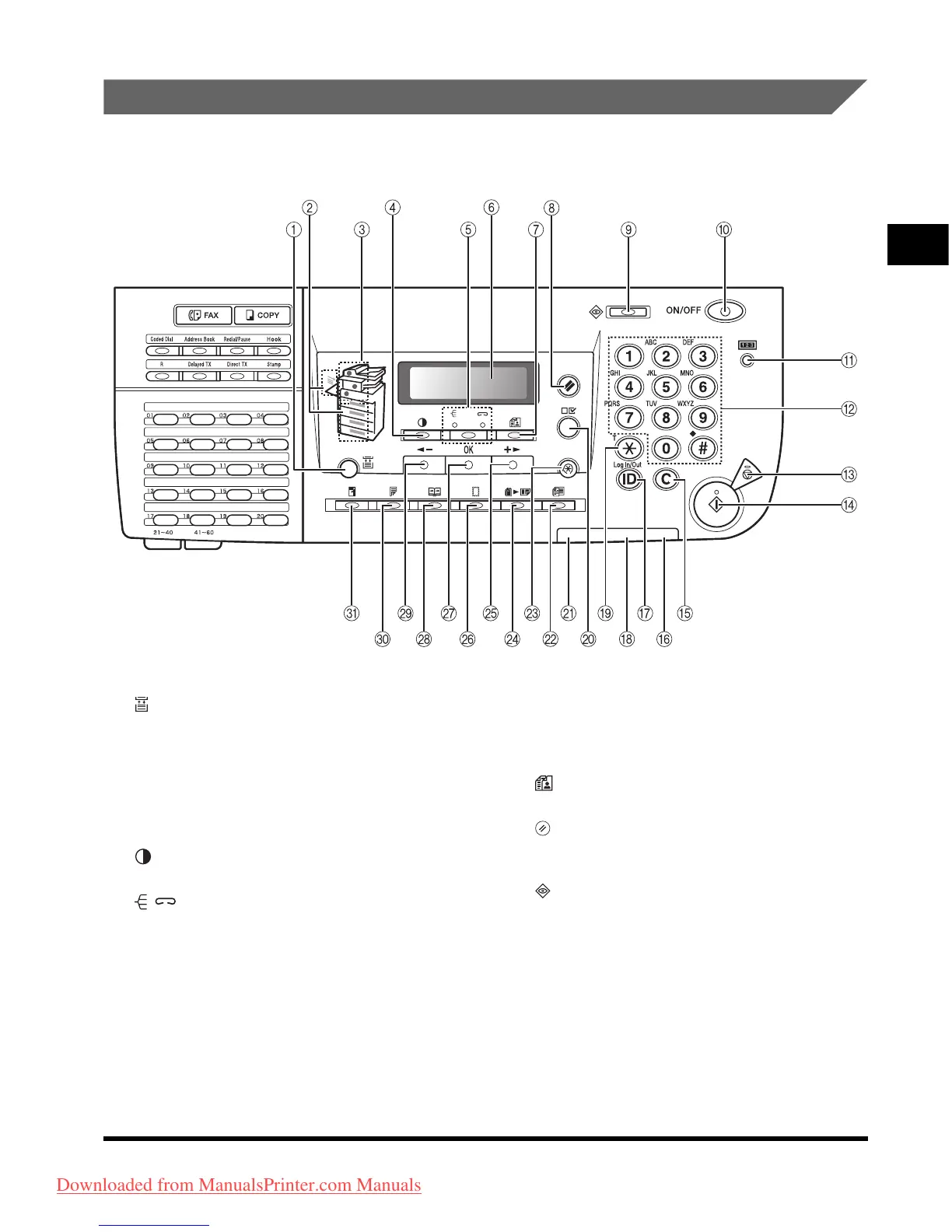
Control Panel Parts
Main Control Panel
a [Paper Select] key
Press to select paper (Paper drawer 1-4, Stack
bypass).
b Paper Select indicator
Indicates the selected paper source.
c Jam Location indicator
Indicates the location of paper jams.
d [Density] key
Press to adjust copy and fax density.
e / [Collate/Staple] key
Press to collate or staple copies.
f LCD display
Displays messages and prompts during
operation. Displays selection, text, and numbers
when adjusting the settings.
g [Image Quality] key
Press to select image quality for copy and fax.
h [Reset] key
Press to return the machine to the Standby
mode.
i [System Monitor] key
Press to check fax transmission, print, copy, or
report output status.
Downloaded from ManualsPrinter.com Manuals












 To Next Page