Image Combination
4-43
4
Special Copying and Mail Box Features
Copying
1
On the Special Features screen, press [Image Combination].
2
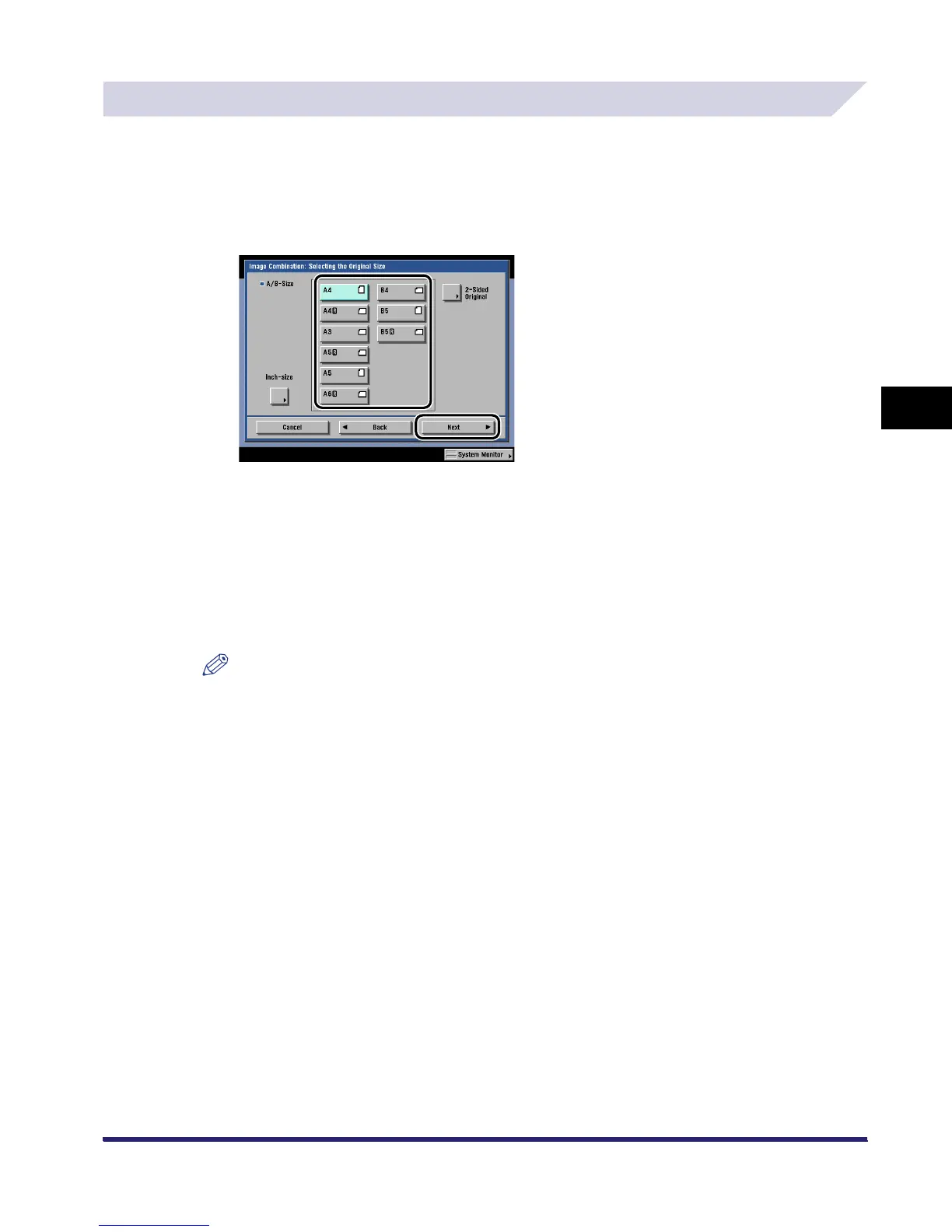
Select the original size ➞ press [Next].
If the original is two-sided, press [2-Sided Original] ➞ select the type of two-sided original ➞
press [OK] ➞ [Next].
Details of each item are shown below.
NOTE
•
To select an inch paper size, press [Inch-size].
•
[2-Sided Original] cannot be selected if A6R is the selected original size.
[Book Type]: The front and back sides of the original have the same top-bottom
orientation.
[Calendar Type]: The front and back sides of the original have opposite top-bottom
orientations.
iR6570_CMB_Upgrade_ENG_Post_Final.book Page 43 Tuesday, May 24, 2005 12:12 PM



 To Next Page