Making a Copy With the Express Copy Basic Features Screen
7-24
7
Using the Express Copy Basic Features Screen
Making One-Sided Copies from Two-Sided Originals
(2 to 1-Sided)
For instructions on this procedure using the Regular Copy Basic Features screen, see "2 to
1-Sided," on p. 3-59.
IMPORTANT
•
The 2 1-Sided mode cannot be used with Saddle Stitch, Two-page Separation, Image Combination,
Booklet, Transparency Interleaving, or Scan Image Check modes.
•
Place the originals horizontally when copying A4R and A5R-size originals. If these originals are placed
vertically, the back sides of the copies will be printed upside down.
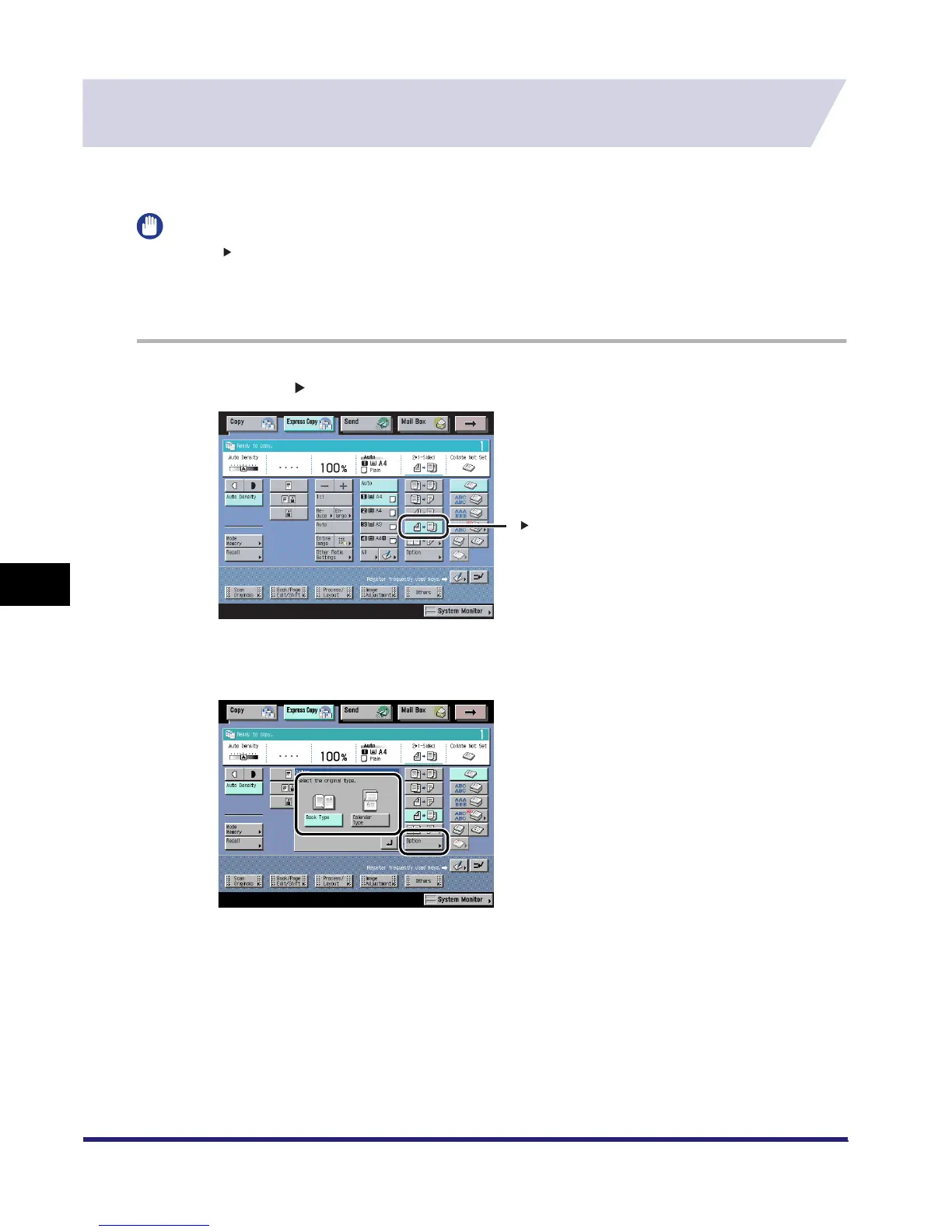
1
Press [2 1-Sided].
2
Press [Option] ➞ select the orientation of the originals.
2 1-Sided
iR6570_CMB_Upgrade_ENG_Post_Final.book Page 24 Tuesday, May 24, 2005 12:12 PM



 To Next Page