0KCY-04W
Printing Multiple Pages onto One Sheet
You can print multiple pages onto a single sheet. For example, you can print four or nine pages onto a single
sheet by using [4 on 1] or [9 on 1]. Use this function if you want to save paper or to view your document in
thumbnails.
To save more paper, combine this setting with 2-sided printing.
Switching 1-Sided and 2-Sided Printing (MF229dw / MF226dn)
[Basic Settings] tab
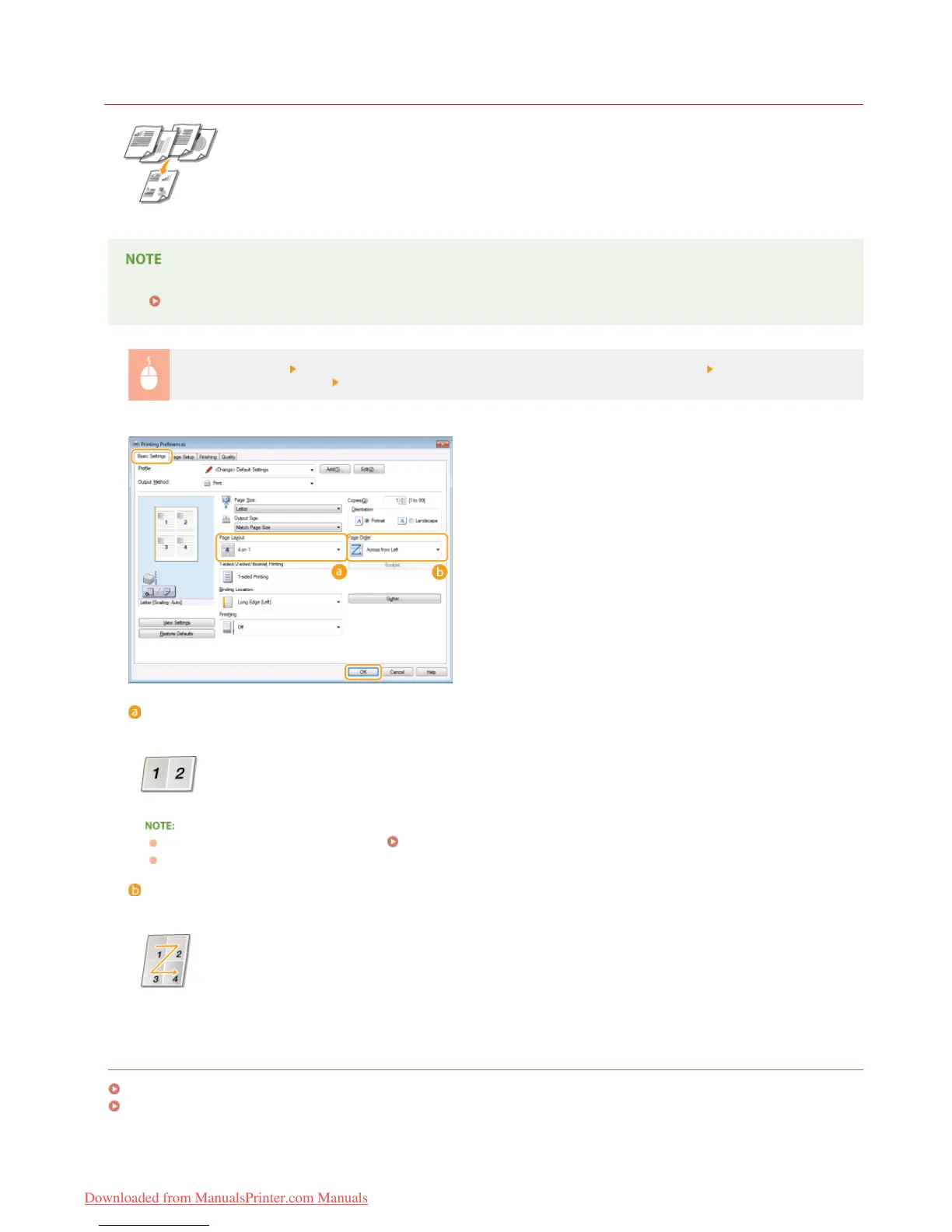
In [Page Layout], select the number of pages to print onto a single sheet In [Page Order], select
the page distribution layout
[OK]
[Page Layout]
Select the number of pages to print onto a single sheet from [1 on 1] to [16 on 1]. For example, to print 16 pages onto a single
sheet, select [16 on 1].
For options such as [Poster [2 x 2]], see Printing Posters.
Printing may not be performed properly if you combine this setting with an application setting for collating printouts.
[Page Order]
Select a page distribution layout. For example, if you select [Across from Left], the first page is printed on the top left, and then
the rest of the pages are arranged rightward.
LINKS
Printing a Document
Switching 1-Sided and 2-Sided Printing (MF229dw / MF226dn)
㻝㻢㻢㻌㻛㻌㻠㻣㻡
Downloaded from ManualsPrinter.com Manuals











 To Next Page