0KCY-07S
Viewing Network Settings
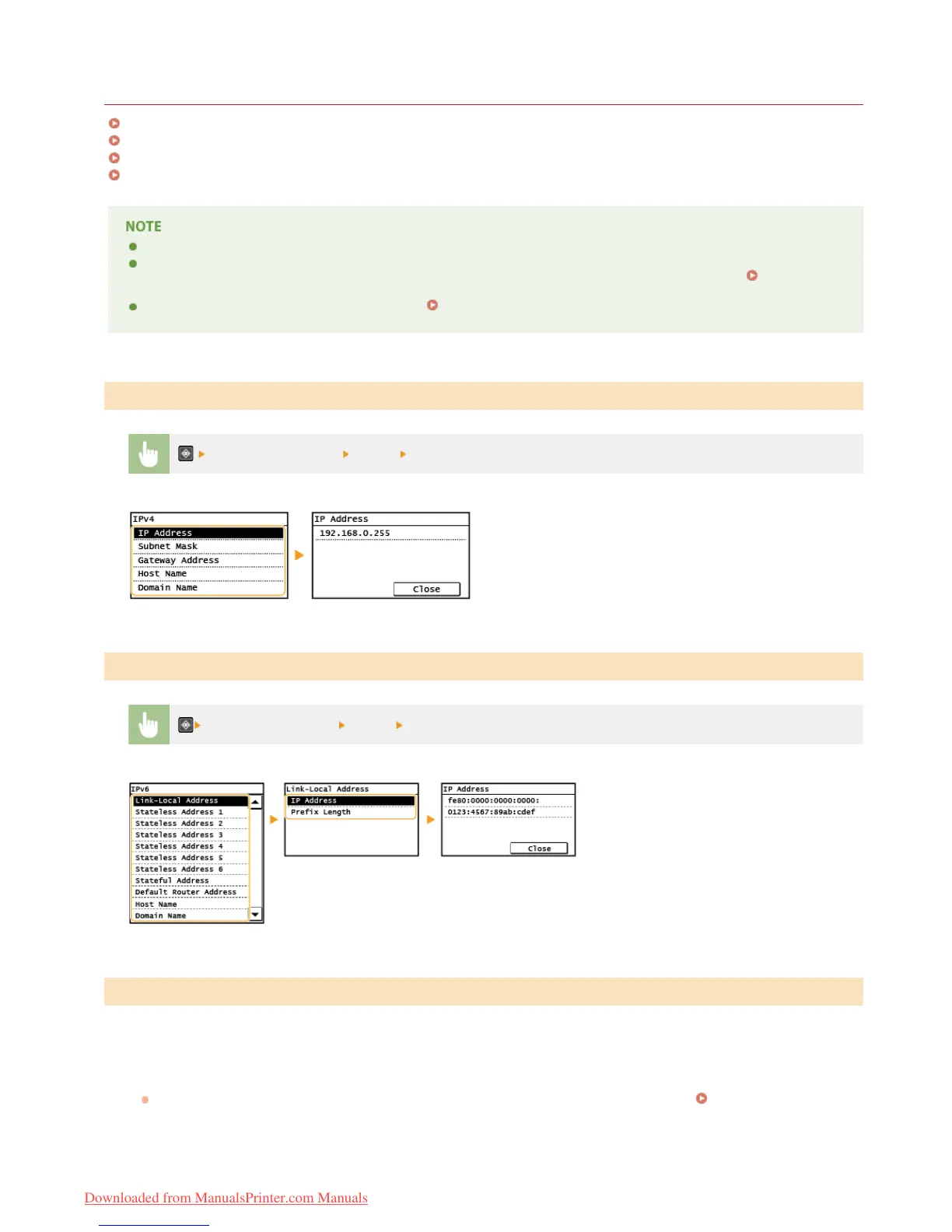
Viewing IPv4 Settings
Viewing IPv6 Settings
Viewing the MAC Address
Viewing Wireless LAN Settings and Information
The IP address is not correctly configured if it is displayed as "0.0.0.0".
Connecting the machine to a switching hub or bridge may result in a connection failure even when the IP address is correctly
configured. This problem can be solved by setting a certain interval before the machine starts communicating.
Setting a
Wait Time for Connecting to a Network
You can print a list of the current network settings.
User Data List
<Network Information> <IPv4> Select the setting to view
<Network Information> <IPv6> Select the setting to view
Tap <Menu> in the Home Screen.
Tap <Network Settings>.
If a screen for entering a PIN is displayed, enter the PIN with the numeric keys and tap <Apply>. Setting the System
Manager PIN
Tap <Ethernet Driver Settings>.
Viewing IPv4 Settings
Viewing IPv6 Settings
Viewing the MAC Address
1
2
3
㻞㻢㻝㻌㻛㻌㻠㻣㻡
Downloaded from ManualsPrinter.com Manuals











 To Next Page