4
4
4-120
4-120
Disassembly/Assembly > Pickup Feeder System > Removing the Pickup Unit > Procedure
Disassembly/Assembly > Pickup Feeder System > Removing the Pickup Unit > Procedure
Removing the Pickup Unit
■
Preparation
1) Removing the Right Cover. Refer to page 4-20.
2) Removing the Left Cover. Refer to page 4-17.
3) Removing the Right Front Cover. Refer to page 4-22.
4) Removing the ADF Unit + Reader Unit. Refer to page 4-32.
5) Removing the Rear Upper Cover. Refer to page 4-24.
6) emoving the Upper Cover. Refer to page 4-28.
7) Removing the Wireless LAN PCB.(MF8580Cdw only) Refer to page 4-57.
8) Removing the Main Controller PCB. Refer to page 4-58.
9) Removing the Main Controller Support Plate. Refer to page 4-61.
10) Removing the Fixing/Fixing Power Supply Cooling Fan Unit. Refer to page 4-86
■
Procedure
CAUTION:
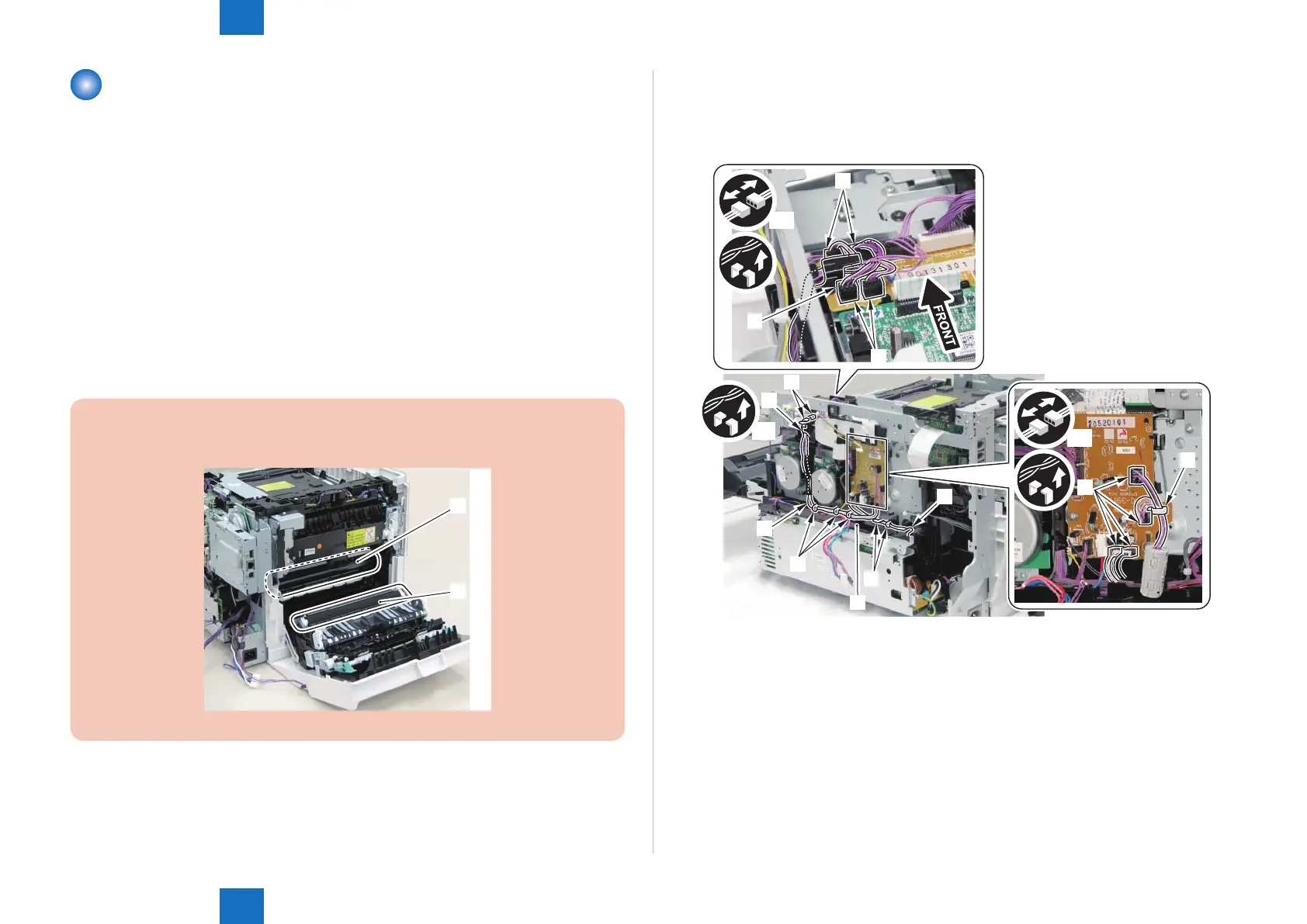
Be sure not to touch the Secondary Transfer Roller [1] and the ITB [2].
[1]
[2]
F-4-262
1) Remove the wire harness [2] from the wire harness guide [1].
• 8 connectors [3]
• 1 Wire Saddle [4]
• 10 xing guides [5]
x4
x9
x4
[3]
[3]
[5]
[5]
[5]
[5]
[5]
[2]
[5]
[1]
[4]
[3]
F-4-263











 To Next Page