6
6
6-6
6-6
Trouble Shooting > Special Management Mode > Operational Description
Trouble Shooting > Special Management Mode > Operational Description
Special Management Mode
Overview
The Special Management Mode is the mode for taking a measure and solving the occurred
problem by a user. However, information about this mode is not disclosed to users.
Basically, if a problem is not solved when using the target item or when printing with a
condition differs from the target item, be sure to return the setting to its original value.
Otherwise, errors such as image error may occur.
MEMO:
• Items of the Special Management Mode can be set in service mode.
COPIER > FUNCTION > SPLMAN
• When entering special management mode, if the “right key” is pressed for a specied
period of time (0.2 seconds) or more, the machine does not enter the mode.
Supported models
The following table shows availability of service mode by model using the following symbols.
○ Supported
▲ Supported by model with FAX only
– Not supported
T-6-5
Operational Description
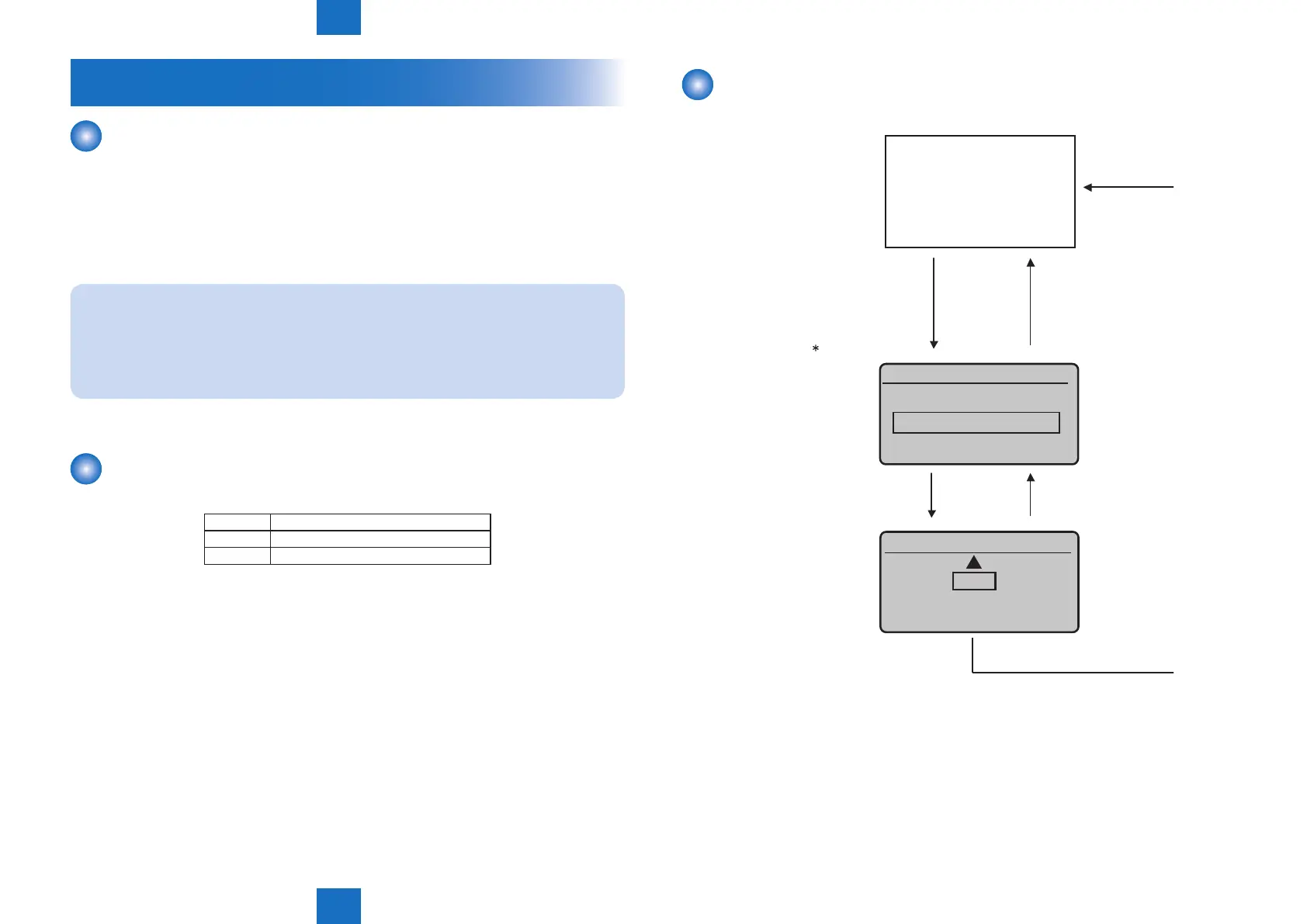
Operational procedure of this mode is indicated below.
xxxxx
[Return] key
Enter number & push OK
User Screen
[Return] key
(0 - 1)
Enter the numeric value,
and then press the [OK] key.
Enter the Special
Management Number
with a numeric keypad,
and then
press the [OK] key.
1) MENU key
2) [→] key
3) [3] key
4) [6] key
5) [9] key
6) [ ] key
0
F-6-6











 To Next Page