29
E
Mastering
the Basics
Playback pause
Press the
aa
(pause) button. To resume normal playback, press it again, or press
the e (play) button. The camcorder automatically goes into stop mode after about
5 minutes’ playback pause.
Fast forward playback
To play back the recording at about 11.5 times normal speed, press and hold the
1 (fast forward) button during normal playback or press and hold the 1 (fast
forward) button during normal fast forward.
Rewind playback
For reverse playback at about 11.5 times normal speed, press and hold the
` (rewind) button during normal playback or press and hold the ` (rewind)
button during normal rewind.
Other playback modes
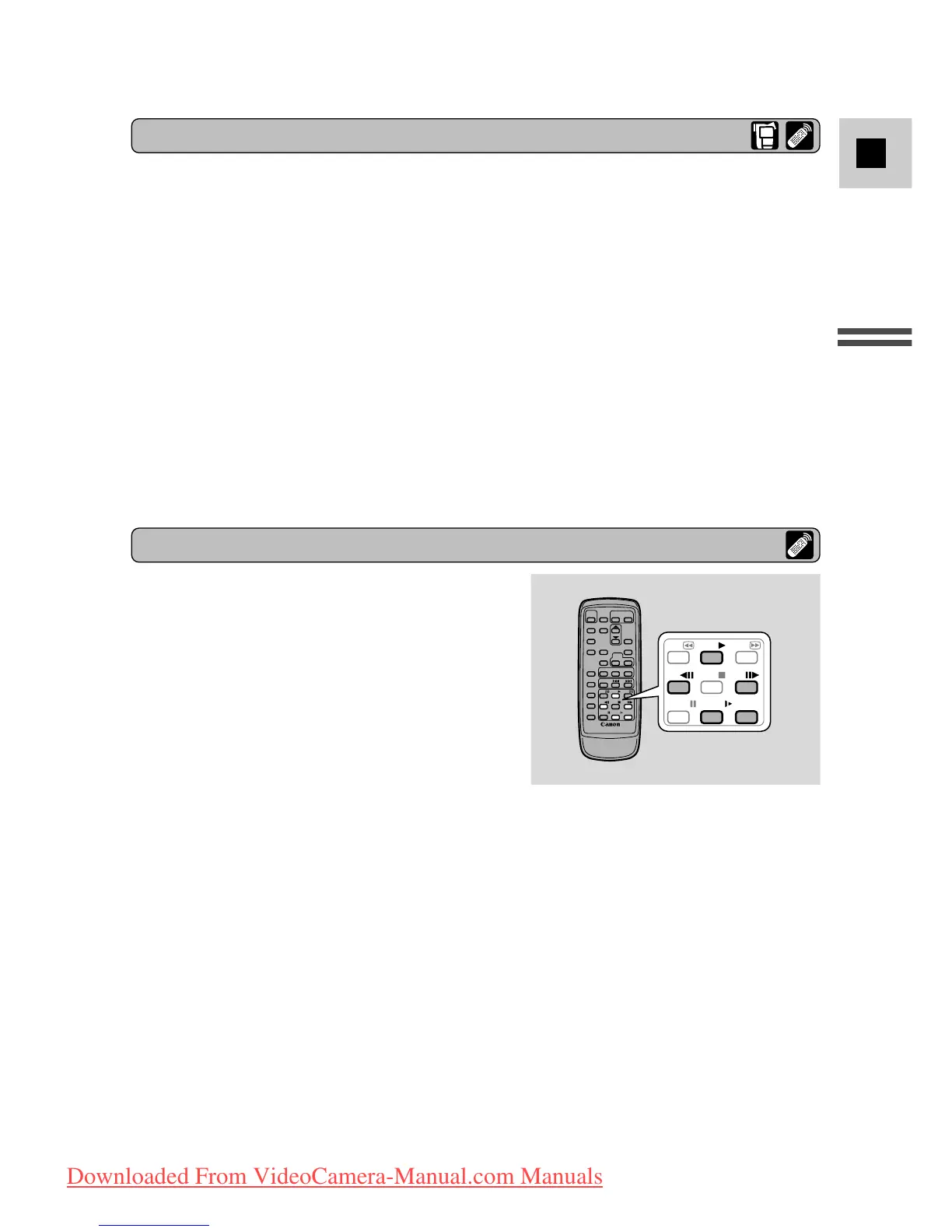
Special playback
Frame Advance
To play back frame by frame, press the
+/ ae button repeatedly during playback
pause.
Press and hold to play back continuous frame
advance.
Frame Reverse
To play back in reverse frame by frame, press
the –/4a button repeatedly during playback
pause.
Press and hold to play back continuous frame reverse.
Slow Forward Playback
To play back at about 1/3 normal speed, press the SLOW M button during normal
playback.
Press the PLAY e button to return to normal playback.
Slow Reverse Playback
To play back in reverse at about 1/3 normal speed, press the –/4a button and
then the SLOW M button during normal playback.
Press the PLAY e button to return to normal playback.



 To Next Page