91
E
Editing
Connecting the camcorder to your VCR or 8 mm video camera allows conversion
of recorded analog video and audio signals to digital signals in an instant. The
digital signals can be output to the other equipment with a DV terminal. The
camcorder’s DV terminal works exclusively as an output terminal.
• There may be cases where analog-digital conversion cannot be done properly,
depending on the signals output from the connected equipment.
For example: Signals that include the copyright protective signal, or anomalous
signals such as ones that include ghost signals, etc.
• You cannot use your headphones during digital conversion. Even if the
AV/headphone terminal is set to “PHONES” through the menu, it will
automatically be set to “AV”, and “PHONES” will disappear from the display.
• You are recommended to use power from a household power socket with the
power adapter.
• Do not operate with a cassette inserted to the camcorder.
• Turn off the power of all equipment before performing connections.
• Refer also to the instruction manuals of the other equipment connected.
• When connecting to a TV/video with SCART terminal, use a SCART adapter
with input capability (commercially available). The SCART Adapter PC-A10 is
for output only.
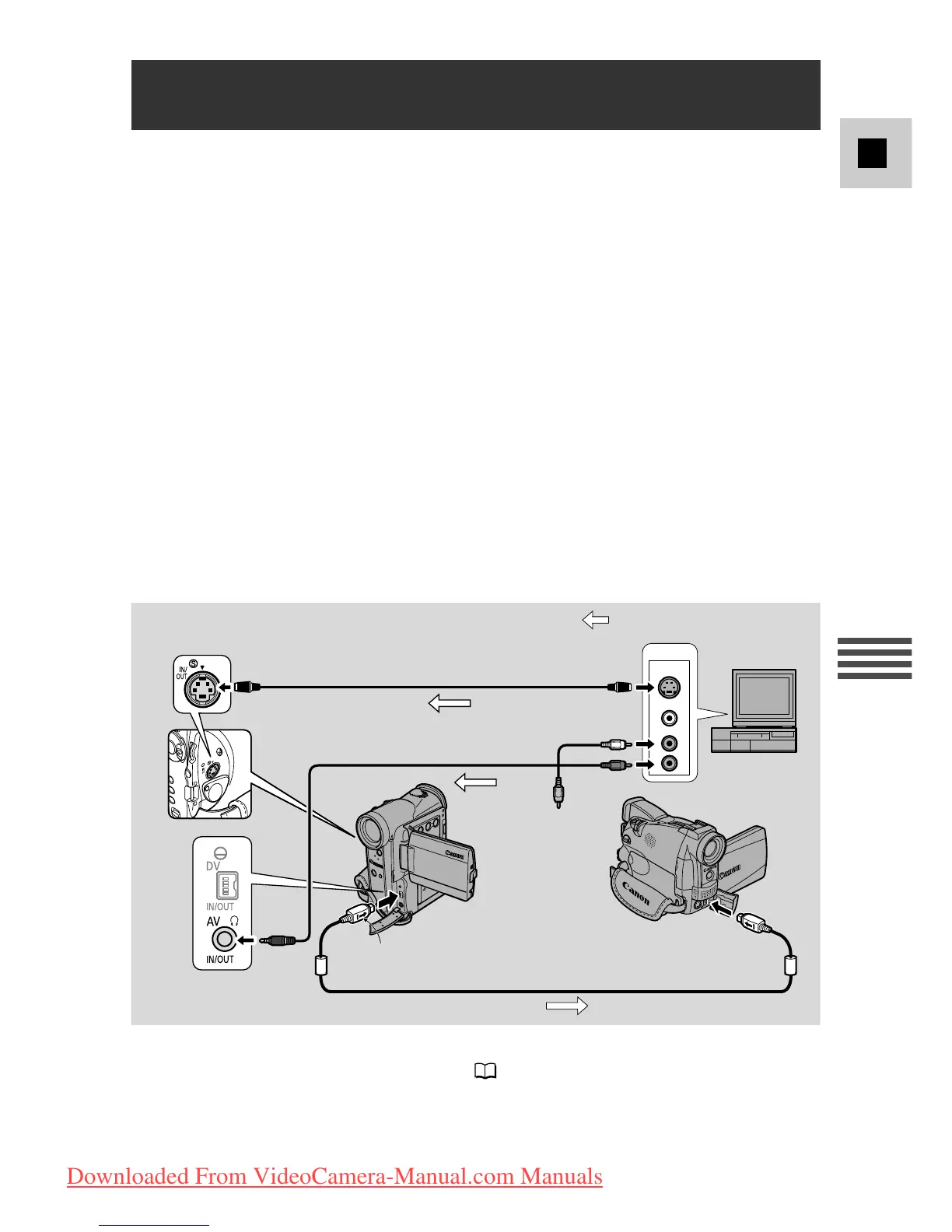
Digitally Outputting Analog Video and Audio
Signals (Analog-Digital Converter)
CV-150F DV Cable (optional)
S-150
S-Video Cable
STV-250N
Stereo Video Cable
: Signal flow
Above illustration shows the connection using a S-video cable. You can also
connect to the VIDEO terminal instead ( 35).
Side with arrow
Downloaded From VideoCamera-Manual.com Manuals


 To Next Page