How to Load Originals for Each Function
You may have to load the original in a different position depending on the function you selected in copying, faxing,
scanning, etc. Load the original in the correct position according to the selected function. If you do not load the original
correctly, it may not be scanned properly.
Loading the Original to Be Aligned with the alignment mark
Load originals to copy or fax
In the scan mode,
- select USB flash drive to scan originals
- select Auto scan for Document type to scan text documents, magazines, or newspapers
- select Document or Photo for Document type and specify a standard size (A4, Letter, etc.) for Scan size to
scan originals
With a software application on a computer,
- scan text documents, magazines, or newspapers
- select a standard size (A4, Letter, etc.) to scan originals
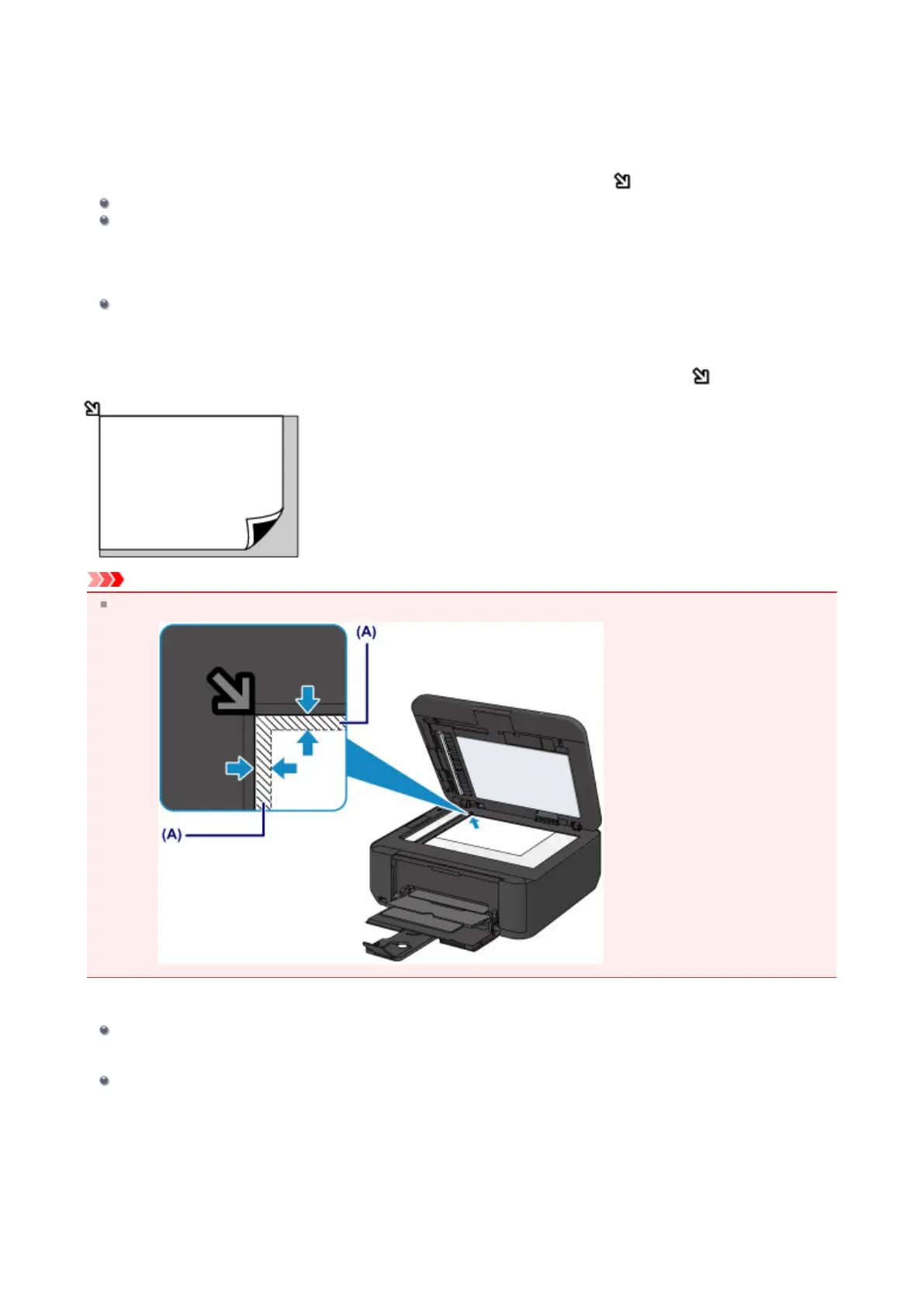
Load the original WITH THE SIDE TO SCAN FACING DOWN and align it with the alignment mark .
Important
The machine cannot scan the shaded area (A) (0.04 inches (1 mm) from the edges of the platen glass).
Loading Only One Original in the Center of the platen glass
In the scan mode,
- select Auto scan for Document type to scan one printed photo, postcard, business card, or disc
- select Photo for Document type and specify Auto scan(A) -Singl for Scan size to scan one original
Scan one printed photo, postcard, business card, or disc with a software application on a computer
Load the original WITH THE SIDE TO SCAN FACING DOWN and place it at least 0.4 inches (10 mm) away from the
edges of the platen glass.
63















 To Next Page