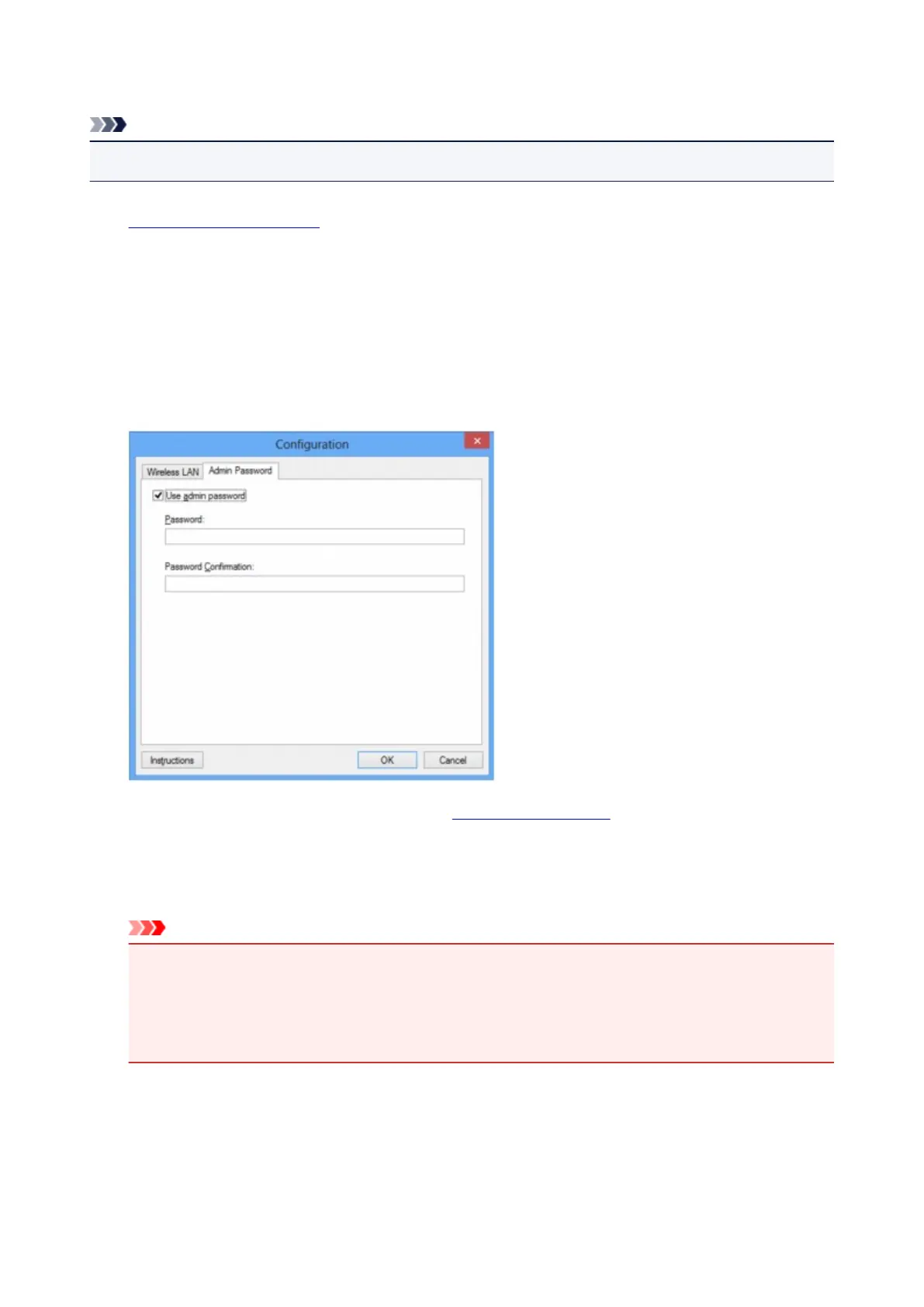
Changing the Settings in the Admin Password Sheet
Note
• You cannot change the settings when using the access point mode.
1. Start up IJ Network Tool.
2.
Select the printer in Printers:.
3.
Select Configuration... on the Settings menu.
4.
Click the Admin Password tab.
The Admin Password sheet is displayed.
For details on the Admin Password sheet, see Admin Password Sheet.
5.
Change the settings or confirm.
To use an administrator password, select the Use admin password check box and enter a password.
Important
•
The password should consist of alphanumeric characters and be no longer than 32 characters.
The password is case-sensitive. Do not forget the password you set.
If you forget the administrator password you specified, initialize the printer to return the password
to the default setting.
6. Click OK.
A screen is displayed asking you for confirmation before the settings are sent to the printer. If you click
Yes, the settings are sent to the printer and the Transmitted Settings screen is displayed.
243









 To Next Page