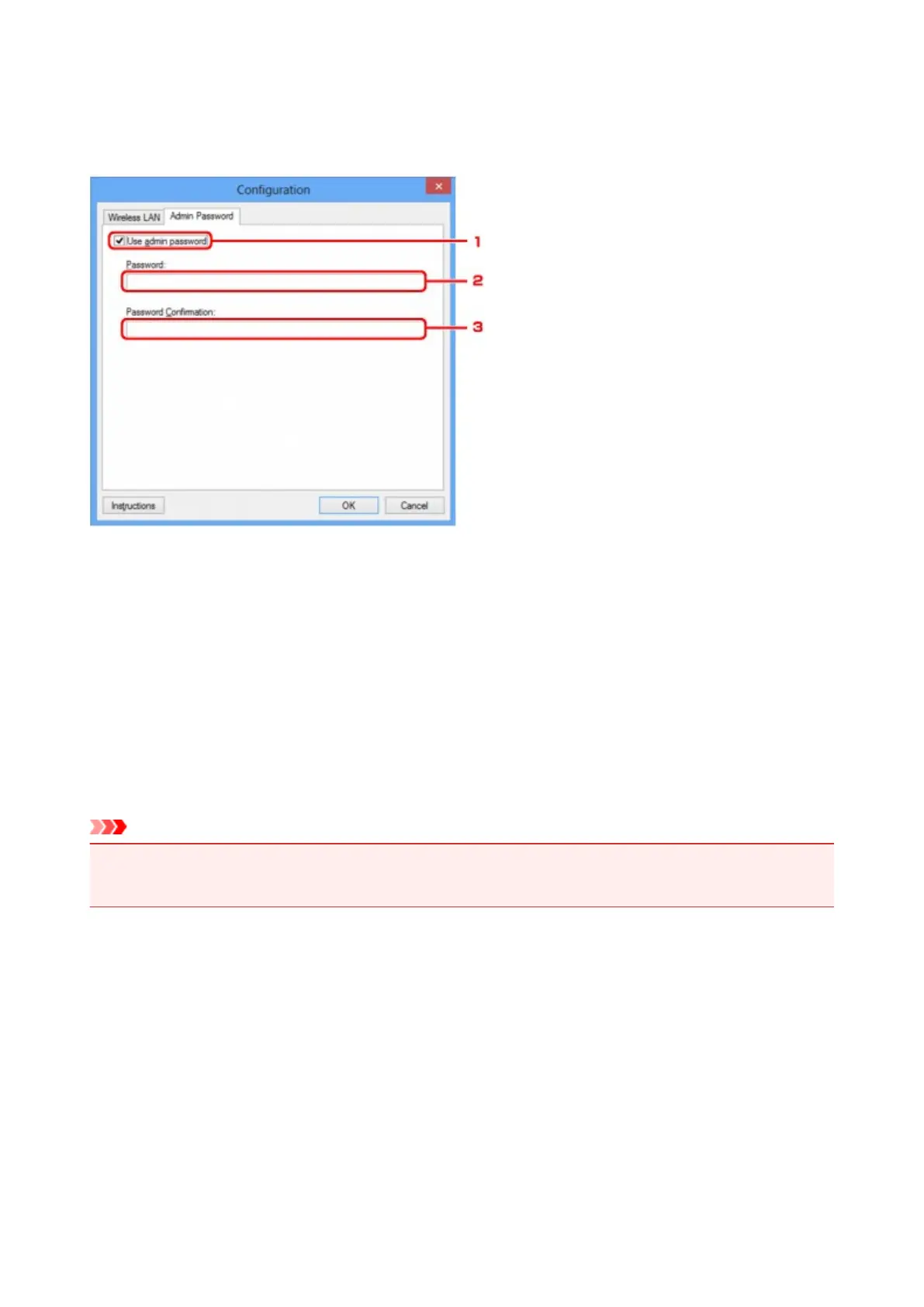
Admin Password Sheet
Sets a password for the printer to allow specific people to perform setup and configurations operation.
To display the Admin Password sheet, click the Admin Password tab on the Configuration screen.
1.
Use admin password
Sets an administrator password with privileges to set up and change detailed options. To use this
feature, select this check box and enter a password.
2.
Password:
Enter the password to set.
3.
Password Confirmation:
Enter the password again for confirmation.
Important
• If you forget the administrator password you specified, initialize the printer to return the password to the
default setting.
265




 To Next Page