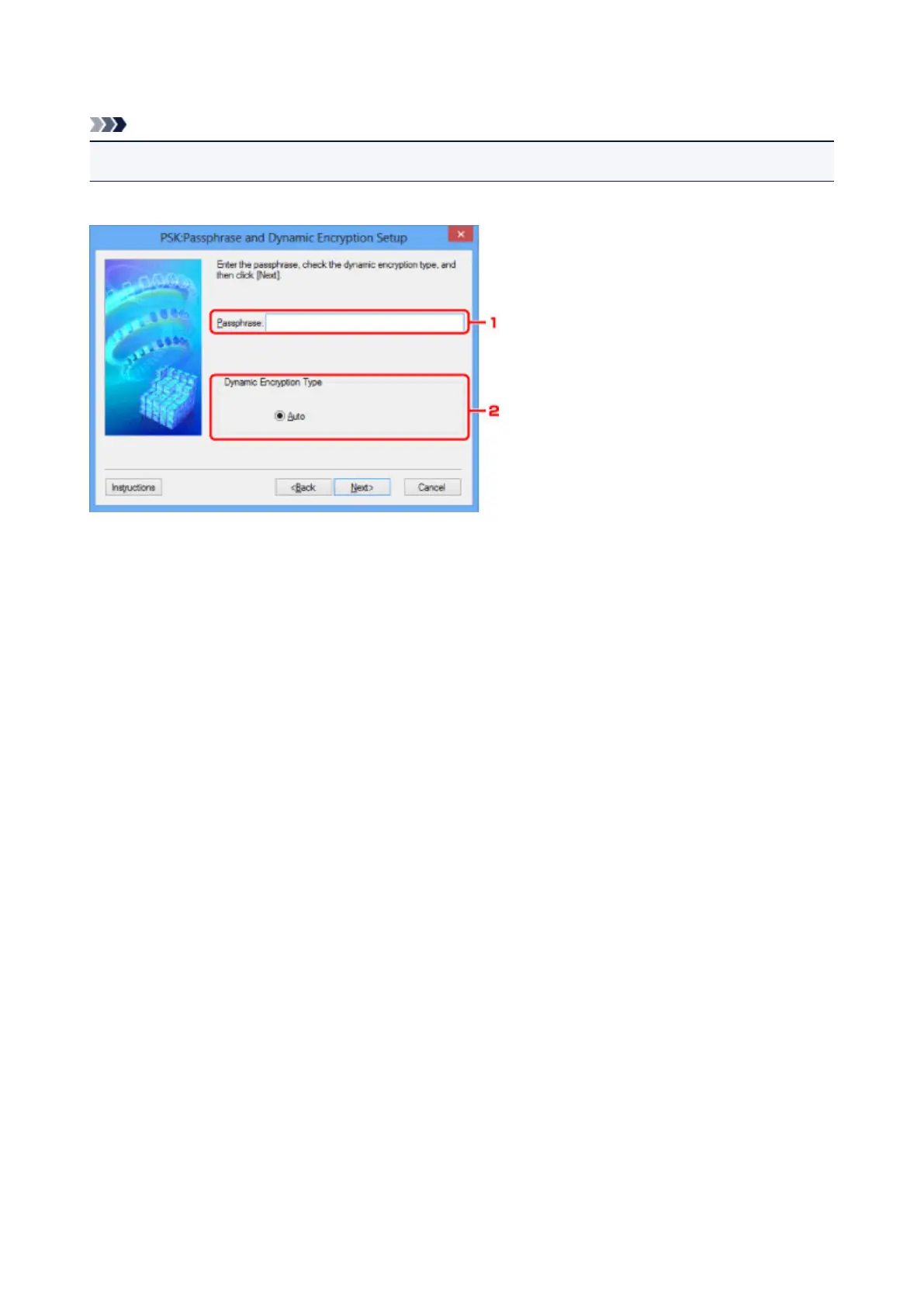
PSK:Passphrase and Dynamic Encryption Setup Screen
Note
• This screen is not available depending on the printer you are using.
Enter the passphrase and select the dynamic encryption method.
1.
Passphrase:
Enter the passphrase set to the wireless router. The passphrase should be a string of 8 to 63
alphanumeric characters or a 64-digit hexadecimal value.
If you do not know the wireless router passphrase, refer to the instruction manual provided with the
wireless router or contact its manufacturer.
2.
Dynamic Encryption Type
The dynamic encryption method is selected from either TKIP (basic encryption) or AES (secure
encryption) automatically.
262









 To Next Page