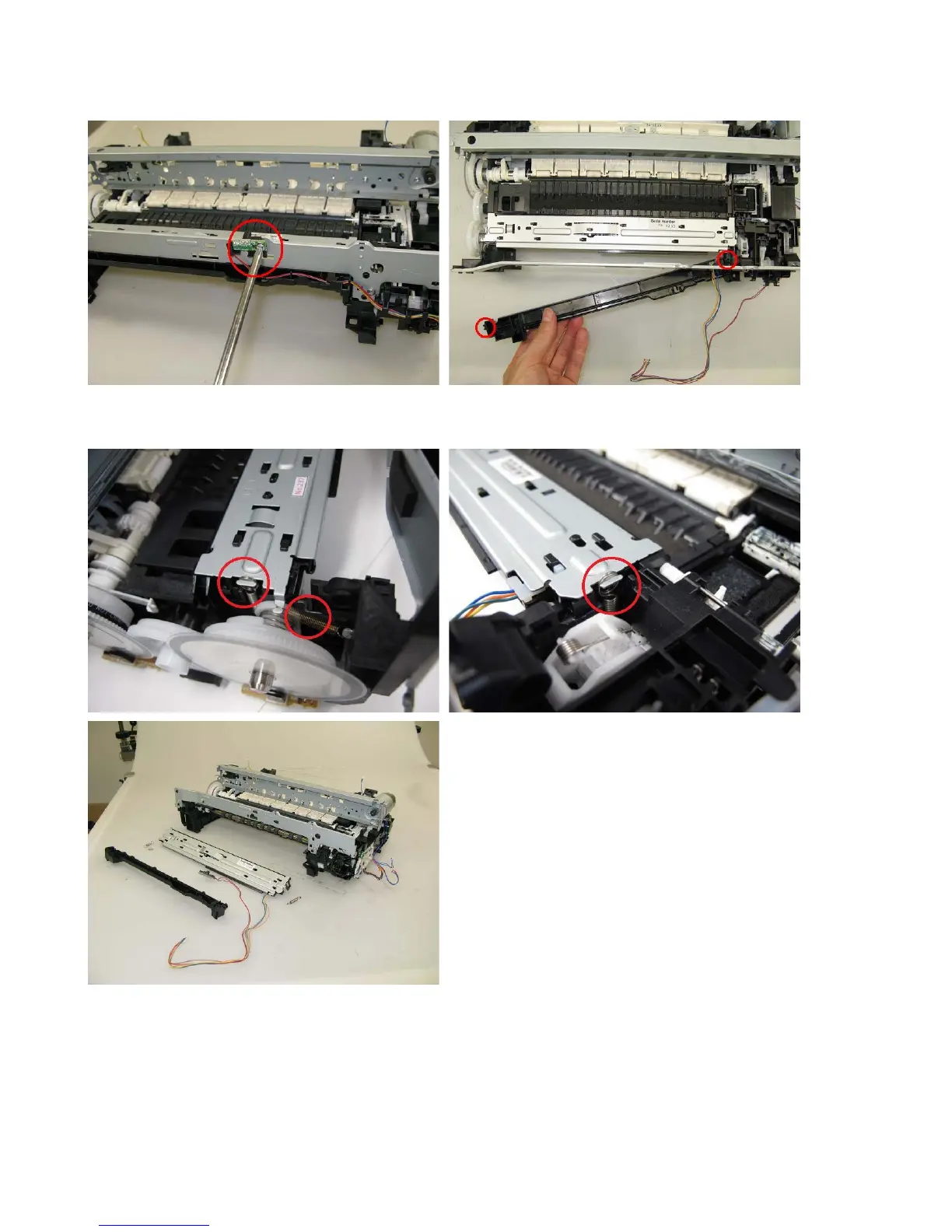
(8) Spur unit and platen unit removal
1) Remove the ink sensor and the middle front cover from the front chassis (1 screw each).
2) From the left and right sides of the spur unit, release the springs (2 on the left side, 1 on the right
side). Then, slowly pull the spur unit upward to remove it from the platen unit.



 To Next Page