(4) Button and LCD test
Confirm the operation after replacement of the panel board or LCD.
1) Dual Function Panel check
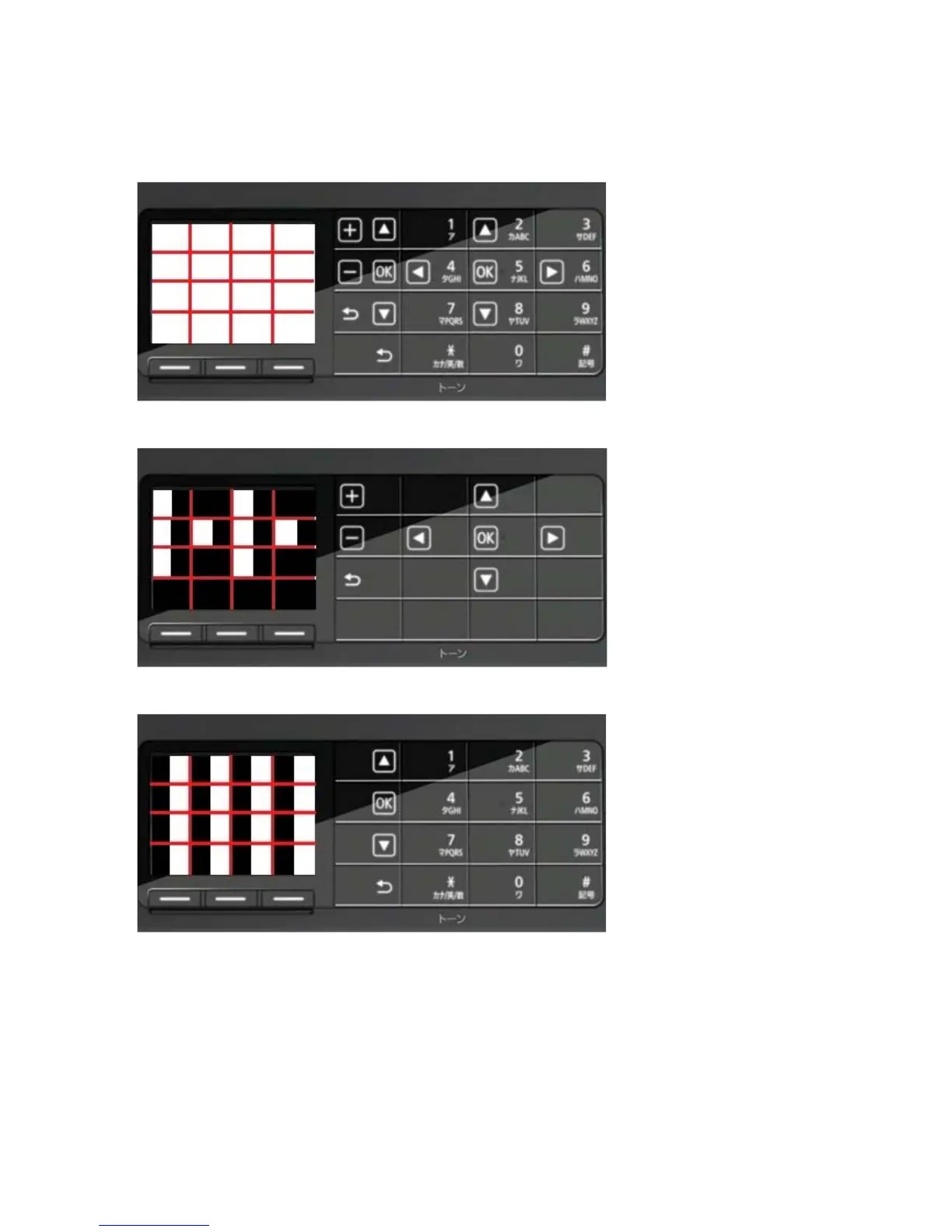
1-1) Click Panel Check of the Service Tool. All the buttons of the Dual Function Panel turn on and the LCD is
divided into 16 white segments by the red lines.
1-2) Press the Black button. The buttons that are valid in the copy mode appear on the panel, and the segments
on the LCD corresponding to those buttons turn white while the other areas turn black.
1-3) Press the Black button again. The buttons that are valid in the FAX mode appear on the panel, and the
segments on the LCD corresponding to those buttons turn white while the other areas turn black.



 To Next Page