EasyManua.ls Logo

Canon PC1057 - User Manual

Canon PC1057
207 pages
Print Icon
To Next Page IconTo Next Page
Loading...
ENGLISH
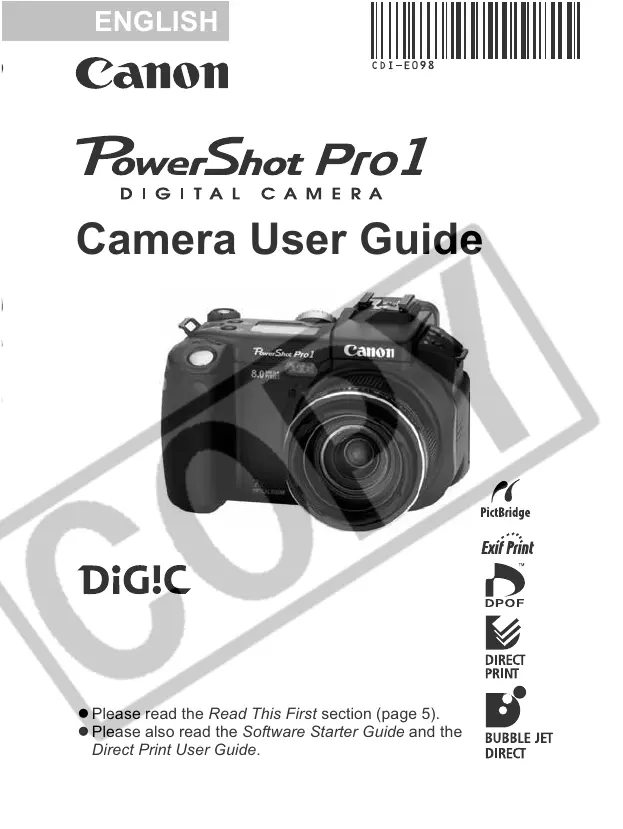
Camera User Guide
z Please read the Read This First section (page 5).
z Please also read the Software Starter Guide and the
Direct Print User Guide.

Table of Contents

Questions and Answers

  • S
    shari73Sep 12, 2025
    What to do if subject too close causing flash to be too bright on Canon Digital Camera?
    • Z
      Zachary MorrowSep 12, 2025
      If the subject is too close causing flash to be too bright on your Canon Digital Camera, adjust the flash output with the flash exposure compensation function.
  • D
    Denise JonesSep 9, 2025
    What to do if battery life exceeded on Canon PC1057 Digital Camera?
    • D
      davenportmarySep 9, 2025
      If your Canon Digital Camera has exceeded its battery life, replace the battery pack with a new one.
  • R
    Rachel BentleySep 8, 2025
    Why has my Canon PC1057 battery pack capacity reduced?
    • K
      Kimberly MurraySep 8, 2025
      If your Canon Digital Camera's battery pack capacity has reduced because of disuse for one year or more after being fully charged, replace the battery pack with a new one.
  • J
    Julie JonesSep 7, 2025
    How to improve insufficient light for shooting with Canon Digital Camera?
    • S
      Sierra MillerSep 7, 2025
      If there is insufficient light for shooting with your Canon Digital Camera: * Set the built-in flash to on. * Use a high-output externally mounted flash.
  • S
    sharrisAug 23, 2025
    What to do if CF card is full on Canon Digital Camera?
    • L
      Lindsay VelezAug 23, 2025
      If the CF card is full in your Canon Digital Camera, you can: * Insert a new CF card. * Download the images to a computer and then erase them from the CF card to free up space.
  • K
    Kimberly WatsonSep 5, 2025
    What to do if Canon PC1057 Digital Camera moved while shooting?
    • L
      Lisa DoughertySep 5, 2025
      If your Canon Digital Camera was moved while shooting, be careful not to move the camera when pressing the shutter button. When the camera shake warning appears at slow shutter speeds, use a tripod.
  • C
    Christie WebsterSep 4, 2025
    What to do if Canon PC1057 Digital Camera has insufficient battery voltage?
    • E
      elizabeth69Sep 4, 2025
      If your Canon Digital Camera has insufficient battery voltage, fully charge the battery before installing it in the camera. You can also use a compact power adapter.
  • A
    amandaloganSep 3, 2025
    Why is the subject too bright compared to the background on my Canon Digital Camera?
    • N
      Nicole HayesSep 3, 2025
      If the subject is too bright compared to the background when using your Canon Digital Camera: * Set the exposure compensation to a negative (–) setting. * Use the AE lock or spot metering function. * Set [ND Filter] to [On].
  • J
    Jessica PowellSep 1, 2025
    What to do if flash is charging (blinking on LCD monitor/in viewfinder) on Canon Digital Camera?
    • M
      Mario WyattSep 2, 2025
      If the flash is charging on your Canon Digital Camera (blinking on the LCD monitor or in the viewfinder), wait until it stops blinking and lights steadily. This indicates that the flash is charged, and you can then press the shutter button.
  • D
    David AdamsAug 31, 2025
    Why is the subject dark compared to the background on my Canon PC1057 Digital Camera?
    • M
      Matthew RogersAug 31, 2025
      If the subject is dark compared to the background in your Canon Digital Camera photos: * Adjust the exposure compensation to a positive (+) setting. * Alternatively, use the AE lock or spot metering function.

Summary

Read This First

Preparing the Camera

Charging the Battery Pack

Step-by-step instructions on how to charge the camera's battery pack before first use.

Installing the Battery Pack;CF card

Procedure for inserting the battery pack and CF card into the camera correctly.

Basic Functions

Selecting Menus and Settings

Methods for navigating menus and selecting settings using FUNC. or MENU buttons.

Shooting - Letting the Camera Select Settings

Auto Mode

Using the camera's fully automatic mode where it selects all settings for the user.

Changing the Resolution and Compression

Selecting image resolution and compression settings to suit the purpose of the shot.

Shooting - Selecting Particular Effects

Program AE

Using Program AE to let the camera automatically set shutter speed and aperture for optimal brightness.

M Manually Setting the Shutter Speed and Aperture

Manually setting both shutter speed and aperture for creative control and specific effects.

Playback

Formatting a CF Card

Initializing a CF card to erase all data and prepare it for use with the camera.

Downloading Images to a Computer

Connecting the Camera to a Computer Via the USB Cable

Instructions for connecting the camera to a computer using a USB cable and installing software.

Troubleshooting

Camera will not operate

Solutions for the camera not turning on, related to power or battery issues.

Camera will not record

Troubleshooting steps when the camera fails to record images, involving CF card or mode settings.

Using an Externally Mounted Flash (Sold Separately)

Canon PC1057 Specifications

General IconGeneral
BrandCanon
ModelPC1057
CategoryDigital Camera
LanguageEnglish

Related product manuals