Table of
Contents
Chapter 1
What is
ZoomBrowser EX?
Chapter 2
Downloading and
Printing Images
Chapter 3
What You Can Do with
a Camera Connected
Chapter 4
Viewing Images
Chapter 5
Organizing Images
Chapter 6
Using Supplementary
Features
Appendices Index
ZoomBrowser EX Software User Guide 149
Back Next
Troubleshooting (3/5)
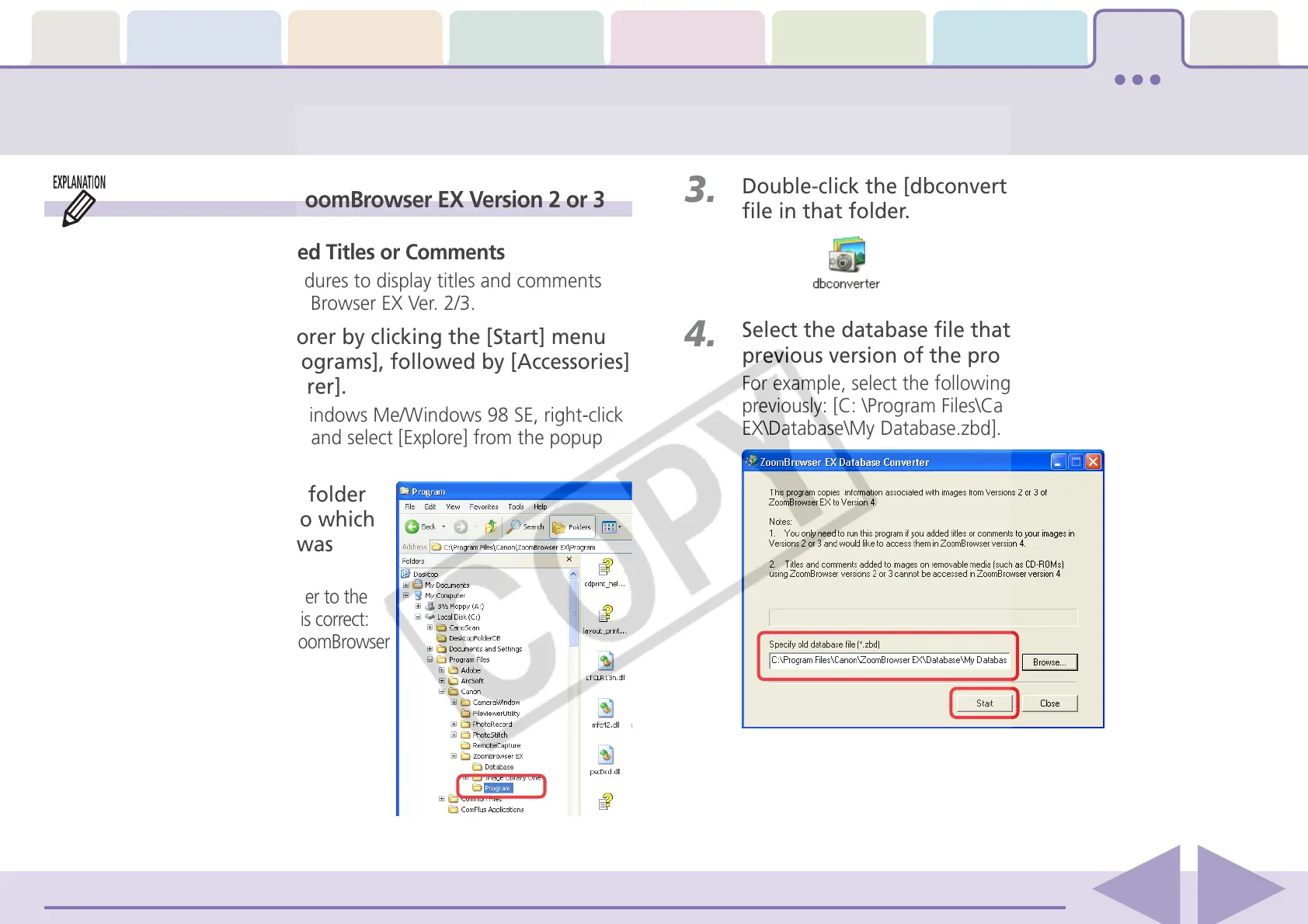
3.
Double-click the [dbconverter.exe] or [dbconverter]
file in that folder.
4.
Select the database file that was used with the
previous version of the program and click [Start].
For example, select the following database file if it was used
previously: [C: \Program Files\Canon\ZoomBrowser
EX\Database\My Database.zbd].
If You Were Using ZoomBrowser EX Version 2 or 3
■ Images Were Assigned Titles or Comments
Use the following procedures to display titles and comments
previously input in ZoomBrowser EX Ver. 2/3.
1.
Start Windows Explorer by clicking the [Start] menu
and selecting [All Programs], followed by [Accessories]
and [Windows Explorer].
(With Windows 2000/Windows Me/Windows 98 SE, right-click
the [My Computer] icon and select [Explore] from the popup
menu.)
2.
Open the [Program] folder
inside the folder into which
ZoomBrowser EX 5 was
installed.
For example, open the folder to the
right if the following path is correct:
[C:\Program Files\Canon\ZoomBrowser
EX\Program].














 To Next Page