Table of
Contents
Chapter 1
What is
ZoomBrowser EX?
Chapter 2
Downloading and
Printing Images
Chapter 3
What You Can Do with
a Camera Connected
Chapter 4
Viewing Images
Chapter 5
Organizing Images
Chapter 6
Using Supplementary
Features
Appendices Index
ZoomBrowser EX Software User Guide 71
Back Next
Using the Viewer Window (2/5)
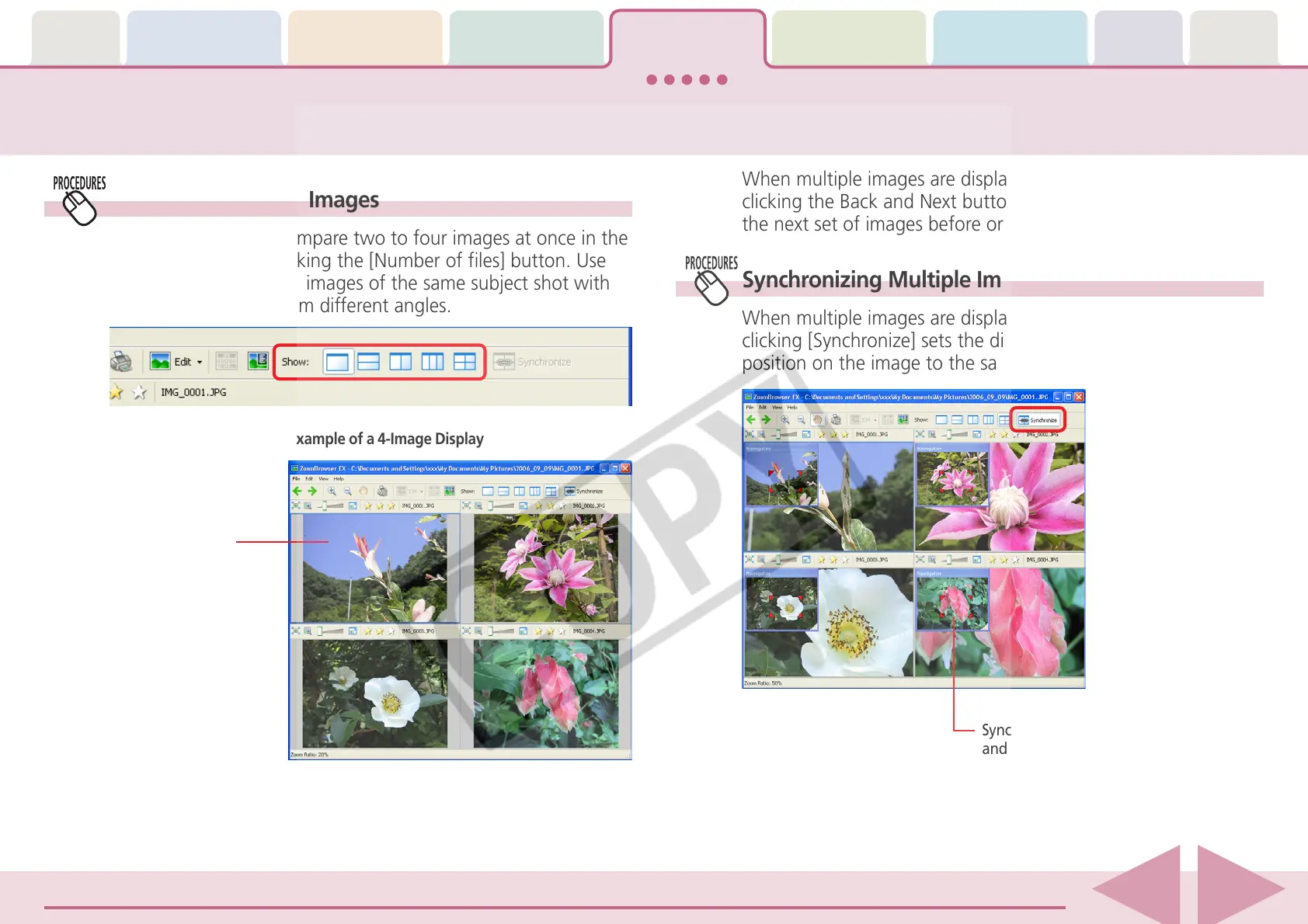
Displaying Multiple Images
You can display and compare two to four images at once in the
Viewer Window by clicking the [Number of files] button. Use
this feature to compare images of the same subject shot with
different settings or from different angles.
When multiple images are displayed in the Viewer Window,
clicking the Back and Next buttons replaces all the images with
the next set of images before or after the displayed images.
Synchronizing Multiple Images
When multiple images are displayed in the Viewer Window,
clicking [Synchronize] sets the display magnification and
position on the image to the same for all images.
Currently selected
image.
Example of a 4-Image Display
Synchronizes the display magnification
and display position.














 To Next Page