Table of
Contents
Chapter 1
What is
ZoomBrowser EX?
Chapter 2
Downloading and
Printing Images
Chapter 3
What You Can Do with
a Camera Connected
Chapter 4
Viewing Images
Chapter 5
Organizing Images
Chapter 6
Using Supplementary
Features
Appendices Index
ZoomBrowser EX Software User Guide 68
Back Next
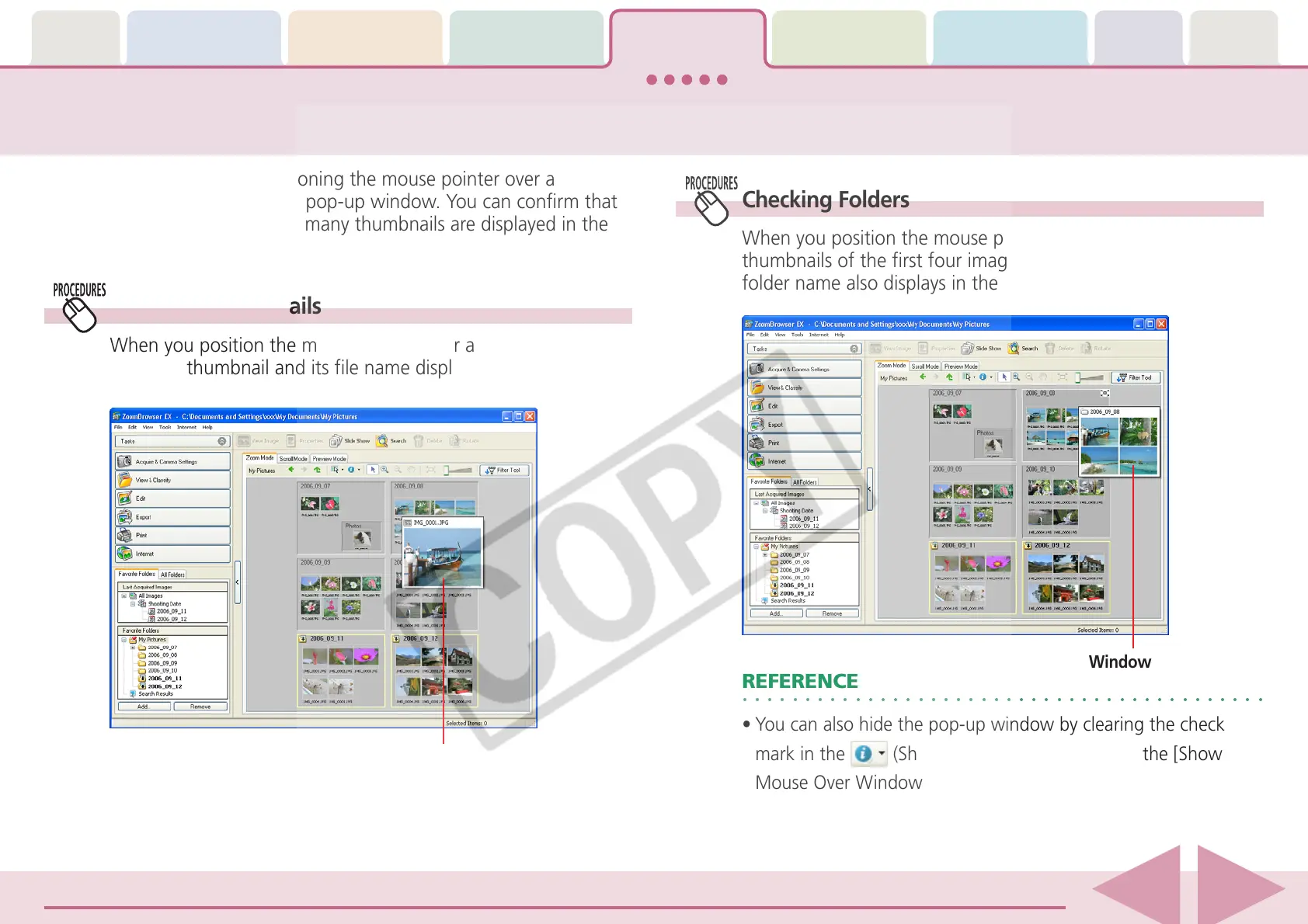
Checking Images in a Pop-Up Window
You can check images by positioning the mouse pointer over a
thumbnail or folder to display a pop-up window. You can confirm that
you have the right image when many thumbnails are displayed in the
Browser Area.
Checking Folders
When you position the mouse pointer over a folder, the
thumbnails of the first four images in the folder display. The
folder name also displays in the pop-up window.
○○○○○○○○○○○○○○○○○○○○○○○○○○○○○○○○○○○○○○○○○○
REFERENCE
•You can also hide the pop-up window by clearing the check
mark in the
(Show Information) menu from the [Show
Mouse Over Windows] option.
Checking Thumbnails
When you position the mouse pointer over a thumbnail, an
enlarged thumbnail and its file name display.
Pop-Up Window
Pop-Up Window














 To Next Page