Table of
Contents
Chapter 1
What is
ZoomBrowser EX?
Chapter 2
Downloading and
Printing Images
Chapter 3
What You Can Do with
a Camera Connected
Chapter 4
Viewing Images
Chapter 5
Organizing Images
Chapter 6
Using Supplementary
Features
Appendices Index
ZoomBrowser EX Software User Guide 25
Back Next
Downloading Images Automatically—Camera Operations (2/2)
4
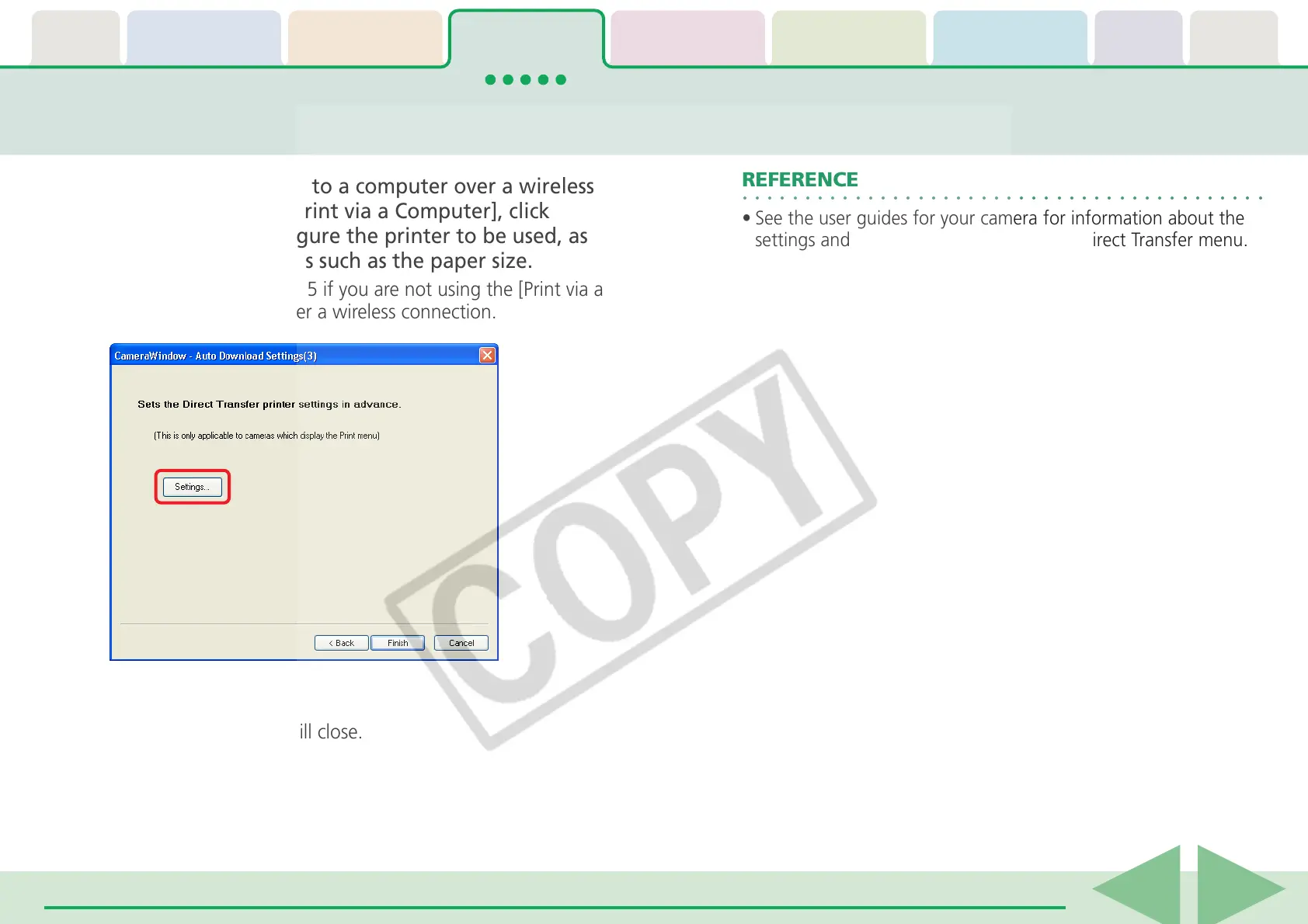
To connect a camera to a computer over a wireless
connection to use [Print via a Computer], click
[Settings] and configure the printer to be used, as
well as other settings such as the paper size.
Proceed directly to Step 5 if you are not using the [Print via a
Computer] function over a wireless connection.
5
Click [Finish].
The settings window will close.
○○○○○○○○○○○○○○○○○○○○○○○○○○○○○○○○○○○○○○○○○○
REFERENCE
• See the user guides for your camera for information about the
settings and procedures for the camera's Direct Transfer menu.














 To Next Page