Table of
Contents
Chapter 1
What is
ZoomBrowser EX?
Chapter 2
Downloading and
Printing Images
Chapter 3
What You Can Do with
a Camera Connected
Chapter 4
Viewing Images
Chapter 5
Organizing Images
Chapter 6
Using Supplementary
Features
Appendices Index
ZoomBrowser EX Software User Guide 86
Back Next
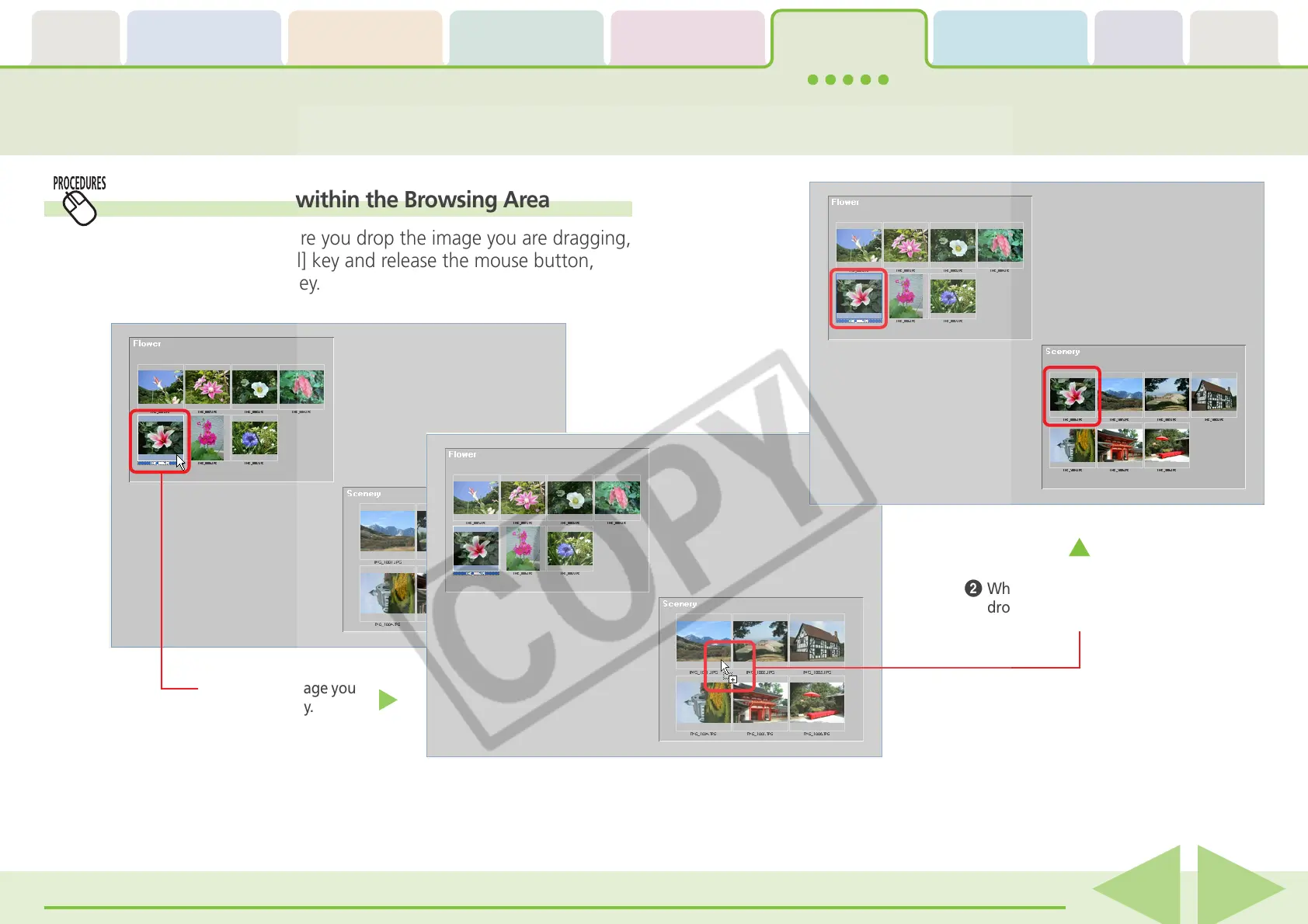
Moving or Copying Images (2/4)
Copying an image within the Browsing Area
To copy an image, before you drop the image you are dragging,
press and hold the [Ctrl] key and release the mouse button,
while still holding the key.
A
Drag the image you
want to copy.
B
While holding down the [Ctrl] key,
drop it at the desired location.














 To Next Page