EasyManua.ls Logo

Canon PowerShot ZOOM - User Manual

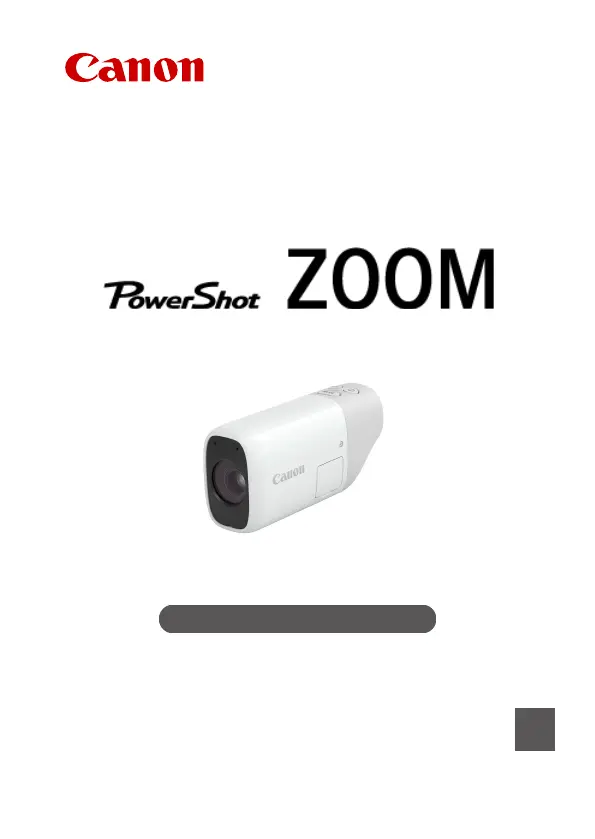
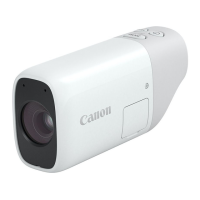
Canon PowerShot ZOOM
126 pages
Print Icon
To Next Page IconTo Next Page
Loading...
Advanced User Guide
E
CT2-D116-A
© CANON INC. 2020

Questions and Answers

  • D
    Daniel StewartJul 28, 2025
    What to do if Canon Digital Camera connection target not found?
    • G
      Gary BrownJul 28, 2025
      If your Canon Digital Camera displays 'Connection target not found', first turn on your smartphone and wait a moment. If the connection still fails, try repeating the connection procedure.
  • D
    Deborah MercadoAug 4, 2025
    Why is my Canon PowerShot ZOOM transmission slow and choppy?
    • R
      Robert AndersonAug 4, 2025
      If your Canon Digital Camera experiences slower transmission speeds, lost connections, or choppy image display, it might be due to interference from electronic devices operating on the same frequency band. To resolve this, either stop using the interfering devices or establish a connection away from them.
  • B
    Barbara PetersAug 11, 2025
    What causes unauthorized network access on Canon PowerShot ZOOM?
    • J
      jonescynthiaAug 11, 2025
      Unauthorized network access with your Canon Digital Camera can occur if security settings have not been properly configured. Ensure you utilize the available systems and functions to thoroughly secure your network to prevent such issues.
  • M
    Mary JonesAug 19, 2025
    Why is transmission monitoring failing on my Canon PowerShot ZOOM?
    • M
      Michael BullockAug 19, 2025
      If you are experiencing issues with transmission monitoring on your Canon Digital Camera, it might be due to improperly configured security settings. To prevent these problems, make full use of the available systems and functions to secure your network thoroughly.

Summary

Compatible Cards

Safety Instructions

Preparation and Basic Operations

Charging the Camera

Guide on how to charge the camera's battery before initial use.

Inserting;Removing Cards

Instructions for inserting and removing memory cards from the camera.

Turning on the Power

Steps for powering the camera on and off.

Basic Operations

Covers fundamental camera controls and usage.

Menu Operations and Settings

Explains navigation and usage of the camera's menu system.

Basic Operations

Adjusting the Viewfinder

Instructions on how to adjust the viewfinder for optimal clarity.

Menu Operations and Settings

Shooting and Recording

Still Photo Shooting

Comprehensive guide for capturing still photographs.

Movie Recording

Detailed instructions on how to record video clips.

Exposure Compensation

How to adjust image brightness for optimal exposure control.

Selecting the AF Method

Guide to choosing and setting the appropriate autofocus method.

Playback

Image Playback

Instructions on how to view and browse still images.

Wireless Features

Camera Connect Communication from Smartphones

Detailed steps for connecting the camera to smartphones via Wi-Fi.

Troubleshooting

Solutions and guidance for common wireless communication problems.

Set-up

Reference

Troubleshooting Guide

A comprehensive guide to resolving common camera issues.

Canon PowerShot ZOOM Specifications

General IconGeneral
Prism type-
Digital zoom2 x
Optical zoom3 x
Magnification9.6 x
Image stabilizerYes
Objective diameter- mm
Closest focusing distance1 m
Product colorWhite
Operating temperature (T-T)0 - 40 °C
WaterproofNo
Pallet width800 mm
Pallet height1215 mm
Pallet length1200 mm
Country of originJapan
Quantity per pallet250 pc(s)
Master (outer) case weight4000 g
Shipping (inner) case width316 mm
Shipping (inner) case height213 mm
Shipping (inner) case length468 mm
Quantity per shipping (inner) case10 pc(s)
Weight and Dimensions IconWeight and Dimensions
Depth50.8 mm
Width33.4 mm
Height103.2 mm
Weight145 g
Package depth154 mm
Package width147 mm
Package height89 mm
Package weight326 g

Related product manuals