1
ENGLISH
Setting Up the Printer
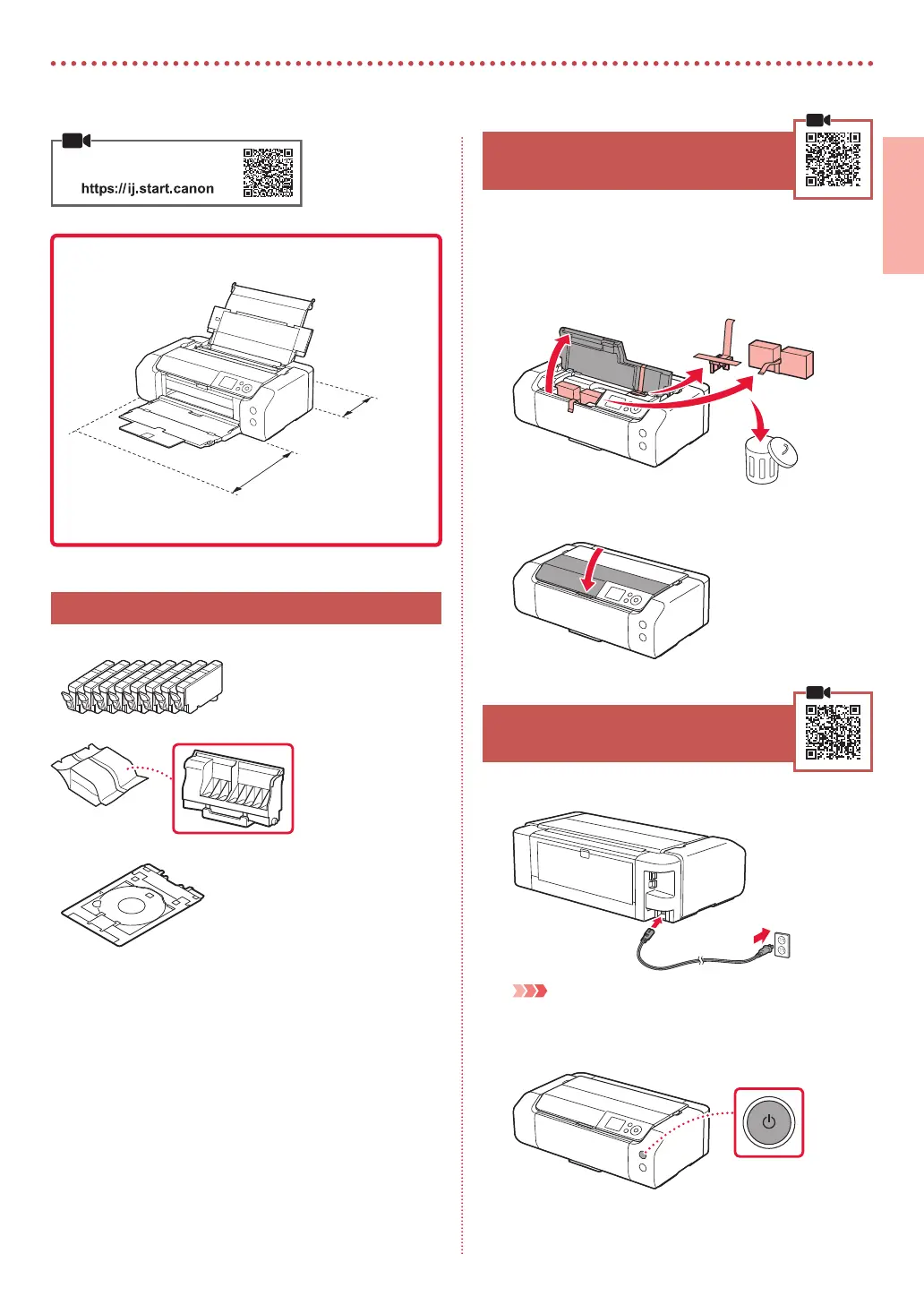
25 cm
(9.8 inches)
40 cm (15.7 inches)
Installation Space
1. Box Contents
•
Ink Tanks for setup
•
Print Head
•
Multi-purpose Tray
•
Power Cord
•
Setup CD-ROM
•
Safety and Important Information
•
Getting Started (this manual)
2. Removing Packing Materials
1
Remove and dispose of any packing materials
and orange tape.
2
Open the top cover, remove and dispose of the
orange tape and protective material inside.
a
b
c
3
Close the top cover.
3. Turning on the Printer
1
Connect the power cord.
Back
Important
At this time, do not connect any other cables.
2
Press the ON button.
Online Setup









 To Next Page