2
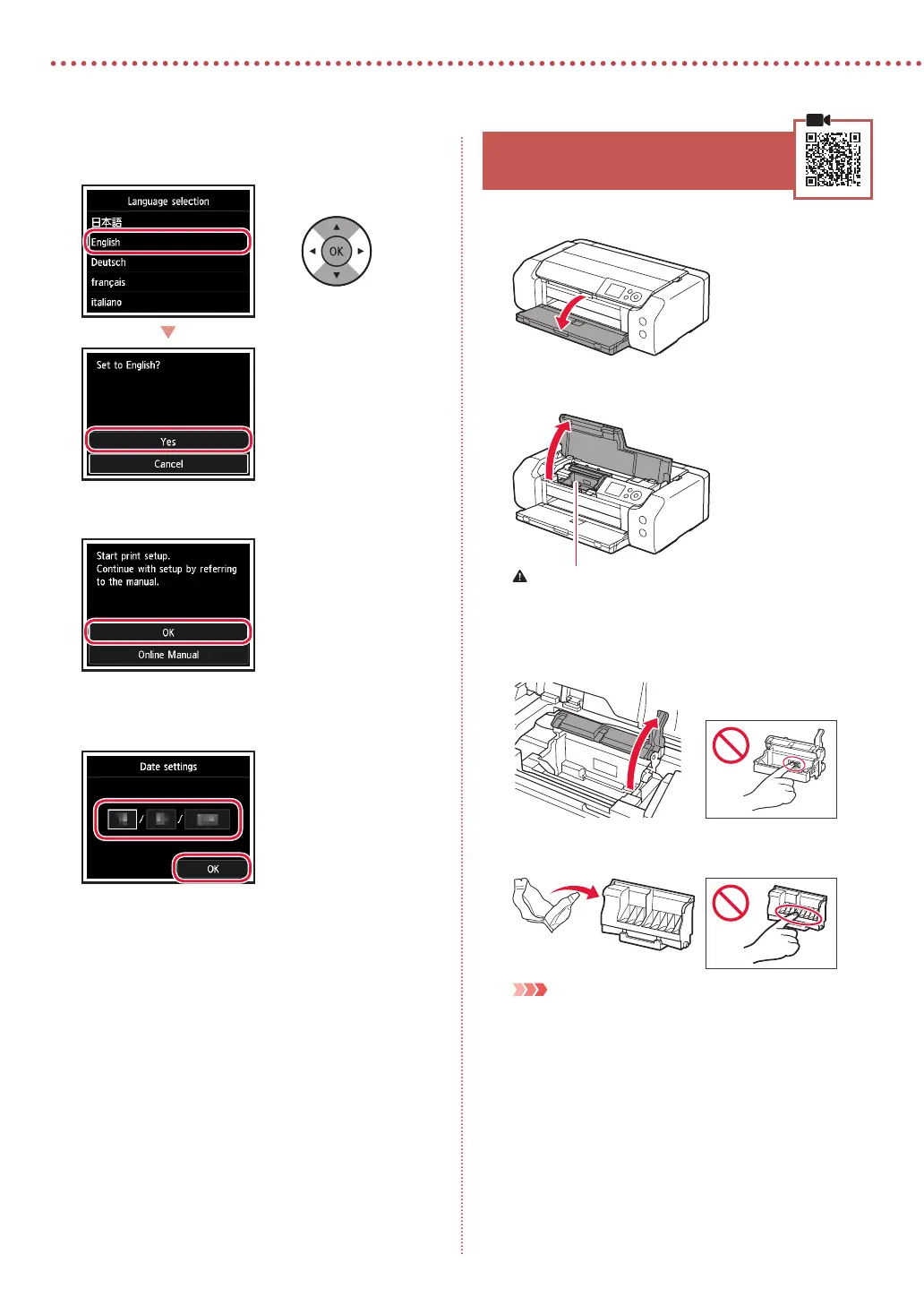
Setting Up the Printer
3
Use the {, } and OK buttons to select a
language.
4
Press the OK button.
5
Set the date and time, and then press the OK
button.
4. Installing the Print Head
1
Open the paper output tray.
2
Open the top cover.
Caution
Do not touch the print head holder until it stops moving.
3
Firmly raise the print head lock lever until it
stops.
4
Remove the print head from its package.
Important
There may be some transparent or light color ink on the inside
of the bag the print head comes in - this has no eect on print
quality. Be careful not to get ink on yourself when handling
these items.









 To Next Page