Canon ScanFront 220/220P System Software Update
Instructions
ScanFront Version Up Procedure Version 1.0 Page
4
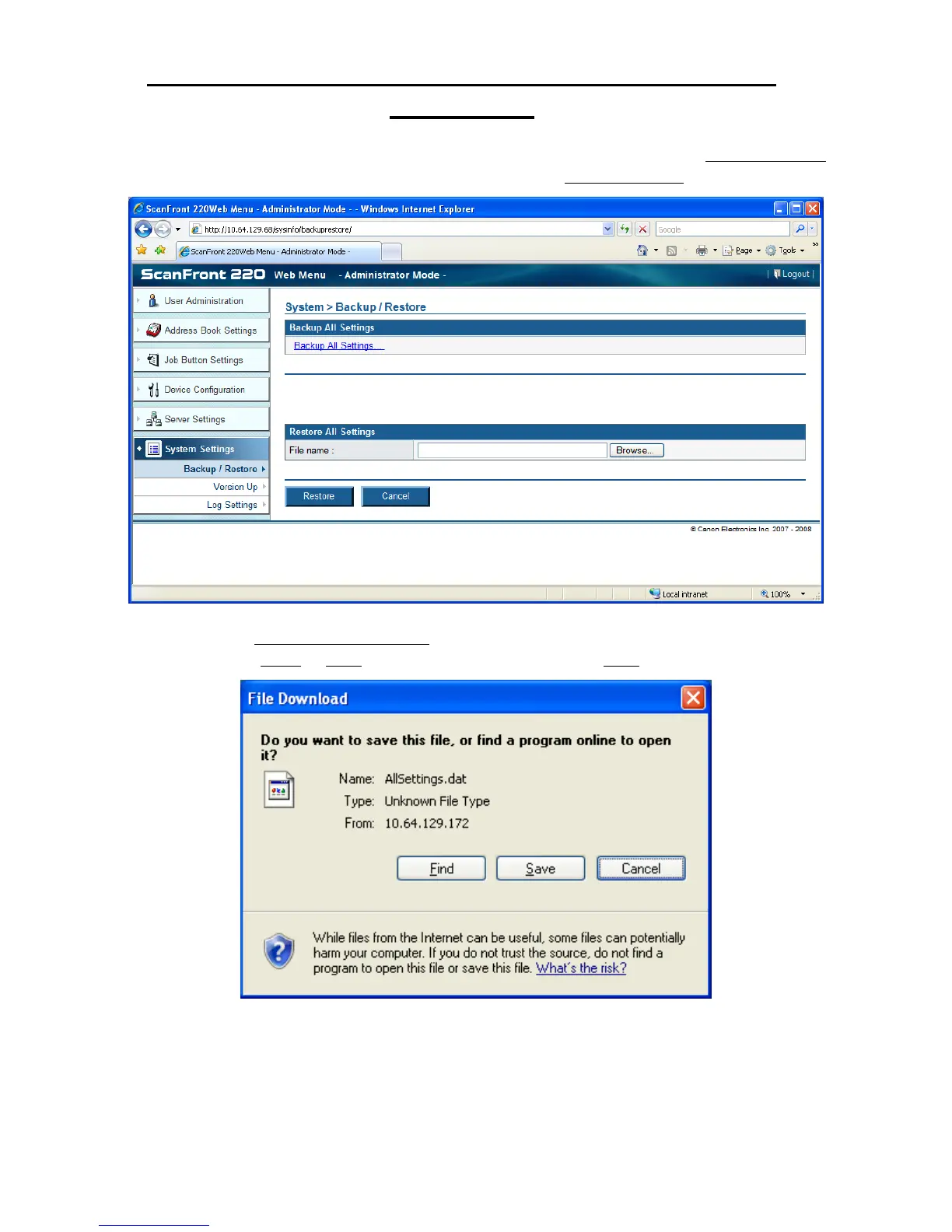
3. After logging in to the ScanFront Administrator Web Menu, click on the System Settings
menu item on the left side of the screen. Then click on the Backup/Restore sub menu item;
4. Click on the Backup All Settings… link. This will bring up the following dialog box
prompting you to Open or Save the file. You should choose the Save option;







 To Next Page