Canon ScanFront 220/220P System Software Update
Instructions
ScanFront Version Up Procedure Version 1.0 Page
7
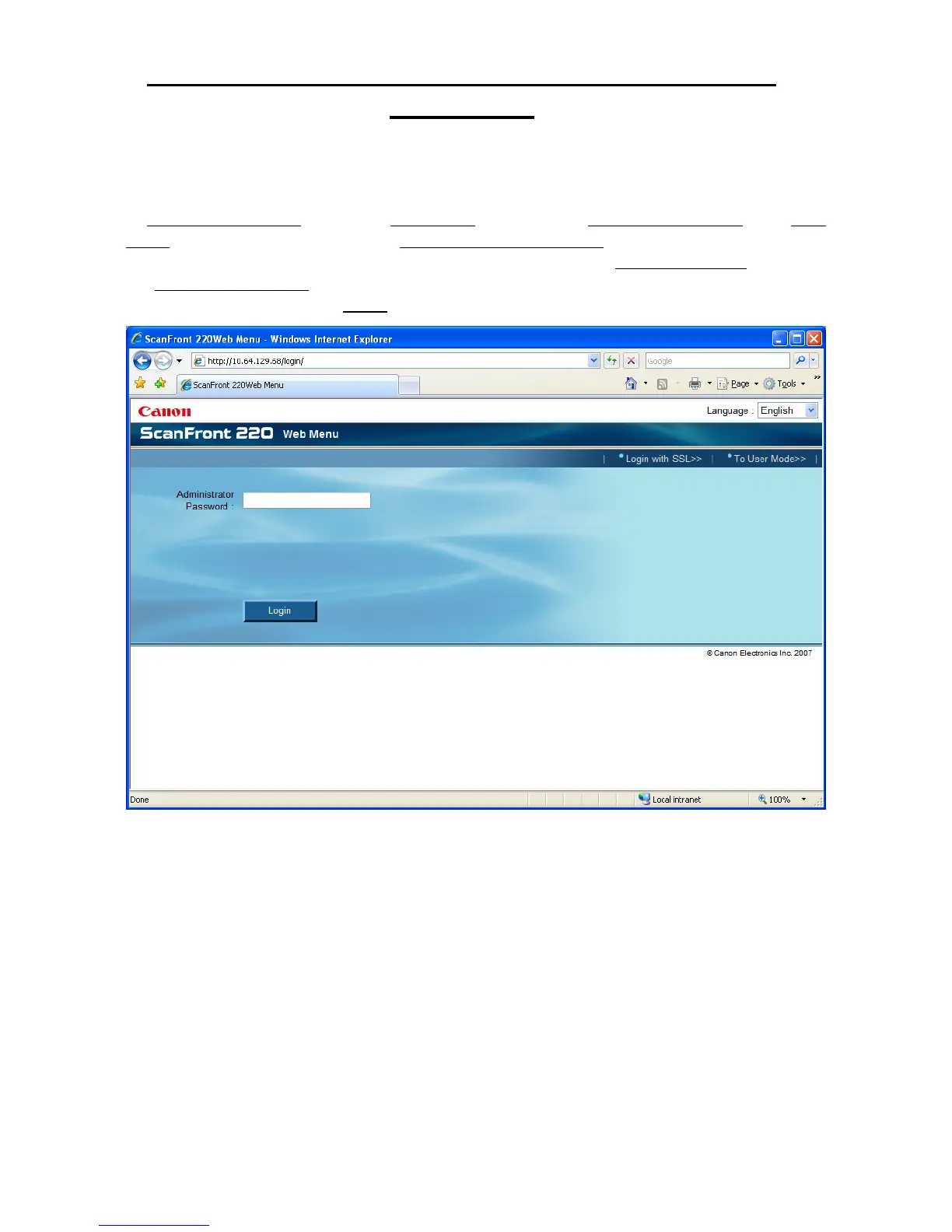
2. Launch an Internet Explorer session on a network attached computer, type the ScanFront
IP address into the Internet Explorer address bar, and then click enter. You will be presented
with the ScanFront 220 Web Menu login screen for the device. Make sure the login screen is
in Administrator Mode and not in User Mode. Switching to Administrator Mode from User
Mode can be done by clicking the To Administrator Mode>> link in the upper right hand
corner of the login page. If the upper right hand corner link says To User Mode>>
you are at
the Administrator Mode login page already. At that point you should enter the administrator
password, and then click the Login button;







 To Next Page