11
1
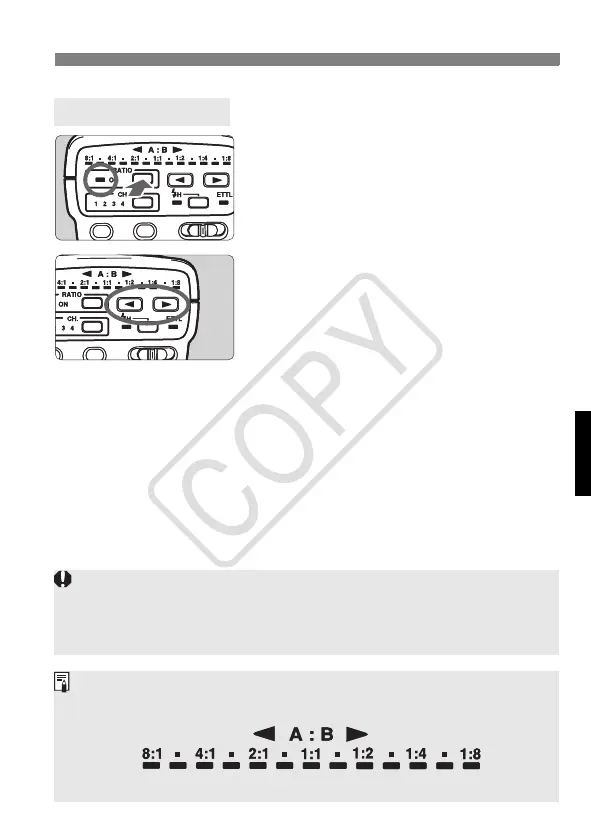
Press the <y> button.
The flash ratio control lamp will light.
2
Set the flash ratio.
Press <8> or <9> to set the flash
ratio within 1:8 to 1:1 or within 1:1 to
8:1.
3
Set the camera and shoot.
Set the camera in the same way as
with normal flash shooting.
Set the Master Unit
If the power switch is set to <7>, the flash ratio cannot be set.
With the EOS ELAN ll/ELAN ll E/50/50E, EOS REBEL G/500N, EOS IX,
EOS IX Lite/IX7, EOS REBEL 2000/300, and EOS REBEL XS N/REBEL
G ll/3000N/66, the flash ratio cannot be set with multiple Speedlites.
The flash ratio range of 8:1 - 1:1 - 1:8 is equivalent to 3:1 - 1:1 - 1:3 in
stops (1/2-stop increments).
(5.6:1) (2.8:1) (1.4:1) (1:1.4) (1:2.8) (1:5.6)
ST-E2_E.fm Page 11 Monday, May 1, 2006 4:09 PM














 To Next Page