6
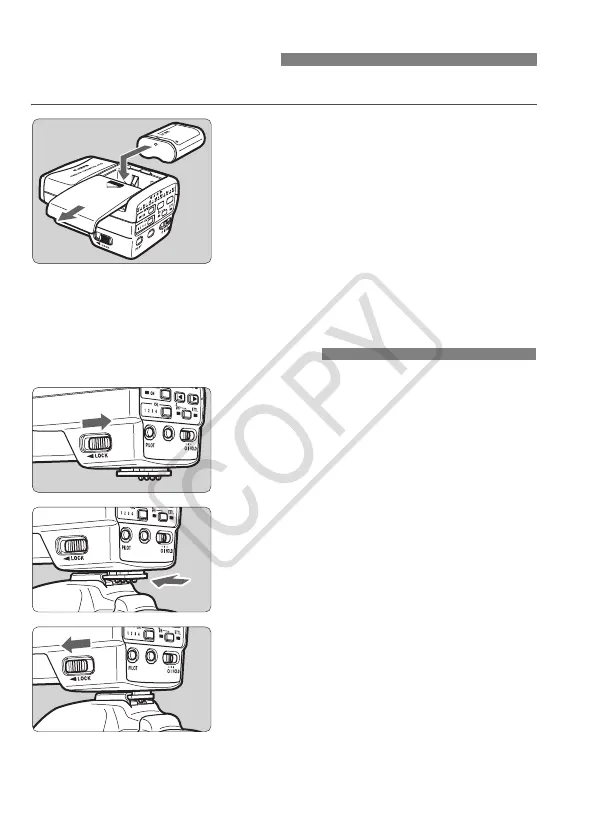
Use one lithium 2CR5 battery.
1
Remove the cover.
Slide the battery compartment cover
as shown by the arrow and remove.
2
Insert the battery.
Insert the battery as shown.
3
Close the cover.
Slide the cover back to its closed
position.
Installing the Battery
1
Slide the lever to the right.
2
Attach the ST-E2.
Slip the ST-E2’s mounting foot into
the camera’s hot shoe all the way.
3
Secure the ST-E2.
Slide the mounting foot’s lock lever to
the left. The locking pin will then
protrude to secure the ST-E2 to the
camera.
To detach the ST-E2, slide the
mounting foot’s lock lever to the right
and detach.
Attaching to the Camera
ST-E2_E.fm Page 6 Monday, May 1, 2006 6:37 PM














 To Next Page