7
1
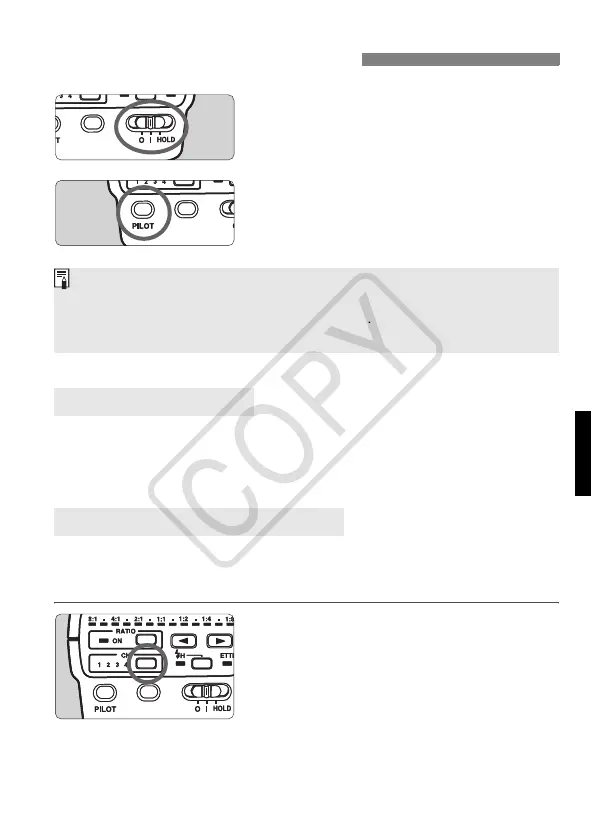
Turn on the power switch.
Set the power switch to <K>.
X The <a> lamp will light.
2
Check that the <J> lamp is
on.
When the <J> lamp is on, it is
ready for wireless flash control.
To save battery power, the power will turn off automatically after 90 sec.
of idle use. To turn on the ST-E2 again, press the camera’s shutter
button halfway.
If there is another Canon wireless flash system nearby, you can change
the channel No. to prevent signal confusion. Both the ST-E2 and slave
units (p.8) must be set to the same channel No.
Set the channel No.
Press the <w> button to set the
desired channel.
X The channel number changes each
time you press the button.
Turn on the Power Switch
About Auto Power Off
Setting Communication Channel
<7> retains the settings made at the <K> position and the ST-E2 will
not respond to any operation except test transmissions. This prevents the
current settings from being altered accidentally. After you set the flash
settings, setting the power switch to <7> is recommended.
ST-E2_E.fm Page 7 Monday, May 1, 2006 4:09 PM














 To Next Page